內容簡介
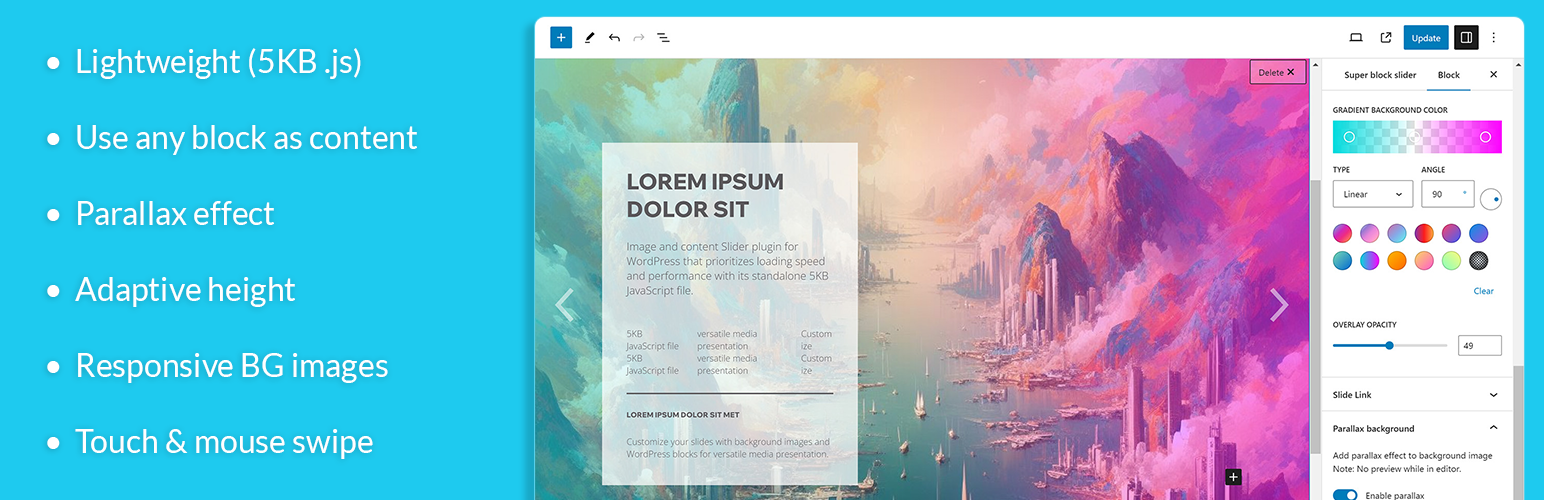
簡單易用、輕量級、響應式的圖片和內容輪播塊編輯器外掛。
輕量級
快速加載 5KB 的 JavaScript 文件。
圖片輪播
背景圖片帶有視差效果。
內容輪播
使用任何古騰堡區塊作為內容,並根據您的設計方式進行設計。
響應式輪播
為響應屏幕大小(桌面、平板電腦或移動設備)設置背景圖片。
適應性輪播高度
自動調整輪播高度以符合圖片高度。
漸變/顏色覆蓋
在圖片上添加漸變或顏色覆蓋。
即時預覽
在編輯器中進行即時編輯/預覽。
輪播功能亮點
滑動,淡出效果
適應性輪播高度
為響應屏幕大小設置多個背景圖片
自定義輪播標題或點指示器
視差背景效果
20 種輪播過渡動畫
自定義漸變或純色覆蓋
連結
輪播範例
文檔
外掛標籤
開發者團隊
② 後台搜尋「Super block slider – Image & content slider」→ 直接安裝(推薦)
📦 歷史版本下載
原文外掛簡介
Slider examples
A lightweight image & content slider plugin. Allows for full control over the content layout and design.
Lightweight
Standalone 5KB JavaScript file, optimize for loading speed and performance.
Image slider
Customize each slide’s background image and customize the visual presentation of your sliders.
Content slider
Highly flexible and customizable content, giving you full control over the content layout and design by using any blocks in the content area.
Supports block & classic editor
Works for block editor and classic editor(via shortcode. example: [superblockslider id=”123″]).
Gradient / color overlay
Enhance the visual impact of your sliders by applying gradient or solid color overlays, creating an eye-catching backdrop for your content.
Responsive slider
Set different background images for desktop, tablet, and mobile screen sizes, allowing for optimal visual presentation across various devices.
Live Editor Preview
Preview your slider’s appearance in real-time within the WordPress editor, making it easy to fine-tune and perfect the design before publishing.
Touch & mouse drag
Supporting both touch and mouse swipe gestures, providing a seamless user experience on touchscreen devices and desktops.
Title or Dot Icon Navigation
Customize the navigation with title-based navigation or dot icons, allowing your users to easily navigate through your sliders.
Parallax Effect
Add a visually appealing parallax effect to your slider, this effect creates a captivating scrolling experience by moving the background at a different speed than the foreground content.
Adaptive slider height
The slider’s height adjusts automatically based on the background size, ensuring that your slides are displayed properly.
Transition Animations
Choose from 20 transition animations to add dynamism and flair to your sliders.
Featured highlight
Slide, fade effect
Adaptive slider height
Set multiple background image for responsive screen size
Title-based navigation or dot icons
Parallax background effect
20 slide transition animations
Gradient or solid color overlay
Links
Slider examples
Documentations