內容簡介
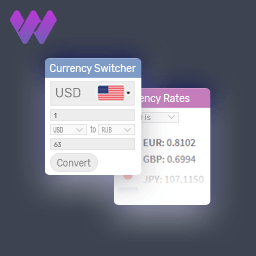
Multi Currency Switcher for WooCommerce 讓您的商店能夠快速、乾淨且專注於轉換地顯示和處理多種貨幣的價格,提升國際銷售的便利性。
【主要功能】
• 支援 150 多種貨幣,顯示國旗、符號和名稱
• 自動匯率更新,支援歐洲中央銀行或 Open Exchange Rates
• 依地理位置自動偵測貨幣,使用 WooCommerce MaxMind API
• 全模式:以選定貨幣顯示價格、購物車、運費和結帳
• 每產品固定價格:每種貨幣的正常和特價
• 短碼和小工具支援,方便嵌入於頁面或側邊欄
外掛標籤
開發者團隊
② 後台搜尋「Multi Currency Switcher for WooCommerce」→ 直接安裝(推薦)
原文外掛簡介
Multi Currency Switcher for WooCommerce lets your store display and process prices in multiple currencies — fast, clean, and conversion-focused.
📖 Full Documentation
Core Features
150+ currencies with flag emoji, symbol, and name display
Auto exchange rates via European Central Bank (free) or Open Exchange Rates
GeoIP auto-detect using WooCommerce MaxMind first, free API fallback
Full mode — prices, cart, shipping, and checkout in selected currency
Visual mode — display in any currency, charge in base currency
Per-product fixed prices — regular and sale price per currency (simple + variable)
Per-variation prices — set regular and sale price per currency at variation level
Smart rounding — Exact, Round, Charm (.95), and .99 Pricing presets
Gutenberg block — drag into any page, post, or FSE template (v1.1.3)
REST API — POST /switch and GET /currencies endpoints (v1.1.3)
Shortcode — [storzen_currency_switcher]
Classic widget — sidebar and footer areas
3 switcher styles — Dropdown, Button group, Native select
Full keyboard navigation — ARIA listbox, arrow keys, Escape focus management
Zero jQuery on the frontend (v1.1.3)
HPOS compatible — High-Performance Order Storage declared
Blocks compatible — Cart and Checkout blocks declared
REST API (v1.1.3)
Switch currency:
POST /wp-json/storzen-cs/v1/switch
Headers: Content-Type: application/json, X-WP-Nonce:
Body: { “currency”: “EUR” }
Returns: { currency, symbol, label, rate }
List currencies:
GET /wp-json/storzen-cs/v1/currencies
Returns: { currencies[], base, current }
Privacy & GDPR
This plugin makes requests to the following third-party services:
GeoIP detection (only when GeoIP is enabled in settings):
* Service: api.country.is
* Purpose: Detects visitor’s country from their IP address to auto-select currency
* Data sent: Visitor IP address
* Privacy policy: https://country.is/
Exchange rate data (only when ExchangeRate-API or ECB supplement is selected):
* Service: open.er-api.com (ExchangeRate-API)
* Purpose: Fetches live currency exchange rates
* Data sent: No personal data — request is for rate data only
* Privacy policy: https://www.exchangerate-api.com/privacy
No personal data is stored or transmitted to plugin author servers.
The visitor IP sent to api.country.is is used only to return a country code and is not stored by the plugin.
Cookie: SameSite=Lax, Secure on HTTPS, HttpOnly.
Zero analytics, zero telemetry, zero third-party tracking SDKs.
Compatibility
WooCommerce 8.0+, WordPress 6.5+, PHP 8.1+
HPOS, WooCommerce Blocks, Block themes (FSE), Classic themes
WPML, Polylang, Elementor, Divi, Bricks, Kadence, Astra