內容簡介
總結: StoreRadar 是一個需要 StoreRadar 帳戶才能運行的外掛,將您的 WooCommerce 商店數據轉換為行動信息,提供功能強大的實時儀表板,統合您的訂單、客戶和產品。通過數據驅動的策略做出明智決策,使整個操作更有效率。
問題與答案:
1. StoreRadar 外掛為什麼需要 StoreRadar 帳戶才能運行?
- StoreRadar 外掛需要 StoreRadar 帳戶才能提供價值化的功能和數據分析。
2. 在哪裡可以註冊 StoreRadar 帳戶?
- 您可以在 storeradar.com 上註冊 StoreRadar 帳戶。
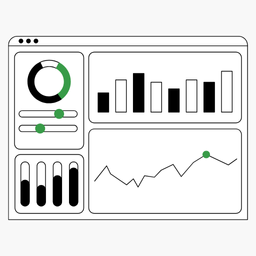
3. StoreRadar 提供哪些可自定義的儀表板?
- StoreRadar 提供多種可自定義的儀表板:
- Sales Dashboard: 即時追蹤收入、平均訂單價值和熱銷產品。
- Customer Insights: 分析客戶行為、終身價值和細分。
- Products Insights: 查看熱銷產品、按類別或其他產品屬性進行數據查閱。
4. StoreRadar 是如何協助團隊合作的?
- StoreRadar 支持無限量團隊成員,且無需額外費用。
5. StoreRadar 收集哪些商店數據?
- StoreRadar 收集商店數據,包括購物車事件與內容、訂閱事件(如果已安裝 WooCommerce Subscriptions)、訂單信息、客戶信息。
外掛標籤
開發者團隊
② 後台搜尋「StoreRadar – Analytics for WooCommerce」→ 直接安裝(推薦)
📦 歷史版本下載
原文外掛簡介
Important: This plugin requires a StoreRadar account to function.
While you can install the plugin without an account, it won’t provide any value until connected to StoreRadar. Try StoreRadar for free!
StoreRadar is your WooCommerce analytics and reporting solution — built to be fast, intuitive, and powerful. Get the WooCommerce reports and insights that the default WooCommerce analytics can’t deliver: real-time dashboards, customer segmentation, subscription metrics, and cart recovery — all in one place.
Make informed decisions and grow your business with data-driven strategies. No more waiting on slow reports or juggling spreadsheets.
At a Glance
WooCommerce reports — Sales, revenue, products, and customers in real time
WooCommerce analytics — Dashboards and charts that load in seconds
Stock velocity reports — See how fast inventory moves and forecast restock needs
StoreRadar Score — One number for your store’s health and performance
AI chat — Ask questions about your data in plain language and get instant answers
Cart tracking and abandonment recovery
Subscription analytics (MRR, churn, LTV) for WooCommerce Subscriptions
Custom segmentation and filters
Unlimited team members at no extra cost
Lightweight plugin — syncs data efficiently without slowing your store
Lightning-Fast WooCommerce Reports
Say goodbye to slow-loading WooCommerce reports. StoreRadar generates detailed WooCommerce analytics, reports, and charts in seconds so you can run your operation more efficiently. Get the WooCommerce reports you need without the lag.
Comprehensive Dashboards
StoreRadar offers a range of customizable dashboards for your WooCommerce analytics:
Sales Dashboard — Track revenue, average order value, and top-selling products in real time. Build your custom dashboard with our drag-and-drop builder.
Customer Insights — Analyze customer behavior, lifetime value, and segmentation. Understand who buys and why.
Product Insights — See which products are selling fast, filter by category or attributes, and spot trends before they peak.
Stock Velocity Reports
Understand how fast your inventory turns. StoreRadar’s stock velocity reports show which products sell quickly and which sit on the shelf, so you can optimize reordering, reduce overstock, and avoid stockouts. Use WooCommerce analytics to see velocity by product, category, or time period and make smarter inventory decisions.
StoreRadar Score
Get a single, clear view of how your store is performing. The StoreRadar Score combines key metrics into one easy-to-understand health score. Track it over time, see what drives it up or down, and focus on the levers that matter most for your WooCommerce business.
AI Chat
Ask your data anything in plain language. StoreRadar’s AI chat lets you type questions like “What were my top products last month?” or “How did revenue compare to last quarter?” and get instant, accurate answers backed by your live WooCommerce reports. No report building required — just ask and get insights.
Subscription Analytics
For stores using WooCommerce Subscriptions, StoreRadar provides in-depth subscription analytics. Track Monthly Recurring Revenue (MRR), churn rate, and the lifetime value of subscription customers — the WooCommerce reports and metrics that subscription businesses need.
Cart Tracking & Abandoned Cart Recovery
StoreRadar tracks cart events and contents so you can recover abandoned carts and understand where visitors drop off. Use your WooCommerce analytics to improve checkout and boost conversions.
Team Collaboration
StoreRadar supports unlimited team members at no extra cost. Share dashboards and WooCommerce reports with your whole team.
How It Works
Sign up for a StoreRadar account at storeradar.com
Install and activate the StoreRadar plugin
Connect your store to your StoreRadar account
Start getting WooCommerce analytics and insights about your store’s performance
Requirements
WordPress 5.0 or higher
WooCommerce 7.0 or higher
PHP 7.4 or higher
WooCommerce Subscriptions plugin (optional — for subscription tracking and subscription WooCommerce reports)
An active StoreRadar account
Privacy
StoreRadar collects store data including: cart events and contents, subscription events (if WooCommerce Subscriptions is installed), order information, and customer information. All data is transmitted securely using industry-standard encryption.
Privacy Policy
StoreRadar collects store data including:
* Cart events and contents
* Subscription events (if WooCommerce Subscriptions is installed)
* Order information
* Customer information
All data is transmitted securely. StoreRadar follows best practices for data security and privacy.