內容簡介
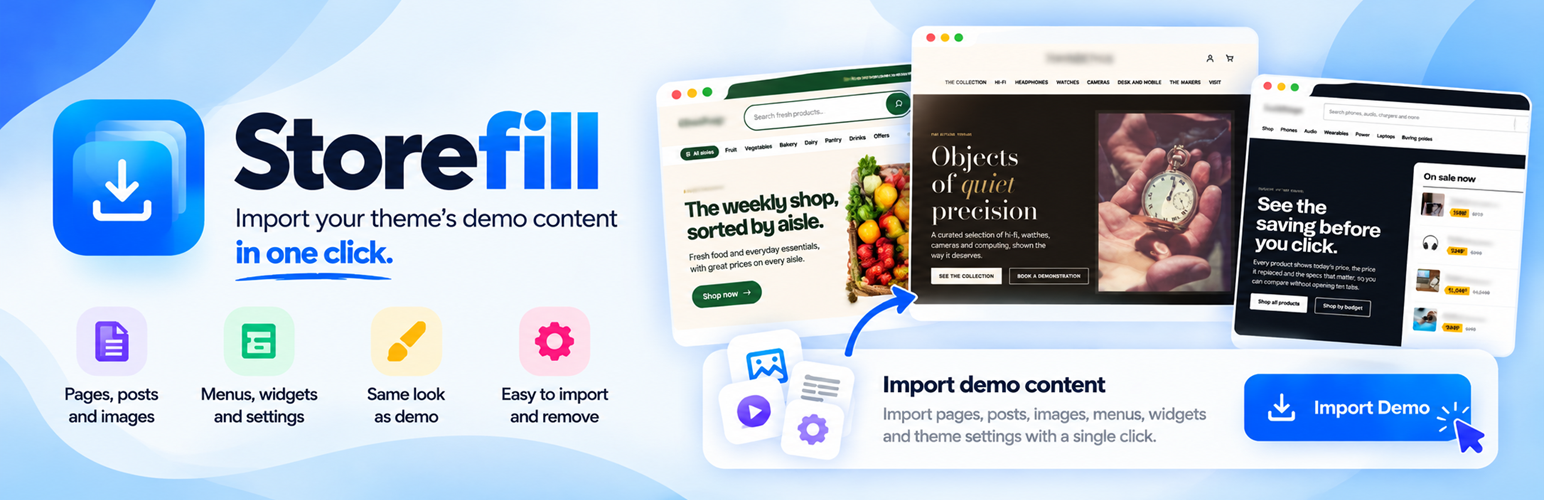
Storefill 是一款專為 WordPress 商店設計的外掛,能快速導入佈景主題所需的示範內容,讓使用者能夠輕鬆預覽商店的各個區塊,並在確認後替換為自己的產品。
【主要功能】
• 自動導入產品、價格、庫存等示範內容
• 支援 WooCommerce 的安裝與啟用
• 保留原有內容,安全導入示範資料
• 提供導航選單及頁面佈局
• 可選擇導入示範首頁與部落格頁面
外掛標籤
開發者團隊
② 後台搜尋「Storefill – Demo Content Importer」→ 直接安裝(推薦)
原文外掛簡介
A new store looks empty until it has products. Storefill fills it with the demo content your theme
was designed around, so you can see every section working and then swap the demo products for your
own.
Open Appearance → Import demo, check the requirements, and click Import demo content.
For Vitrena, eBasket, Luma, Unishop and Gadgetix, Storefill first installs or updates and activates
WooCommerce when needed. Plugin setup runs on this screen, with activation redirects suppressed,
before any content is imported.
If setup fails, the import stops and offers Try again.
Storefill adds:
Products, with photos, prices, sale prices, stock, specifications, variations and reviews
Product categories with images, brands and filterable attributes
Pages and blog posts
A navigation menu
The demo’s look: one of the theme’s own style variations for block themes (Twenty Twenty-Five
imports in its Noon style), and Customizer settings and widgets for classic themes
The demo homepage and blog page (optional)
Safe on a store that already has content
Your own content is never changed or deleted. If a product, page or category with the same name
already exists, Storefill uses it as it is.
Every item Storefill adds, and the previous value of every setting it changes, is recorded.
Remove demo content deletes exactly those items and restores those settings. Content you
added yourself is kept.
Your store’s visibility, title, address, currency, payments and shipping are left alone unless
you tick “This is a public demo site”.
For theme demo sites
Tick This is a public demo site (or use --demo-site on the command line) to also set the site
title and store address, switch store visibility to Live, turn on pretty permalinks, unpublish
WordPress’s sample post and page, and add a demo checkout: a payment method that takes no money and
delivery methods, so visitors can place a test order. Never use this option on a real store.
WP-CLI
wp storefill packs
wp storefill import unishop --demo-site
wp storefill status unishop
wp storefill remove unishop --yes
Supported themes
Demo packs are available for Twenty Twenty-Five (the default WordPress theme), Unishop, eBasket,
Luma, Vitrena, Gadgetix and Yantra. Packs for more themes are added to the demo library over time; Storefill
finds them without an update.
For theme developers
A demo pack is a few JSON files (content, dashboard settings, Customizer settings and widgets)
and a folder of photos in the public
demo-pack repository. Its README documents the format.
Nothing in a pack is executed: Storefill only reads data and imports images through the WordPress
media library. Pack text is treated as plain text (any HTML is stripped), and a pack can only change
a fixed list of store and site-identity settings, never accounts, roles, URLs or security settings.
A pack may declare required_plugins, with each entry specifying a WordPress.org slug, display
name, plugin entry file (for example, woocommerce/woocommerce.php) and minimum_version.
The admin importer prepares these plugins before importing content. Plugin downloads come only
from WordPress.org; a pack cannot supply a plugin download URL or executable code.
External services
Storefill downloads demo packs from the public demo-pack repository on GitHub, published with
GitHub Pages at som3669.github.io.
What is requested: the pack index (index.json), the pack for your active theme
(pack.json) and that pack’s photos.
When: when you open Appearance → Import demo (the index and the pack are then cached for six
hours), and when you import (the photos).
What is sent: nothing about your site or its users. The requests are plain file downloads.
Like any web request, they reveal your server’s IP address to GitHub.
GitHub is operated by GitHub, Inc.:
Terms of Service,
Privacy Statement.
To use another host, define STOREFILL_SOURCE in wp-config.php with its base URL. To read packs
from a folder on the server without requesting pack files remotely, define STOREFILL_LOCAL_PACKS
with the folder path. Required plugins may still be downloaded from WordPress.org during import.
When you click Import demo content for a pack with required plugins, Storefill uses the
WordPress.org plugin API (api.wordpress.org) to check plugin information and downloads missing
or updated plugins from downloads.wordpress.org. These requests include the plugin slug and
locale, and WordPress’s default user agent includes the WordPress version and site URL. Your
server’s IP address is also visible to the service. Plugins are activated only with the current
administrator’s plugin-management permissions.
If a required plugin needs an update, Storefill requests WordPress’s standard plugin update
check from api.wordpress.org. WordPress sends installed plugin headers and versions, active
plugins, plugin translations and available site languages, plus its version and site URL in the
user agent. Only the selected demo’s required plugin is updated.
WordPress.org Privacy Policy.