內容簡介
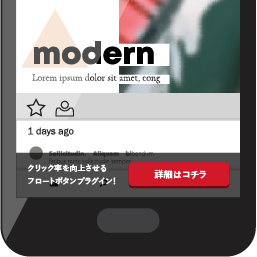
Sticky Ads Lightweight 是一款輕量級且高度可配置的 WordPress 外掛,讓使用者輕鬆輸入廣告代碼並自訂黏性廣告的顯示方式,幫助網站主增加收入。
【主要功能】
• 支援不同位置的廣告代碼設定
• 可排除特定文章或頁面顯示
• 訪客體驗優化,延遲顯示與關閉記憶
• 支援區塊編輯器,輕鬆插入廣告
• 可選擇 Google Analytics 4 事件追蹤
• 自訂關閉按鈕樣式
外掛標籤
開發者團隊
原文外掛簡介
Start earning more with Sticky Ads using our lightweight, highly configurable WordPress plugin. Sticky Ad Lightweight lets you easily input your AD Code and customize the display of your sticky ads. Once installed, simply go to Settings > Sticky Ads Lightweight and input your AD Code.
Features:
Separate Top and Bottom Creatives:
Use different ad codes for each placement, or leave the placement fields empty to reuse the shared Ad Code.
Page Exclusions:
Exclude specific post/page IDs, category IDs, post types, or the homepage/blog. Exclusions apply to automatic placements, shortcodes, widgets, and the editor block.
Visitor Experience:
Delay initial display, remember dismissal for this page, the current browser tab session, or 1–720 hours, and choose separate desktop/mobile heights. Dismissal is stored in the visitor’s browser for each placement and resets when its saved ad code changes. Auto-hide begins after the display delay.
Block Editor Support:
Insert the Sticky Ad block and choose top or bottom in its sidebar. The editor uses a safe placeholder; live ad scripts run on the frontend.
Optional Google Analytics 4 Events:
Track visible ad impressions and visitor closes through your existing Google tag. Customize both event names, the ad reporting label, and an optional Measurement ID destination. The question-mark guide explains Google tag setup, Realtime/DebugView checks, and custom dimensions. Tracking is off by default and follows your existing tag’s consent configuration.
Global Output Control:
Display your sticky ad automatically on every page at the top or bottom (or both) of your site. Simply enable “Display on Top” and/or “Display on Bottom” in the settings.
Shortcode Support:
Display an ad only on selected posts or pages with [sticky_ad_lightweight]. Use [sticky_ad_lightweight position="top"] for a top placement. Shortcode output automatically replaces global output on that page.
Device Targeting:
Easily toggle on Desktop/Mobile to render your sticky ads
Scheduling & Auto-Hide:
Set a start and end time for your ad to display. Optionally, set an auto-hide delay for a smooth fade-out transition, similar to Google anchor ads.
Customizable Close Button:
Choose from three close button types:
Text: Simple text that can be customized.
Image: Upload or enter an image URL.
SVG: Paste your SVG code directly.
This allows you to match the close button to your site’s design.
Background Color Adjustment:
Control the ad container’s background color directly from the settings. The inline background style will override the default CSS, ensuring your chosen color is applied.
Flexible Ad Code Input:
The plugin supports HTML ad code and shortcodes from other plugins. Users with WordPress’s unfiltered_html permission can also save scripts for AdSense or other ad networks. WordPress HTML filtering applies to other users. Do not place the plugin’s own sticky ad shortcode inside the Ad Code field.