外掛標籤
開發者團隊
② 後台搜尋「StatJolt Analytics – Simple, GDPR Compliant & Lightweight Website Stats」→ 直接安裝(推薦)
原文外掛簡介
WordPress analytics that respects your visitors. And your time.
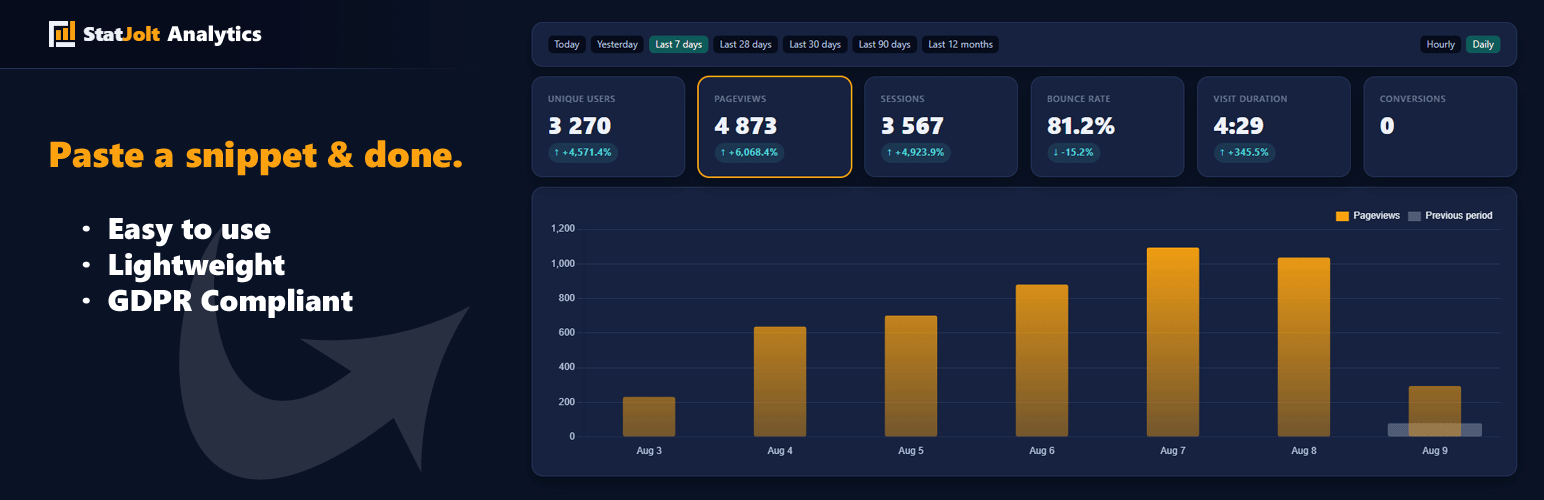
StatJolt Analytics is lightweight, cookie free website analytics for WordPress. It answers the questions you actually ask. Who visited, where they came from, what they read and whether your site was fast enough to keep them.
This plugin connects your WordPress site to StatJolt. You paste your code into one field. The plugin decides where it belongs, puts it on every page and clears your cache so the change reaches visitors immediately.
No consent banner. No personal data. No dashboard you need to study for.
No load on your WordPress database
StatJolt stores no tracking data in WordPress. Your database stays the same size. Your server runs no tracking queries.
You still own your numbers and your visitors still stay anonymous. The work simply happens somewhere that is built for it.
Set up in one paste
One field. Paste the whole snippet.
Placed for you. The code goes before the closing body tag and on WordPress 6.9 or newer it also works on themes that never call wp_footer. There is nothing to configure and no compatibility mode to find.
Cache cleared automatically. WP Rocket, LiteSpeed, W3 Total Cache, WP Super Cache, Super Page Cache, WP Fastest Cache, SiteGround Optimizer, Hummingbird, Breeze, Cache Enabler, Autoptimize and WP Engine are all handled. If you use something else, the plugin says so plainly and keeps saying it until data arrives.
Honest status. The settings screen tells you whether StatJolt is genuinely receiving data from this site, not merely that a code is saved.
Safe to paste twice. StatJolt runs once per page, so you cannot accidentally double count.
What you see
Unique visitors and pageviews, as a trend rather than noise
Where traffic comes from: search, social, direct and UTM campaigns
Which pages people actually read
Devices, browsers and countries
Live visitors, right now, with no report processing delay
More than pageviews
StatJolt includes these features from the start.
Core Web Vitals. LCP, INP, CLS, FCP and TTFB are tracked beside your traffic, automatically. These are the numbers Google uses to rank you. StatJolt does not only tell you who visited, it tells you whether your site was quick enough to keep them.
User journeys. See the real paths through your site, such as Home to Pricing to Signup, as a flow you can read at a glance.
Funnels, found automatically. Want to know where people give up before checkout or signup? Funnel analysis is included and it recognises many platforms on its own.
JavaScript errors. Broken scripts cost you conversions silently. StatJolt reports the errors your visitors hit, so you find out before your customers tell you.
Privacy by design, not by policy
No cookies. StatJolt does not need them, so it does not use them.
No consent banner required in most countries.
No personal data collected. You get the insight, your visitors keep their privacy.
Nothing to configure to stay compliant.
Who it is for
Bloggers and creators who want to know which posts landed, without a course in analytics.
Small business owners who need answers this afternoon, not a certification.
Agencies and freelancers running many sites. One StatJolt account covers all of them and the same snippet works on every one.
Anyone tired of cookie banners who would rather not ask every visitor for consent to count them.
What it costs
StatJolt is 0 EUR to use until 11 April 2027 23:59:59, at any traffic volume. After 11 April 2027 analytics stay free for low traffic sites. In exchange it shows a small badge on your site and you choose where it sits or hide it in your account.
About the badge
StatJolt displays a small badge on your site. You control it entirely from your StatJolt account: move it, restyle it or switch it off. If your account is set to an in line badge, this plugin asks where you want it and offers your sidebar, any footer widget column, the bottom of the page or the [statjolt_badge] shortcode. Pages that do not render your chosen container still get the tracking code, so nothing goes unmeasured.
Who is not counted
Logged in users are skipped, which you can turn off with a single checkbox. Feeds, REST responses, previews and the login page are never touched.
External services
This plugin connects to StatJolt at https://statjolt.com, the analytics service the plugin is built for. Two separate connections happen.
1. Visitor tracking
On every front end page view, the visitor’s browser loads https://statjolt.com/measure/c.min.js and that script sends the page view to https://statjolt.com/measure/counter.php.
What is sent: your StatJolt ID, the page path, the page title, the referrer, screen width, browser language, UTM campaign parameters, Core Web Vitals timings, uncaught JavaScript errors, form sends and incomplete forms (with the form, button or field label, never the typed content), clicks on outbound links, file downloads, clicks on phone and email links (without the number or address), scroll depth and the name of a clicked element that the site owner marked with a data-statjolt attribute. No cookies are set.
When: on every front end page view of your site, for every visitor.
2. Setup check
When you open the plugin’s settings screen, your server calls https://statjolt.com/pluginstatus.php and sends your StatJolt ID together with your site’s domain name. StatJolt answers whether the ID exists, whether data is arriving and how your badge is configured. The same call runs once when you save a new ID.
When: in the admin area only, at most once every five minutes.
Terms of service: https://statjolt.com/en/page/tos
Privacy policy: https://statjolt.com/en/page/privacy