內容簡介
Teydea Content Expiry 外掛允許您為任何文章類型設定到期日期,並在到期時自動執行相應操作。無論是管理時間敏感的促銷、季節性內容,還是法律通知,該外掛都能有效管理內容生命週期。
【主要功能】
• 自動將過期內容移至草稿、私人或垃圾桶
• 透過電子郵件通知內容到期前後的狀態
• 顯示倒數計時器和根據到期日期變化的內容區塊
• 支援快速編輯和批次編輯過期內容
• 儀表板小工具顯示即將到期的文章
外掛標籤
開發者團隊
② 後台搜尋「Teydea Content Expiry – Auto-Expire Posts & Scheduled Status Changes」→ 直接安裝(推薦)
原文外掛簡介
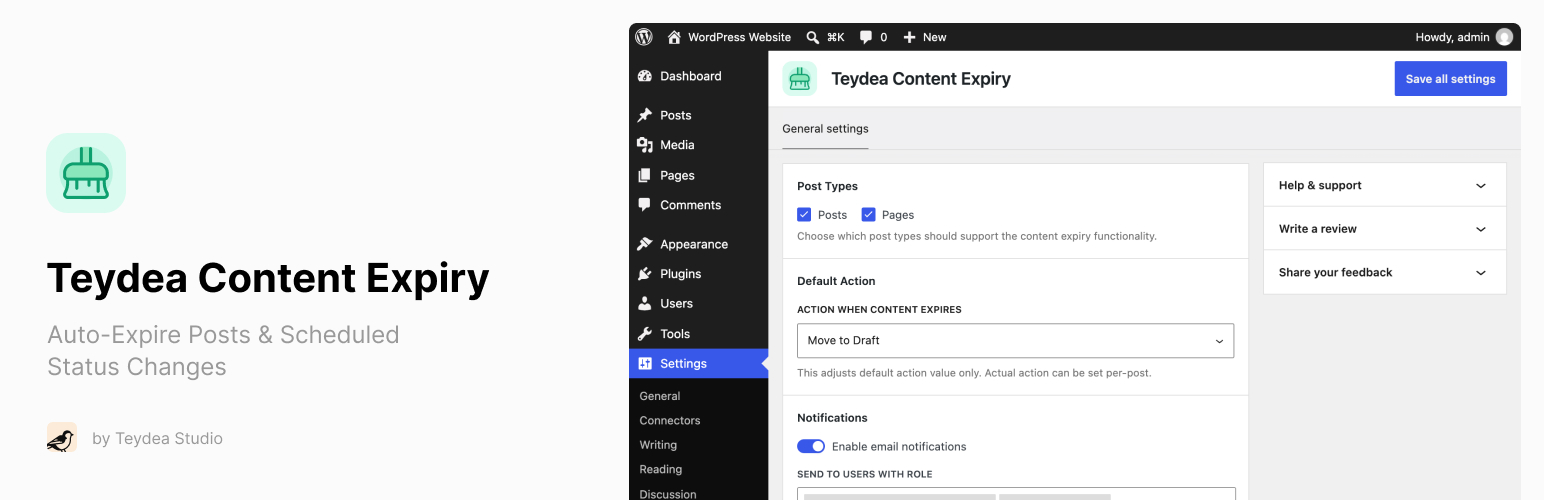
Teydea Content Expiry lets you set an expiry date on any post type and automatically take action when that date arrives.
Whether you manage time-sensitive promotions, seasonal content, legal notices with review deadlines, or news articles that lose relevance, Teydea Content Expiry gives you the tools to handle content lifecycle directly within WordPress.
Key benefits:
Automatically move expired content to draft, private, or trash – no manual cleanup needed.
Get notified by email before and after content expires, so nothing slips through the cracks.
Show visitors countdown timers and timed content blocks that respond to expiry dates.
Manage expiring content at scale with bulk edit, quick edit, and a dashboard widget.
Teydea Content Expiry works with posts, pages, and custom post types. It integrates with both the Block Editor (Gutenberg) and the Classic Editor.
Features
Expiry Date and Action – Set an expiry date and time on any supported post type, and choose what happens: Move to Draft, Make Private, or Move to Trash.
Block Editor Integration – Sidebar panel in Gutenberg for configuring expiry date, time, and action.
Classic Editor Integration – Metabox in the sidebar for configuring expiry on sites using the Classic Editor.
Posts List Column – Sortable expiry column in the classic posts and pages lists showing scheduled or past expiry dates, completed actions, and previous statuses.
Restore Previous Status – Undo an automated status change from the classic posts and pages lists, including Trash. Restoring clears the old expiry so it does not run again.
Expired Posts Filter – Dedicated “Expired” view in the posts list with a count of expired posts.
Quick Edit and Bulk Edit – Edit expiry settings inline or for multiple posts at once.
Dashboard Widget – “Expiring Soon” widget showing posts approaching their expiry date within a configurable time window.
Email Notifications – Get notified when content expires, with optional pre-expiry warnings (1, 3, or 7 days before).
Configurable Recipients – Send notifications to specific user roles or individual users.
Expiry Countdown Block – Display a live countdown timer or static date on the front end, with customizable colors and thresholds. Also available as a [stalepilot_countdown] shortcode.
Timed Content Block – Show or hide content based on a date, relative time from publish, or the post’s expiry date. Also available as a [stalepilot_timed_content] shortcode.
Automatic Scheduling – Expiry is automatically canceled on trash/delete and rescheduled on restore.
Developer Hooks – Extensible via actions and filters for custom integrations.