內容簡介
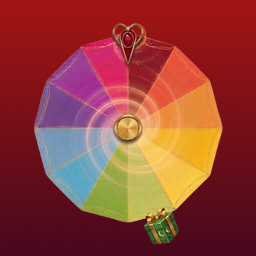
Spin Wheel 是一款互動式轉盤外掛,能夠提升網站參與度並促進銷售。透過提供獨家折扣和優惠券,讓訪客享受有趣的遊戲化體驗,適合增強顧客忠誠度及擴展電子郵件名單。
【主要功能】
• 自訂互動轉盤,吸引使用者注意
• 針對各種裝置優化顯示效果
• 設定進階顯示規則,完全掌控活動
外掛標籤
開發者團隊
📦 歷史版本下載
原文外掛簡介
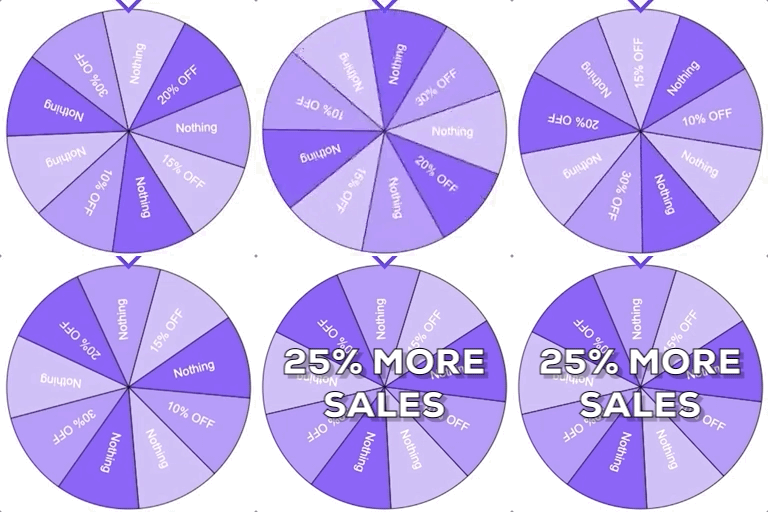
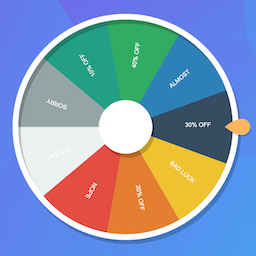
Boost your website engagement and drive more sales with 🎁 Spin Wheel, the best spin wheel popup WordPress plugin. Offer your visitors a fun, gamified experience by letting them spin to win exclusive discounts and coupons. This interactive tool is perfect for growing your email list and enhancing customer loyalty.
With extensive customization options, advanced display settings, and robust spam protection, Spin Wheel makes it easy to create captivating offers that boost conversions and keep users coming back.
Try the Demo | Documentation | Upgrade Pro
With Spin Wheel, you can:
Capture user attention with a customizable Interactive spin wheel for WordPress that appears at the right moment, whether on page load, exit intent, or after a specified period of inactivity.
Optimize for various devices, including desktop, tablet, and mobile, ensuring a seamless experience for all users.
Configure advanced display rules like user status, role-based visibility, and specific show/hide times, giving you total control over your campaign.
KEY FEATURES:
Comprehensive Campaign Control:
Campaign Settings: Easily manage multiple campaigns with unique names and status options. Includes fortune wheel popup testing in Development mode.
Device Visibility: Determine the coupon spin wheel’s visibility for specific devices—Desktop, Tablet, and Mobile—to reach your audience wherever they are.
Spam Protection:
Email Coupon Delivery: Automatically email coupons to winners, ensuring an efficient, secured and user-friendly experience.
Email Verification: Require visitors to confirm their email address with a one-time code sent from your own site before they can spin.
Rate Limiting: Cap how many entries a single IP address can submit within a time window.
Entry Restrictions: Allow one entry per email address, and cap the total number of participants per wheel.
Display Rules for Maximum Flexibility:
Trigger Options: Choose when the lucky wheel popup appears—on page load, on exit intent, upon scrolling, or after a period of inactivity.
Re-appearance Control: Define a reappearance interval (in days) for users who have already seen the discount wheel popup, maintaining a non-intrusive experience.
Visibility Timeframe: Set specific start and end dates to control when the popup is active, perfect for time-sensitive promotions.
Advanced User Conditions: Customize visibility based on user status (logged in/out) and roles (admin, editor, author, etc.) for targeted engagement.
Stylish Customization Options:
Wheel Section Colors: Personalize each segment’s background color to create a creative and brand-aligned spin wheel.
Configurable Coupons for Every Spin:
Custom Coupon Labels and Codes: Offer unique prizes with customizable labels and discount codes.
Winning Probability: Control the odds of winning with adjustable probabilities for each segment; the winning slice is always chosen on the server.
Form Customization for a Seamless User Experience:
Styling Options: Adjust colors, text sizes, and alignment for the form container, title, description, and input fields to match your brand’s aesthetics.
Field visibility: Show or hide the name, email, and phone fields independently and set each as optional or required.
Terms & conditions: Optional checkbox with a customizable label (HTML allowed, e.g. a link to your terms page) so visitors must agree before spinning.
Submit Button Design: Customize the submit button’s color, alignment, and size for a polished and professional look.
Winning and Losing Messages:
Winning Info: Personalize the victory message with custom titles, descriptions, and styling for coupon codes.
Losing Info: Customize the text and design for messages when users don’t win.
Two Ways to Award Prizes:
Instant Win: The visitor sees the prize the wheel lands on and receives it straight away, with an optional winner email.
Event Mode: Entries are collected without awarding anything automatically. You then pick winners yourself from the Entries screen, or draw a number of random winners in one click, and revert a selection at any time.
Track Entries for Enhanced Insights:
Entry Count Display: Keep track of the participants on your backend in a lost form for quick reports.
Campaign Tracking: Optionally store utm_source, utm_medium, utm_campaign, utm_term, utm_content, gclid and fbclid with each entry and export them to CSV.
Data Retention: Automatically delete entries older than a number of days you choose, or keep them forever.
How to embed your wheel
Shortcode (default): In the Usage box while editing a wheel, copy [spin_wheel id="…"] and paste it into any page or post. You can also use the Spin Wheel block in the block editor.
Auto embed: In the same Usage sidebar, set Display method to Auto Embed and update the wheel. One published wheel can be embedded site-wide (front-end pages): scripts and styles load the same way as the shortcode, and your wheel’s display rules (devices, pages, dates, etc.) still apply. Choosing Auto Embed on another wheel replaces the previous choice. Switch back to Shortcode to stop site-wide embedding for that wheel. If the same wheel is already on a page via shortcode or block, it is not output twice.
Spin Wheel is a versatile and powerful tool for engaging users, collecting emails, and boosting sales. With easy-to-use features and extensive customization options, this plugin is your best choice for adding an interactive element to your marketing strategy.
Checkout our other Plugins 👑
Explore the best free addons for Elementor and Gutenberg to boost your site with advanced blocks, sliders and eCommerce tools.
Element Pack – Build responsive websites from scratch with an all-rounder package of 300+ widgets and 2700+ ready-to-use assets for Elementor.
Prime Slider – The revolutionary slider builder addon for Elementor with a next-gen superb interface and 50+ unique slider designs.
Ultimate Post Kit – Best blogging addon for building a quality blogging website with fine-tuned post layouts, carousels, sliders and lists.
Ultimate Store Kit – The only eCommerce addon for answering all your online store design problems in one package for WooCommerce and EDD.
Pixel Gallery – The first Elementor-based WordPress gallery addon offering 60+ flexible and customizable gallery builder widgets.
ZoloBlocks – Mind-blowing dynamic block plugin for Gutenberg with powerful and advanced features offering a greater web design experience.
Augmented Reality Viewer – Bring your products to life with immersive 3D and AR experiences directly inside your WordPress website.
Dark Reader – Instantly transform your website into a sleek, eye-friendly dark mode experience with smooth and elegant styling.
Instant Image Generator – Generate AI-powered images or import visuals instantly from popular platforms like Unsplash, Openverse, Pixabay, Pexels and Giphy — all from one place.
Live Copy Paste – Seamlessly copy and paste sections, widgets and entire pages across domains with zero hassle.
One Accessibility – Make your website inclusive and accessible to everyone with essential accessibility enhancements and compliance-ready tools.
QR Code Generator & Scanner – Create and manage dynamic QR codes directly from your WordPress dashboard for smarter engagement and tracking.
Smart Admin Assistant – Enhance your WordPress dashboard with productivity-focused tools and smart site management features.
Spin Wheel – Engage visitors with an interactive spinning wheel that offers discounts, coupons and promotional rewards.
Swift Checkout for WooCommerce – Simplify the WooCommerce checkout process to improve user experience and boost conversion rates.
Visit BdThemes to learn about our services, Elementor page builder-based products, informative blogs and documentation.
Third-Party Libraries
This plugin bundles one third-party JavaScript library:
lucky-canvas v1.7.27 — draws the wheel, grid and slot-machine canvases.
Source code: https://github.com/LuckDraw/lucky-canvas
npm package: https://www.npmjs.com/package/lucky-canvas
License: Apache-2.0
The file at public/js/lucky-canvas.umd.min.js is the unmodified dist/index.umd.js
build published on npm, which upstream distributes already minified. Its source map is
shipped alongside it as lucky-canvas.umd.min.js.map, and the exact file can be
refetched from https://cdn.jsdelivr.net/npm/[email protected]/dist/index.umd.js
External Services
This plugin does not connect to any external service. It sends no data to third parties
and makes no remote requests. Everything — including prize selection, entry storage and
email verification codes — is processed on your own site, and all emails are sent with
WordPress’s own wp_mail() function.
Privacy
Entries are stored in two custom database tables on your own site ({prefix}swp_entries
and {prefix}swp_winners). Depending on how you configure a wheel, an entry can hold the
visitor’s name, email address, phone number, the prize they landed on, their IP address,
their browser user agent, and — if you enable Campaign Tracking — the campaign parameters
from the address they arrived on. Use the Delete entries older than setting on
Settings → Database to remove old entries automatically.
Deleting the plugin only removes this data when you have first switched on Delete Data on
Uninstall on Settings → Database; otherwise your wheels, entries and settings are left in
place. Deactivating the plugin never removes anything.