
外掛標籤
開發者團隊
② 後台搜尋「SparxSync Accounting Integration for Reckon One」→ 直接安裝(推薦)
原文外掛簡介
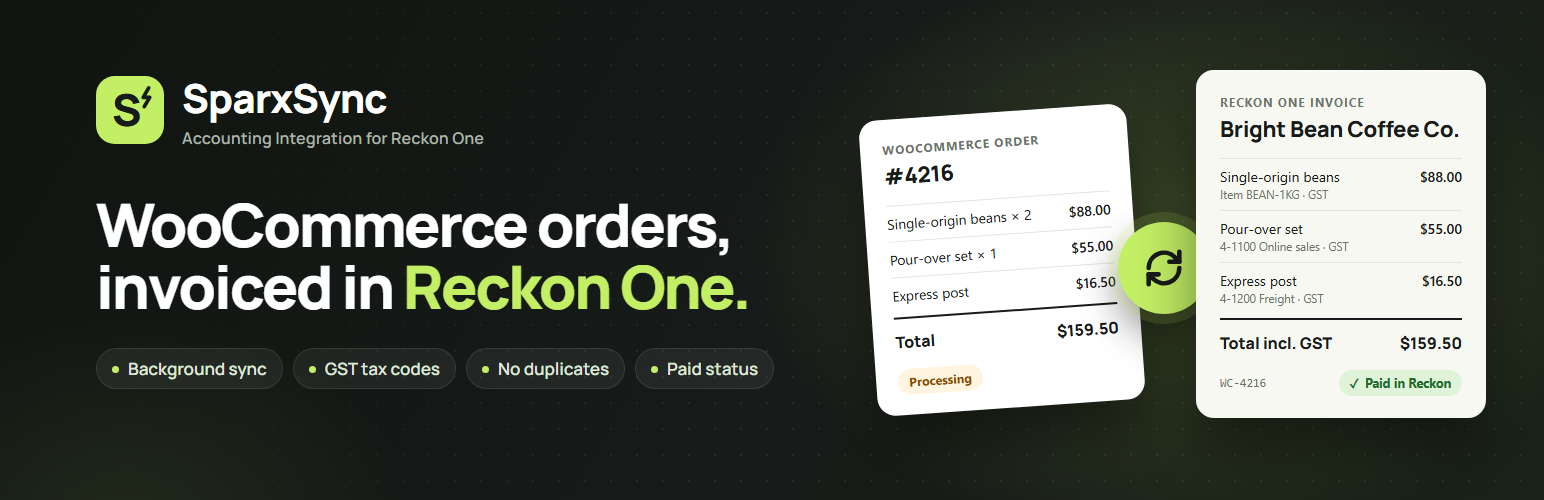
SparxSync Accounting Integration for Reckon One connects your WooCommerce store to your Reckon One book. When an order reaches a status you choose (for example Processing or Completed), the plugin creates a matching customer invoice in Reckon One for you, in the background, so you no longer have to type orders into your accounts by hand.
It is built for Australian and New Zealand store owners, bookkeepers and accountants who use Reckon One and want a reliable WooCommerce to Reckon One sync: sales invoices with the right customer, ledger accounts and GST codes, matching WooCommerce to the cent.
This is an independent integration. It is not an official Reckon or WooCommerce product.
What it does
Dashboard and analytics: see invoices sent, sales value sent to Reckon and a daily chart for the last 30 days, plus queue health and your most recent invoices, at a glance. All figures come from your own store data; nothing is tracked or sent anywhere.
Guided setup: a step-by-step checklist shows exactly what is left to configure and takes you straight to it.
Secure connection: connects to Reckon One with OAuth 2.0. Credentials can also be defined in wp-config.php.
Book and mappings: choose your Reckon book, then map your sales, shipping and fee ledger accounts and your WooCommerce tax rates to Reckon tax codes.
Automatic invoices: finds or creates the Reckon customer, then creates one invoice whose lines, tax and totals match the saved order.
Never slows checkout: orders are queued with WooCommerce Action Scheduler. No Reckon API call happens while a customer is paying.
Duplicate protection: every invoice carries a stable reference. If the result of a request is unknown, the plugin checks Reckon before trying again instead of sending a second invoice.
Invoice preview: open any order that has not been sent yet and see exactly what its Reckon invoice will contain: each line, where it goes (Reckon item or ledger account), its tax code, and the totals. Problems such as a missing tax mapping or a missing SKU show up before anything is sent. The preview never contacts Reckon.
Send past orders: choose a date range, see how many orders will be sent and how many already have an invoice, then send them in small background batches with a progress bar and a Cancel button. Orders that already have an invoice are skipped, so it is safe to run more than once.
Paid in Reckon: once an hour the plugin reads the status of recently sent invoices and marks orders “Paid in Reckon” when the invoice is paid there, with a note on the order. It is read-only: nothing is written to Reckon and the WooCommerce order status is never changed. You can switch it off.
Clear status for every order: a Reckon One panel on each order shows its invoice status, and an overview page lists queued, failed and needs-review orders with retry and recovery buttons.
Product options: match products to Reckon items by SKU, post lines to a ledger account, or do both.
Refund and cancellation alerts: orders refunded or cancelled after export are listed for your accountant to review. Reckon invoices are never changed or deleted automatically.
Privacy-minded logs: credentials, tokens and customer details are never written to the log.
Compatible with HPOS (High-Performance Order Storage) and legacy order storage.
What it does not do
To keep your accounts safe and predictable, this plugin creates invoices only. It does not post payments, create credit notes, or sync products, prices or stock. The only thing read back from Reckon is each invoice’s status (Draft, Approved or Paid), which is shown on the order; WooCommerce orders are never changed because of it.
Need help or a custom feature?
This plugin is built and maintained by SkillsSparx. If you need help connecting Reckon One, setting up your mappings, fixing orders that will not sync, or you want a custom WooCommerce or accounting feature built for your store, get in touch with our team.
Questions about the free plugin are also welcome in the WordPress.org support forum.
External Services
This plugin connects to Reckon One, a third-party accounting service operated by Reckon Limited. It is required: the plugin’s only purpose is to create invoices in your Reckon One book. A Reckon One subscription and Reckon developer-partner credentials (Client ID, Client Secret and Subscription Key) are needed.
Nothing is sent to Reckon during checkout. Requests are made only when an administrator uses the connection screens, when the background worker runs with synchronization switched on, or by the optional hourly invoice status check described below.
Reckon Identity service — https://identity.reckon.com
Used for: signing in to Reckon (OAuth 2.0 authorization), exchanging and refreshing access tokens, and, if you choose, revoking access when you disconnect.
Data sent: the authorization code, refresh token, and your Client ID and Client Secret.
When: when you click Connect, Reconnect or Disconnect, and when an access token needs refreshing.
Reckon One API — https://api-v2.reckonone.com
Used for: reading your books, ledger accounts, tax codes, address types and items; finding and creating customers; finding, creating and reading invoices; reading the status of invoices the plugin created.
Data sent: the customer’s name, company and billing email (and the billing address only if you turn that on); the invoice date, line descriptions, quantities, amounts, tax codes and tax amounts, an invoice reference, and a note with the WooCommerce order number.
When: when you test the connection or refresh Reckon data, and when an order is processed by the background worker. If “Check Reckon for paid invoices” is switched on (Synchronization tab), up to 20 recently sent invoices are read once an hour; this request sends only the book ID and invoice ID.
Reckon’s terms and privacy policy: https://www.reckon.com/au/legal/
Reckon developer portal: https://developers.reckon.com/
Credentials and tokens are stored in your WordPress database and are never shown again after saving. Please list Reckon as a data processor in your store’s privacy policy.
The “Need help?” buttons in the plugin’s admin pages are ordinary links to skillssparx.com. No data is sent to SkillsSparx unless you click one, and then only what your browser normally sends when opening a web page.