外掛標籤
開發者團隊
原文外掛簡介
Sparrow Portfolio adds a dedicated “Portfolio” custom post type and category taxonomy to WordPress, so you can showcase your projects independently of any page builder.
It works entirely on its own with the built-in Gutenberg block, or alongside the Sparrow Elementor Widgets plugin for Elementor-based layouts — both share the same portfolio content, so you only manage it once.
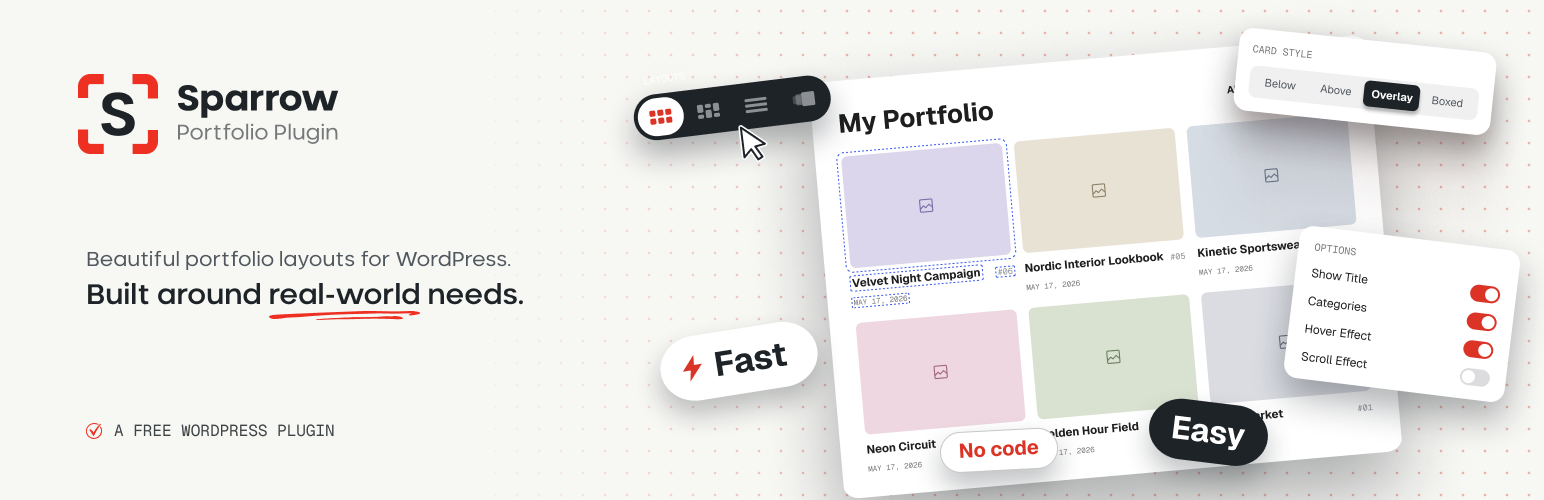
🖼️ Four Layout Types
Grid, List, Masonry, or Carousel — switch between them from one panel without rebuilding your page. The Carousel layout runs on Swiper with configurable loop, autoplay, speed, mousewheel control, and centered slides.
🎯 Flexible Content Source
Show all projects, filter by a single category or author, or hand-pick specific projects one by one with a searchable picker. Order by date, title, menu order, or random, in either direction.
↕️ Drag & Drop Ordering
Reorder projects by dragging them right in the Portfolio list — the new order is saved instantly, no extra plugin needed. Set the block to order by menu order and the grid follows it.
🔍 AJAX Filter & Sort
A category filter and a sort control, each switchable between an inline list or a dropdown select, with the position of the two fully configurable — left, right, center, or split to opposite edges (with a one-click Swap Sides). Everything updates over AJAX, no page reload.
🔎 Instant Project Search
A search button that opens a dropdown with live results as you type — thumbnail, title with the matched part highlighted, and category. The list of projects is loaded once and filtered in the browser, so typing never hits the database. Place it above, below, or inline with the filter and sorting, or anywhere on the site with the [sparrow_portfolio_search] shortcode.
🎨 Three Matching Visual Styles
Filter, sorting and pagination all ship with the same three styles — Underline Tabs, Filter Chips, and Outlined Buttons — so you can set them to match for a single, consistent design across the block.
📄 Numbers or Load More Pagination
Classic numbered pagination or a Load More button, both AJAX-powered, with configurable alignment and button text.
✍️ Full Typography Control
Independent color, font size (with a px / % / em / rem / vw / custom unit picker), font family (from a built-in list of Google Fonts), and weight for the title, category, and date — plus where the date sits, how it’s separated, and whether a divider shows in the List layout.
✨ Hover Effects
Built-in hover effects for thumbnails — zoom in, zoom out, grayscale to color, color to grayscale, and darken.
🎬 Featured Video Support
Attach a video to any project and choose whether it autoplays or only plays on hover, right on the grid thumbnail — no popup required.
🧩 Text Position
Place the title, category and date below the thumbnail, above it, or on top of the image as a color-tinted overlay with a 9-point alignment picker — with text alignment, title/meta gap and padding controls.
🖱️ Click-to-Edit Preview
Hover over any part of the portfolio right in the editor — title, category, date, thumbnail, filter, search or pagination — to see it outlined, then click to jump straight to its settings. No hunting through panels.
📱 Responsive Controls
Columns, gaps, font sizes, letter spacing, padding, corner radius, thumbnail aspect ratio and text alignment can each be set separately for desktop, tablet and mobile. Pick the device next to a setting and the editor preview switches with it; an empty tablet or mobile value simply follows the larger screen.
➡️ Project Navigation
Previous / Next navigation on the project page in four styles — button group, arrows, titles, or cards with thumbnails. It steps through projects by date or in your drag-and-drop order, can stay inside the current category, can loop, and its middle button takes the visitor back to the grid they came from.
🔒 Password-Protected Projects
Protect a project with the standard WordPress password and visitors get a clean, theme-independent password form with a show/hide toggle, an “incorrect password” message, and an optional “Contact the author” link. Protected projects are marked with a lock badge in the grid.
🌗 Dark Mode
Switch the filter, sorting, search and pagination to a dark color scheme — always, by the visitor’s system setting, or in sync with your theme’s own light/dark switch (just enter the class or attribute your theme uses). Title, category and date can have separate colors for light and dark.
⚙️ Settings Page
Portfolio → Settings: URL bases for projects and categories, the portfolio page, your own names for the post type (“Works”, “Cases”…), a placeholder image for projects without a featured image, navigation and password form options, color scheme, and locally hosted fonts.
🛠️ Shortcode
An auto-generated, always-in-sync shortcode so the same design can be dropped into Elementor, the classic editor, or any theme template.
🎭 Theme-Overridable Templates
Ships its own single and archive templates for classic themes so it works out of the box, and uses the theme’s own templates on block themes. A theme can override either one by simply providing its own archive-portfolios.php or single-portfolios.php — no filters or hooks required.
External services
This plugin can load fonts from Google Fonts, a font delivery service provided by Google.
It is used only when you pick a font family for the project title, category or date in the block settings. In that case, each time a page with that block is displayed, the visitor’s browser requests the font stylesheet from fonts.googleapis.com and the font files from fonts.gstatic.com. As with any web request, the visitor’s IP address and browser details are sent to Google. No other data is sent.
If you enable “Load Google Fonts locally” in Portfolio → Settings → Performance, your server downloads the font files once and serves them from your own site; visitors’ browsers then make no requests to Google.
Terms of service: https://developers.google.com/fonts/terms
Privacy policy: https://policies.google.com/privacy
Source code
The block’s scripts and styles in the build/ folder are compiled with @wordpress/scripts. Their readable source is included in the plugin, in the src/ folder. To rebuild them, run npm install and then npm run build in the plugin folder.
The scripts in assets/js/ and the styles in assets/css/ are not compiled; they ship as readable, unminified source.