內容簡介
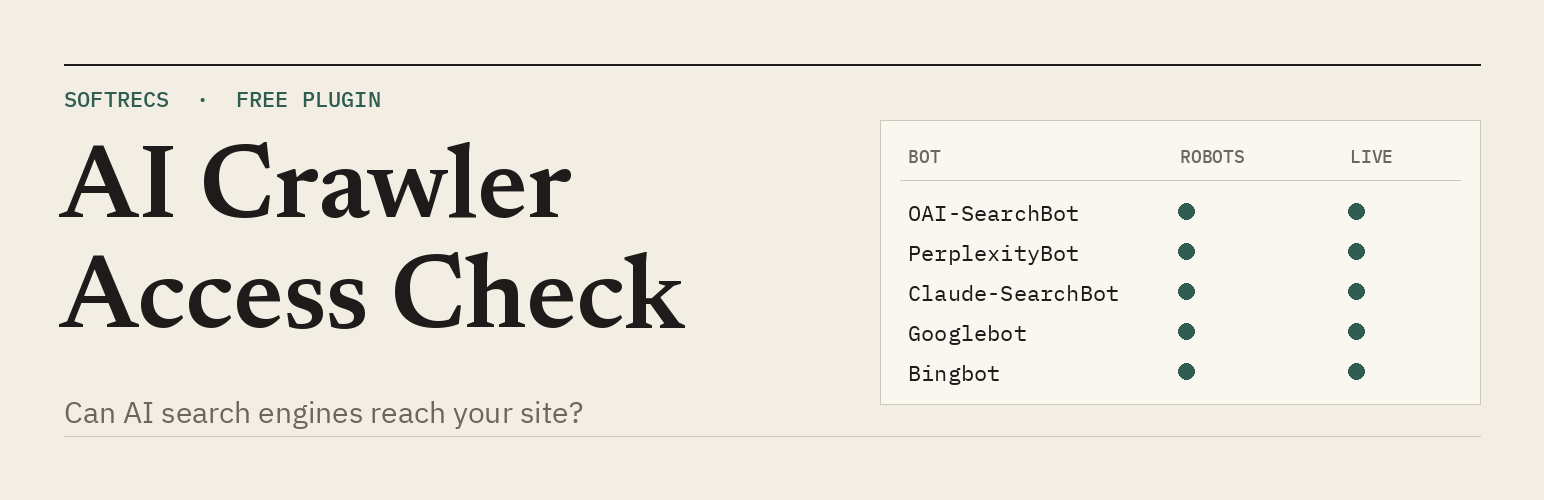
Softrecs AI Crawler Checker 外掛能夠檢查 AI 爬蟲是否能夠讀取您的網站,並持續監控其狀態,確保您的內容能被正確引用,提升網站的可見性。
【主要功能】
• 檢查 robots.txt 設定是否允許 AI 爬蟲
• 監控網站的索引和片段控制設定
• 提供爬蟲訪問日誌和每週檢查報告
• 支援自定義最多五個 URL 的檢查
• 提供逐個爬蟲的檢查摘要和控制面板小工具
外掛標籤
開發者團隊
原文外掛簡介
AI answer engines can only cite pages they can read. This plugin checks, from inside your dashboard, whether they can read yours, and keeps checking.
Go to Tools › AI Crawler Checker and press Run the check. It looks at:
robots.txt for search and answer bots. Googlebot, Bingbot, OAI-SearchBot, ChatGPT-User, Claude-SearchBot, Claude-User, PerplexityBot and Perplexity-User. Rules are matched the way RFC 9309 says (the longest rule wins, Allow wins a tie), against your home page, newest post, newest page and up to five pages you choose.
A live request as each bot. robots.txt can allow a bot while a firewall, security plugin or CDN still refuses it. The plugin requests your home page with each bot’s user agent and compares the answer with a normal browser request. It also spots bot challenge pages.
Indexing and snippet controls. noindex, nosnippet and max-snippet:0 in meta tags and the X-Robots-Tag header, a canonical that points to another site, and the “Discourage search engines” setting. Google says a page must be indexed and eligible for a snippet to appear in AI Overviews and AI Mode.
XML sitemap, and whether robots.txt lists it.
Text in the raw HTML. Most AI crawlers do not run JavaScript, so text added by scripts is invisible to them.
HTTPS, and whether http:// redirects to https://.
When something fails, the row opens into fix steps for that cause: where your robots.txt is edited (a real file, Yoast, Rank Math or All in One SEO), the exact lines to copy, and where to look in Wordfence, Cloudflare, Sucuri or your host’s firewall when a bot is refused. If the site is behind Cloudflare or Sucuri, the plugin notices and says so.
New in 1.1
Bot visit log. See when Googlebot, Bingbot, GPTBot, ClaudeBot, PerplexityBot and the rest last visited, which page they opened and how often they come.
Weekly check with an email alert. The check runs once a week and emails the site admin only when something that passed stops passing, for example after a security plugin update starts blocking a bot.
Your own pages. Add up to five URLs, such as pricing or your top guide, to the checks.
Bot-by-bot grid, a summary card and a dashboard widget.
Two things are reported but never scored:
AI training bots (GPTBot, ClaudeBot, Google-Extended, Applebot-Extended, CCBot, meta-externalagent). Blocking these is your choice. It does not remove you from search results or AI answers, so it does not count against you.
llms.txt. Google has said its Search features do not use it, and no major AI engine has said it reads the file when choosing what to cite. The plugin tells you whether you have one and leaves it at that.
What it cannot tell you
Whether any engine actually cites you. Being reachable is the first step, not the result. The plugin also runs from your own server, so blocks based on the bots’ IP addresses will not show. A clean live test means no user-agent rule is blocking them.
The visit log matches bots by user agent, which can be faked, so it is a sign rather than proof. Visits served from a page cache (LiteSpeed, WP Rocket, a CDN) never reach WordPress and are not logged.
Privacy
Every request the plugin makes goes to your own site. It sends nothing to any other server, sets no cookies on visitors and adds nothing to the front end of your pages.
The visit log stores, per bot, the time of the last visit, the last few page paths and a visit count. It does not store IP addresses or anything about human visitors. The weekly alert is sent with WordPress’s own mail function to the admin email in Settings › General. Logging and the weekly check can each be switched off, and everything the plugin stores is deleted when you delete the plugin.