內容簡介
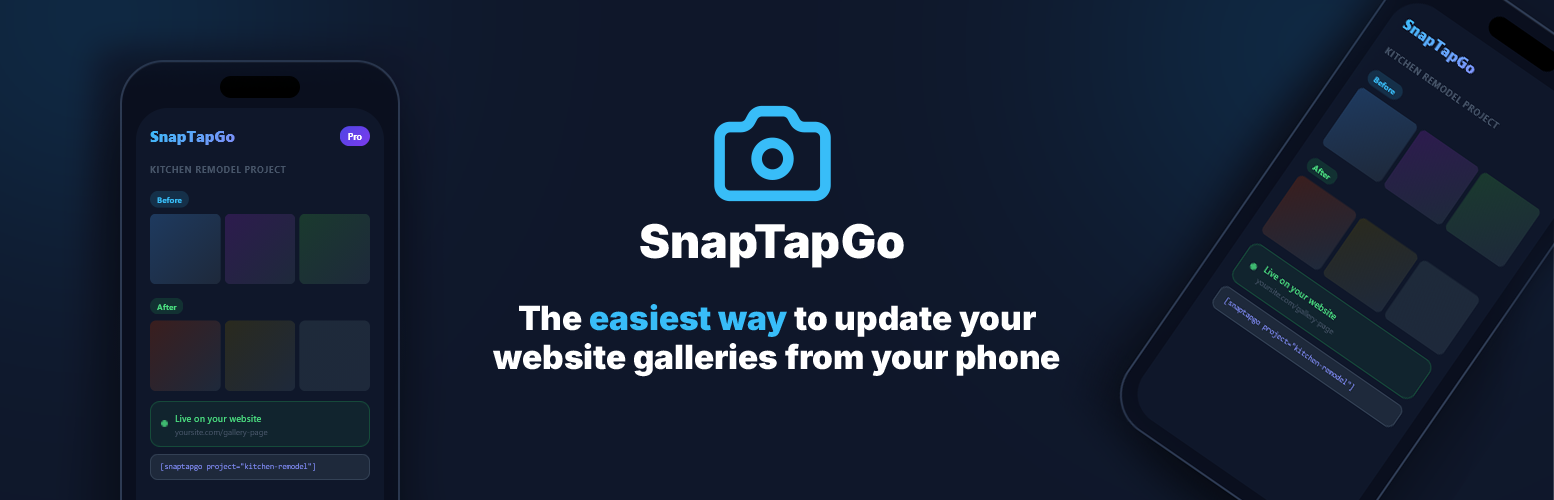
SnapTapGo Gallery 是一款連接 WordPress 與 SnapTapGo 帳戶的外掛,讓使用者能夠輕鬆管理和上傳相片。透過簡單的短碼,使用者可以在網站上即時顯示相簿,並從手機直接上傳照片,提升網站內容更新的效率。
【主要功能】
• 即時相簿短碼:在任何頁面或文章中添加短碼
• 手機上傳:直接從手機上傳照片到媒體庫
• 自動更新:相簿每 30 秒自動更新
• 團隊協作:最多可邀請 5 位共同擁有者
• 照片分組:可將照片組織成命名群組
外掛標籤
開發者團隊
原文外掛簡介
Before you install
This plugin is a connector, not a standalone gallery. You need a free SnapTapGo account (sign up at app.snaptapgo.com) before you can connect WordPress. After signup, create a project in the app, copy your connection token into Settings → SnapTapGo here, then add a shortcode with your Gallery ID.
SnapTapGo Gallery connects your WordPress site to your SnapTapGo account in two powerful ways:
1. Live gallery shortcodes — Add one shortcode to any page or post. Manage every photo from your phone. The gallery on your site updates within about 30 seconds when you add, remove, approve, or reorganize photos — no WordPress login needed.
2. Upload to WordPress from your phone — Send photos directly from your phone to your WordPress media library. Requires a SnapTapGo Business plan. No desktop, no FTP, no logging into WordPress. Just tap and upload.
How live galleries work
Create a free SnapTapGo account if you do not have one yet
Create a project in the SnapTapGo app and upload your photos
Organize photos into named groups (e.g. “Before”, “After”, “Events”, “Stallions”)
Copy your Gallery ID from the WordPress section of the project (separate from the guest share link)
Paste the shortcode on any WordPress page — done
The gallery pulls approved photos live from SnapTapGo and caches them for performance. Groups appear as clearly labeled sections automatically.
On Business plans, contributor uploads can go to a pending queue first — approve photos in the app before they appear on your public WordPress gallery. Invite up to 5 gallery co-owners per project to upload and approve from their phones.
Setup guide: How to update WordPress galleries without logging in
How to upload photos from your phone
Go to Settings in the SnapTapGo app
Copy your connection token and paste it into Settings → SnapTapGo in WordPress
Enter your site URL in the SnapTapGo app to connect
Open any project and tap Upload to Site — photos go straight to your media library (Business plan)
Gallery layouts
Grid — equal-sized square tiles, responsive columns
Masonry — natural photo heights, Pinterest-style flow
Carousel — one photo at a time, swipe-friendly with optional autoplay
Strip — portrait photos side by side, perfect for project sequences with optional autoplay
All layouts include a full-screen lightbox with navigation arrows, keyboard support, swipe gestures, and a download button.
Great for
Contractors — show before/after photos on your website. Update from the job site.
Landscapers & home service pros — build a live portfolio that never goes stale.
Interior designers — display project rooms as organized, labeled gallery sections.
Real estate agents — embed property photo galleries without touching the media library.
Web designers & agencies — hand clients a gallery they can update without wp-admin after launch.
Teams with photographers + marketing — photographer uploads, social downloads, owner approves what goes live.
Anyone — if you take photos on your phone and want them on your website, this is the simplest way.
Shortcode examples
Basic grid:
[snaptapgo project=”YOUR_GALLERY_ID”]
Masonry with 4 columns:
[snaptapgo project=”YOUR_GALLERY_ID” layout=”masonry” columns=”4″]
Carousel with autoplay (4-second interval):
[snaptapgo project=”YOUR_GALLERY_ID” layout=”carousel” autoplay=”4″]
Strip layout, no gaps, no lightbox (for hero use):
[snaptapgo project=”YOUR_GALLERY_ID” layout=”strip” columns=”4″ gap=”0″ lightbox=”false”]
Strip with rounded corners and autoplay:
[snaptapgo project=”YOUR_GALLERY_ID” layout=”strip” columns=”4″ radius=”12px” autoplay=”4″]
Homepage hero from a named app section:
[snaptapgo project=”YOUR_GALLERY_ID” group=”Website Hero” hero=”cover” overlay=”dark” lightbox=”false”]
Hero carousel from a section:
[snaptapgo project=”YOUR_GALLERY_ID” group=”Website Hero” hero=”carousel” autoplay=”5″ lightbox=”false”]
One section only (grid):
[snaptapgo project=”YOUR_GALLERY_ID” group=”Services” layout=”grid” columns=”3″]
All shortcode attributes
project (required) — your WordPress Gallery ID from the SnapTapGo app (not the guest share link)
group — show only photos from this app section (group name, case-insensitive). Omit to show all photos with section labels.
hero — hero display mode: cover, banner, contained, exact, or carousel. Use with group to pull photos from one section. Loads lightweight hero CSS only (no gallery lightbox). (exact = a specific height in px/rem — not sticky/fixed navigation.)
overlay — dark or light gradient overlay for text readability. Headline and button text stay in WordPress or your page builder.
height — min height for cover, exact, or carousel heroes (e.g. 100vh, 400px). When set, overrides the default 70vh / 900px cap on cover.
layout — grid (default), masonry, carousel, strip
columns — 1–6 columns (default: 3; applies to grid, masonry, strip)
gap — spacing between photos in pixels (default: 8; use 0 for no gap)
radius — border radius on photos, e.g. 8px, 12px, 50% (default: 0)
limit — maximum number of photos to display (default: 24)
show_names — show uploader name on each photo: true or false (default: false)
autoplay — seconds between auto-advances for carousel and strip (default: 0 = off)
lightbox — set to false to disable click-to-open; useful for hero/display-only use (default: true)
Appearance settings
Go to Settings → SnapTapGo to:
Set a default layout for all galleries
Customize group label font, size, weight, and color
Override per-gallery with shortcode attributes
Group labels inherit your theme’s heading font by default — no custom CSS needed.
SnapTapGo plans & WordPress
Free — 1 live WordPress gallery embed
Pro ($11.99/mo or $119/yr) — unlimited projects and share-link features; still 1 live WordPress gallery embed
Business ($24.99/mo or $249/yr) — unlimited WordPress galleries, contributor photo moderation queue, gallery co-owners (up to 5 per project), and upload from your phone into the WordPress media library
Plan details at snaptapgo.com.
External Services
This plugin connects to app.snaptapgo.com, a third-party service operated by SnapTapGo.
Gallery display: The plugin fetches photo data from https://app.snaptapgo.com/api/public/ using your Gallery ID and connection token. This request is made from your WordPress server and results are cached for 30 seconds.
Photo uploads: When the upload feature is used, photos are sent from the SnapTapGo app to your WordPress site via a secure REST endpoint. No visitor data is transmitted.
Privacy policy: https://snaptapgo.com/privacy
Terms of service: https://snaptapgo.com/terms
No visitor or user data from your WordPress site is ever sent to SnapTapGo.