內容簡介
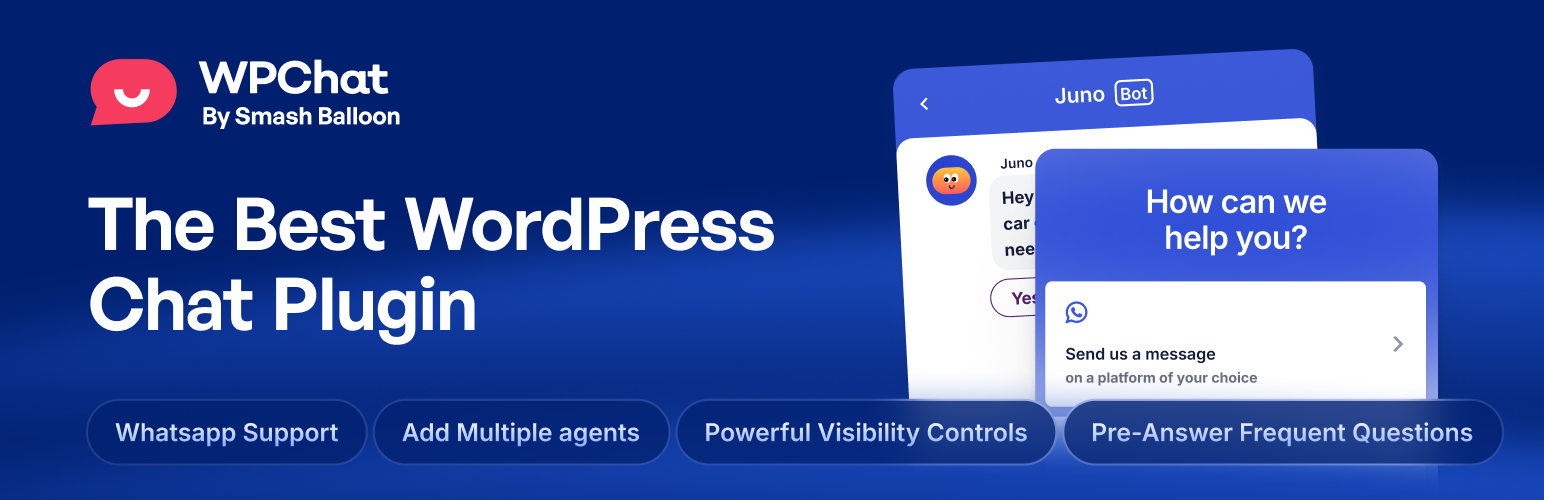
WPChat 是一款專為 WordPress 設計的 WhatsApp 聊天外掛,能夠在網站上添加專業的即時聊天小工具。無論是線上商店或服務業,WPChat 讓您輕鬆與客戶建立真實對話,無需編碼,並且無需每月支付 SaaS 費用。
【主要功能】
• 支援 WhatsApp、Facebook Messenger、Telegram 和 Instagram
• 快速設置,5 分鐘內完成
• 自訂聊天小工具外觀
• 無需編碼技術
• 提供即時客戶支援
外掛標籤
開發者團隊
② 後台搜尋「WPChat – Live Chat & Messaging Widget for Customer Support」→ 直接安裝(推薦)
原文外掛簡介
WPChat is a WordPress WhatsApp chat plugin for adding a professional live chat widget to your website. Connect with visitors on WhatsApp, Facebook Messenger, Telegram, and Instagram, all from one customizable chat widget that works with any WordPress theme.
Whether you run an online store or a service business, WPChat makes it easy to add live chat to WordPress and start real conversations with your customers. No coding required. No monthly SaaS fees. A lightweight WordPress chat plugin that helps you turn visitors into paying customers.
WPChat Pro
This plugin is the lite version of WPChat Pro, which comes with unlimited live chat agents, chat funnels for automated lead qualification, a full analytics dashboard, AI-powered smart search, and complete brand customization. Click here to get WPChat Pro and unlock all premium live chat features!
💬 WordPress WhatsApp Chat Plugin for Customer Support
Your customers are already on WhatsApp. With over 2 billion users worldwide, WhatsApp is the fastest way to connect with visitors and provide real-time customer support. WPChat brings WhatsApp chat directly to your WordPress site with a clean chat widget that matches your site’s design.
Contact forms are slow. Customers fill one out and wait for an email that may come hours later. WPChat lets them tap a chat button and start a WhatsApp conversation instead. The chat continues on their phone even after they leave your site, so you never lose the conversation. Personal, fast, and on the messaging app they already use every day.
⚡ Add a Live Chat Widget to WordPress in Minutes
Adding a WhatsApp chat widget to your WordPress site takes less than 5 minutes with WPChat. Our guided setup wizard walks you through everything step by step, no technical skills or coding required.
Enter your WhatsApp number, pick one of three professionally designed chat widget themes, and choose where to show the live chat bubble on your site. That’s it. Your WordPress chat widget is live and ready to receive messages from visitors on WhatsApp, Messenger, Telegram, and Instagram.
WPChat loads asynchronously and uses lightweight, optimized code so your chat widget never slows down your site. Built for performance with no bloated scripts or unnecessary dependencies.
🌐 Multi-Platform Live Chat: WhatsApp, Messenger, Telegram & Instagram
Not every customer uses WhatsApp. Some prefer Facebook Messenger. Others like Telegram or Instagram. WPChat supports all four messaging platforms in a single chat widget, so every visitor can reach you on the app they already have on their phone.
Set up a single agent profile with your name, photo, and links to all your messaging platforms. Visitors see your chat widget, choose their preferred messaging platform, and start a live chat conversation instantly. Managing customer support chat across WhatsApp, Messenger, Telegram, and Instagram has never been easier. Multi-platform chat support is completely free in the WPChat lite version.
🤖 AI-Powered Smart FAQs for Automated Customer Support Chat
Stop answering the same questions over and over. WPChat includes a built-in FAQ system right inside your chat widget, providing instant answers to common customer questions 24 hours a day, 7 days a week.
Add up to 10 searchable FAQs in the free version, and visitors can find answers with a smart search bar before starting a live chat. This cuts your support workload and gives customers faster answers. Upgrade to WPChat Pro for unlimited FAQs, AI-powered smart search, and multi-step chat funnels that qualify leads and guide visitors toward a purchase, all automatically.
🏢 WordPress Live Chat for Every Business & Industry
WPChat works for any business that wants to add live chat and WhatsApp customer support to their WordPress site:
E-Commerce & WooCommerce Chat – Answer product questions, reduce cart abandonment, and close more sales with real-time WhatsApp chat support on your store.
Agencies & Freelancers – Let potential clients reach you instantly through your chat widget for faster lead qualification and live chat conversations.
Restaurants & Local Businesses – Accept reservations and answer customer questions through WhatsApp chat on your website.
SaaS & Tech Companies – Provide real-time customer support chat and onboarding assistance through your live chat widget.
Healthcare & Wellness – Let patients and clients reach your office through WhatsApp chat for appointment inquiries and support.
Education & Coaching – Connect with prospective students and clients through a professional live chat widget on your site.
Real Estate – Engage property buyers and renters through live chat to answer listing questions and schedule viewings.
Nonprofits & Communities – Make it easy for donors, volunteers, and members to connect with your team via WhatsApp chat.
✅ Free WordPress Live Chat Plugin Features
The free version of WPChat is a complete multi-platform live chat solution for WordPress. Add a customizable chat widget to your site with WhatsApp chat, Facebook Messenger, Telegram, and Instagram support. Create a professional agent profile, add up to 10 smart FAQs, and choose from three beautiful chat widget themes. No coding required.
WPChat is 100% mobile responsive, GDPR compliant, loads asynchronously for zero performance impact, and works with every WordPress theme. Add WhatsApp chat to WordPress for free in under 5 minutes.
🚀 Pro Live Chat Features: Chat Funnels, Analytics & Unlimited Agents
WPChat Pro adds features for growing teams:
Unlimited Live Chat Agents – Add your entire customer support team with individual profiles, photos, and availability schedules. WPChat Pro intelligently routes incoming chats to available agents for faster response times and balanced workloads.
Chat Funnels – Create interactive, multi-step conversation flows that qualify leads, answer common questions, and guide visitors toward a purchase, all automatically, 24/7. Build chat funnels for e-commerce product recommendations, B2B lead qualification, onboarding, and more.
Chat Analytics Dashboard – Track chat interactions, conversion rates, peak chat hours, agent performance, and chat funnel completion rates right inside WordPress. Make data-driven decisions to improve your customer support chat.
AI-Powered Smart Search – Deliver more accurate FAQ results with AI that understands what your customers are really asking, providing better automated support chat around the clock.
Full Brand Customization – Set custom colors, premium chat icons, personalized messages, and a custom bot avatar to make your chat widget perfectly match your brand identity.
Advanced Chat Widget Targeting – Show your live chat widget on specific pages, categories, tags, or custom post types for targeted customer support chat exactly where your visitors need it.
Full WPChat Feature List
WhatsApp chat widget – Add a WhatsApp chat button to any WordPress site and let visitors start a WhatsApp conversation in one tap.
Facebook Messenger chat – Let visitors start a Messenger conversation directly from your live chat widget.
Telegram chat support – Connect with customers on Telegram directly from your WordPress chat widget.
Instagram chat messaging – Add Instagram messaging to your WordPress live chat widget for social customer support.
Multi-platform chat widget – Support WhatsApp, Messenger, Telegram, and Instagram chat from one widget.
Guided setup wizard – Launch your live chat widget in under 5 minutes with no coding required.
Smart FAQ system – Add searchable FAQs inside your chat widget for instant automated customer support.
AI-powered smart search – Deliver accurate FAQ results with AI-powered search in your WPChat Pro chat widget.
Chat widget themes – Choose from 3 professionally designed live chat widget themes.
Custom brand colors – Match your chat widget to your brand identity with custom colors in WPChat Pro.
Premium chat icons – Select from premium chat bubble icons to fit your site’s style.
Custom bot avatar – Upload your own avatar and give your chat assistant a unique name and personality.
Agent profiles – Create professional live chat agent profiles with name, photo, and messaging platform links.
Unlimited chat agents – Add your full customer support team with unlimited agent profiles in WPChat Pro.
Agent scheduling – Set online and offline hours for each live chat agent so visitors always reach someone available.
Intelligent chat routing – Distribute incoming chat conversations across available agents automatically.
Chat funnels – Build multi-step chat conversation flows to qualify leads and guide visitors to purchase.
Chat analytics dashboard – Track chat interactions, conversion rates, and agent performance in your WordPress dashboard.
Chat conversion tracking – Measure how your live chat widget drives sales and customer engagement.
Peak hours analysis – See your busiest live chat times to schedule agents effectively.
Page-level chat targeting – Control exactly where your chat widget appears on your WordPress site.
Mobile responsive chat widget – Perfect live chat experience on any device, whether mobile or desktop.
Async chat widget loading – Zero performance impact with lightweight, asynchronously loaded chat widget code.
RTL chat support – Full right-to-left language support for international customer chat.
GDPR compliant live chat – 100% GDPR compliant chat widget with no personal data collection.
Remove WPChat branding – Remove WPChat branding from your live chat widget with WPChat Pro.
🧡 Built by Smash Balloon
WPChat is built by the team behind Smash Balloon, trusted by over 1.6 million WordPress users for reliable, high-performance plugins. WPChat gets the same attention to performance and code quality.
With over 10 years of WordPress plugin development experience and a 4.9-star average rating, the Smash Balloon team builds chat plugins and social media plugins that just work. Fast, reliable, and designed to grow with your business.
Better Than Intercom, Drift, Zendesk & Other SaaS Live Chat Tools
If you’ve been looking for a live chat solution for your WordPress site, you’ve probably seen Intercom, Drift, Zendesk Chat, Tidio, LiveChat, Tawk.to, Crisp, JivoChat, Freshchat, HelpCrunch, Olark, Chatwoot, and Kommunicate. They’re popular live chat tools, but they come with a catch.
Most SaaS live chat platforms charge monthly fees that grow as your business grows – $50, $100, even $500 per month for chat features you may not need. They store your customer data on their servers. They add heavy chat scripts that slow down your WordPress site. And you’re locked into their platform with no way out.
WPChat is different. It’s a WordPress-native chat plugin that lives right in your dashboard. You own your data. You pay once per year, not per agent per month. Chat conversations happen through WhatsApp, Messenger, Telegram, and Instagram (apps your customers already use), so there’s no complex hosted live chat infrastructure to manage. WPChat gives you a professional chat widget, AI-powered FAQs, chat funnels, chat analytics, and multi-agent customer support. All for a fraction of what SaaS live chat tools charge.
Branding Guidelines
WPChat is a product of Smash Balloon LLC. When writing about our WordPress live chat plugin, please use the correct branding:
WPChat (correct)
WP Chat (incorrect)
wpchat (incorrect)
Wp Chat (incorrect)
WP-Chat (incorrect)
WordPress Live Chat Plugin Resources
WPChat Website
WPChat Documentation
WPChat Pro Live Chat Features
WPChat Pro Pricing
What’s Next
If you like our WordPress WhatsApp chat plugin, then consider checking out our other projects:
Smash Balloon Social Media Plugins – The world’s leading social media feed plugins for WordPress, including Instagram Feed Pro, Facebook Feed Pro, YouTube Feed Pro, Twitter Feed Pro, TikTok Feeds Pro, and Reviews Feed Pro.
Other Awesome Motive Products – WPForms, AIOSEO, MonsterInsights, OptinMonster, SeedProd, WP Mail SMTP, WPCode, Duplicator, WP Simple Pay, PushEngage, RafflePress, TrustPulse, SearchWP, AffiliateWP, Easy Digital Downloads, and WPCharitable.
Visit WPBeginner to learn from our WordPress Tutorials and about the best WordPress plugins.
Privacy Policy
Data Collection
WPChat does not collect any personal data for a purpose other than carrying out the chatting with the site’s visitors.
External Connections
This plugin connects to three external sites:
wpchat.com: Used for performing seamless upgrades from Free version to the Pro plugin.
api.wpchat.com: Used for AI enabled features like smart search.
license.wpchat.com: Used for license related requests, like license activation, deactivation and checks.
Data Usage
All data associated with WPChat is used solely for the functionality to chat with website visitors. No personal data is collected, stored, or shared beyond this purpose.
Privacy Policy: https://wpchat.com/privacy-policy
Terms of Service: https://wpchat.com/terms-and-conditions