全新外掛
安裝啟用
—
尚無評分
243 天前
最後更新
—
問題解決
WordPress 5.6+ PHP 7.2+ v1.0.0 上架:2025-08-11
內容簡介
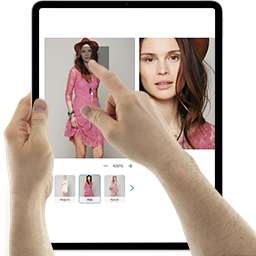
總結:SmartZoom讓您的顧客可以通過流暢的放大效果查看產品圖像的細節,非常適合出售服裝、珠寶、電子產品、藝術品或任何需要視覺清晰度的商品。該外掛功能包括輕量易用、與WooCommerce圖庫無縫集成、可通過設置面板啟用/停用、可調整縮放級別,並兼容大多數現代主題。
問題與答案:
1. SmartZoom 主要用於哪些類型的網店?
- 答:主要用於出售服裝、珠寶、電子產品、藝術品或任何需要視覺清晰度的商品的網店。
2. SmartZoom 的功能特色有哪些?
- 答:功能特色包括輕量易用、與WooCommerce圖庫無縫集成、可通過設置面板啟用/停用、可調整縮放級別以及兼容大多數現代主題。
外掛標籤
開發者團隊
原文外掛簡介
SmartZoom lets your customers examine product details up close with a smooth magnifying effect on product images. Ideal for stores selling clothing, jewelry, electronics, art, or any item where visual clarity is key.
Features:
– Lightweight and easy to use
– Seamless integration with WooCommerce galleries
– Enable/disable via settings panel
– Adjustable zoom level
– Compatible with most modern themes