內容簡介
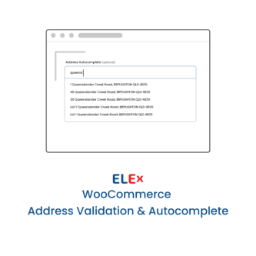
此外掛提供即時地址自動完成與驗證功能,幫助提升結帳速度並最大化收益。用戶在輸入地址時可獲得即時建議,並在提交訂單前檢查地址的正確性,減少錯誤發生。
【主要功能】
• 即時地址建議,支援國內外地址
• 自動填寫街道、城市、州及郵遞區號
• 結帳時地址驗證,捕捉錯誤
• 提示缺少的公寓、套房或單位號碼
• 管理員訂單頁面支持地址自動完成
• 一鍵連接Smarty帳戶,簡化設置
外掛標籤
開發者團隊
② 後台搜尋「WooCommerce Address Autocomplete and Validation」→ 直接安裝(推薦)
原文外掛簡介
Speed up checkout and maximize revenue with real-time address autocomplete and verification
Features:
Real-time address suggestions as customers type — US and international
Automatic form-fill for street, city, state, and postal code on selection
Address verification at checkout submission — catches typos before the order is placed
Side-by-side correction UI when a standardized address is available
Prompts for a missing apartment, suite, or unit number when one is expected
Address autocomplete on admin order pages when you create or edit an order
One-click account connection — sign in with Smarty and pick a key, no copy-and-paste
Automatically detects which Smarty services your account is subscribed to
Supports US territories with ZIP+4 postal codes (Guam, Palau, American Samoa, and more)
Works with both shipping and billing address fields
Styled to match your theme — no layout conflicts
Requirements:
WooCommerce block checkout (the classic shortcode checkout is not supported)
A Smarty account with at least one embedded key — sign up for free at smarty.com
External Services
This plugin connects to the Smarty address-intelligence API to provide address autocomplete and verification. This connection is required for the plugin to function.
Address autocomplete and verification (customer checkout and admin order pages)
As a customer types an address, and when an order is submitted, the address fields (street, secondary/unit, city, state, postal code, and country) are sent to Smarty’s lookup and verification endpoints so they can be suggested and validated:
us-autocomplete-pro.api.smarty.com
international-autocomplete.api.smarty.com
us-street.api.smarty.com
international-street.api.smarty.com
Account connection (store administrators only)
When a store administrator connects a Smarty account, the plugin uses OAuth and then retrieves the account’s embedded API keys and subscription status from:
oauth.api.smarty.com
security.api.smarty.com
subscription.api.smarty.com
Data is sent only to Smarty. Its use is governed by Smarty’s subscription agreement and privacy policy:
Subscription Agreement: https://www.smarty.com/legal/subscription-agreement
Privacy Policy: https://www.smarty.com/legal/privacy-policy