內容簡介
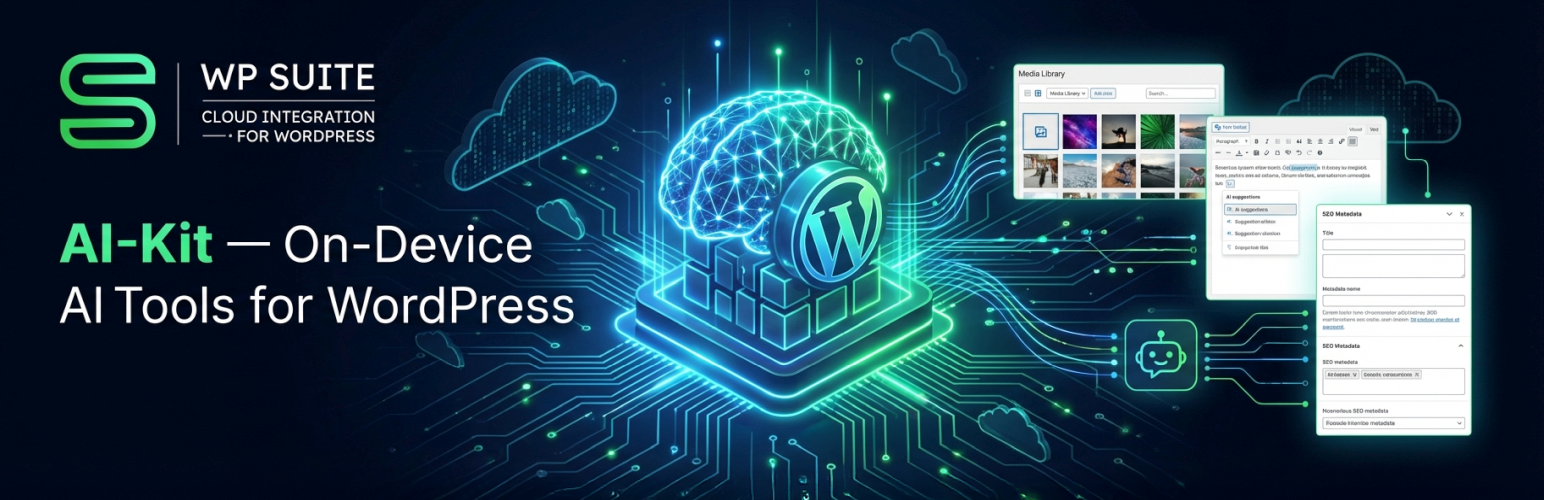
SmartCloud AI-Kit 是一款為 WordPress 提供實用 AI 工具的外掛,重視用戶隱私,並利用 Chrome 的內建 AI 能力進行本地內容處理,提升網站內容創作與管理效率。
【主要功能】
• 媒體庫:生成 SEO 圖片元資料
• Gutenberg:AI-Kit 側邊欄生成文章元資料
• 文本生成:主題、指示、語氣等自訂
• 內嵌工具:校對、重寫及翻譯文本
• PRO:可配置的現場聊天機器人小工具
• 開發者 API:整合 AI-Kit 功能至自訂外掛
外掛標籤
開發者團隊
② 後台搜尋「SmartCloud AI-Kit – On-Device AI Tools」→ 直接安裝(推薦)
📦 歷史版本下載
原文外掛簡介
AI-Kit brings practical AI helpers to WordPress while keeping privacy first.
WPSuite is a commercial platform by Smart Cloud Solutions, Inc., providing optional shared services for SmartCloud WordPress plugins.
Free (local-only) mode
AI-Kit uses Chrome’s built-in on-device AI capabilities (when available). In this mode, content is processed locally in the browser.
Key features
* Media Library: SEO image metadata generation
* Works in the Media Library list view and grid view
* Supports both the attachment details panel and the attachment edit screen
* Includes bulk workflows (preview and accept/save items one-by-one)
* Gutenberg: AI-Kit Sidebar
* Post metadata generation
* Text generation (topic + instructions + tone + length + language)
* Gutenberg: Inline tools (toolbar group)
* Proofread, rewrite, and translate selected/editable text blocks
* Gutenberg: SEO Metadata panel for image-like blocks
* Adds a dedicated panel for core/image, core/cover and core/media-text, to generate SEO metadata for images
* PRO: AI-Kit Chatbot
* Add an on-site chatbot widget configurable from WP Admin (appearance, labels, behavior)
* Customize chat UI labels (e.g., title and placeholder), language and text direction (LTR/RTL/auto)
* Customize the open button (position, label, optional base64 icon)
* Use Preview to instantly try your current settings without saving
* PRO: AI-Kit Feature block
* Add front-end buttons to summarize, write, rewrite, translate, and proofread
* PRO: [smartcloud-ai-kit-feature] shortcode
* Use the same “AI-Kit Feature” functionality in other editors/builders via a shortcode
* Developer API
* AI-Kit exposes a small JS surface under globalThis.WpSuite.plugins.aiKit.features so developers can integrate AI-Kit features in their own plugins and custom code.
You can find the plugin’s continuously expanding documentation at:
WP Suite – Docs
This plugin is not affiliated with or endorsed by Google, Amazon Web Services, or the WordPress Foundation. All trademarks are property of their respective owners.
Free and Premium Usage Notice
AI-Kit works in Free mode without registration or subscription, using local-only (on-device) AI inside supported desktop Chrome browsers.
Pro features are optional and become available after connecting your WordPress site to a WPSuite.io workspace:
* AI-Kit Chatbot (on-site widget + customizable settings + Preview)
* Front-end AI-Kit Feature Gutenberg block
* Front-end smartcloud- shortcode
* Optional backend-only / backend-fallback modes (when on-device AI is unavailable or when you explicitly choose backend processing)
When backend is used, requests go to an API endpoint you configure — typically an AWS API deployed into your own AWS account using the “wpsuite-ai-kit” SAR template.
Machine-readable resources
AI plugin manifest: https://wpsuite.io/.well-known/ai-plugin.json
OpenAPI spec: https://wpsuite.io/.well-known/openapi.yaml
External Services
This plugin may integrate with the following external services, depending on configuration:
Google reCAPTCHA v3
What it is & what it’s used for:
Client-side bot detection. If enabled, AI-Kit can request reCAPTCHA tokens in the browser to protect certain interactions.
What data is sent & when:
The browser may contact Google to retrieve a reCAPTCHA token (client-side).
Configuration in WordPress:
Enter your reCAPTCHA site key in AI-Kit → Settings (or the relevant WPSuite settings screen, depending on your setup).
Links:
About reCAPTCHA: https://www.google.com/recaptcha/about/
Google Terms: https://policies.google.com/terms
Google Privacy: https://policies.google.com/privacy
Customer-configured AI backend endpoint (Pro only)
What it is & what it’s used for:
An API endpoint you configure for backend-only or backend fallback processing when on-device AI is unavailable or when you choose to run on the backend.
What data is sent & when:
Text and/or image-related inputs required to fulfill the specific feature request (e.g., rewrite input, summarization text, metadata prompts).
Where it goes:
Requests are sent to the API URL you provide — typically an AWS API deployed to your own AWS account (e.g., via the “wpsuite-ai-kit” SAR template).
How it’s called:
Standard HTTPS requests (fetch) from the browser.
WPSuite platform connection (optional; site/workspace linking & shared features)
When it applies:
When you use WP Admin → SmartCloud → Connect your Site to WPSuite to link this WordPress site to a WPSuite workspace, or to switch/disconnect later.
What it’s used for:
Storing and retrieving Pro feature configuration (e.g., API/chatbot/feature settings) and enabling an admin-side preview experience so you can try Pro features in WP Admin before enabling them on the live site.
What data may be sent:
Minimal account/session data required for authentication, and minimal site/workspace linking data required to associate a WordPress site with a workspace (e.g., site/workspace identifiers and the site’s URL/domain).
Where it goes / how it’s called:
Secure HTTPS requests from the browser to WPSuite.io services (e.g. wpsuite.io and api.wpsuite.io).
Links:
WPSuite.io Privacy Policy: https://wpsuite.io/privacy-policy
WPSuite.io Terms of Use: https://wpsuite.io/terms-of-use
Amazon Cognito (optional; authentication for WPSuite Hub and/or protected APIs)
When it applies:
When using the WPSuite.io Hub, users authenticate (sign in / sign up) before creating/selecting a workspace and linking a site.
If a plugin is configured to access protected endpoints that rely on Cognito, authentication/token flows may also be used for those requests.
What it’s used for:
User authentication and token-based authorization for subsequent API calls (e.g., to WPSuite.io APIs).
Links:
AWS Service Terms: https://aws.amazon.com/service-terms/
AWS Privacy: https://aws.amazon.com/privacy/
Trademark Notice
Google Chrome and reCAPTCHA are trademarks of Google LLC.
Amazon Web Services, AWS, Amazon Cognito, and Amazon Bedrock are trademarks of Amazon.com, Inc. or its affiliates.
AI-Kit is an independent project and is not affiliated with, sponsored by, or endorsed by Google, Amazon Web Services, or the WordPress Foundation.
Source & Build
Public (free) source code:
All code that ships in the public (free) version of AI-Kit is available here: https://github.com/smartcloudsol/ai-kit
Build & distribution:
AI-Kit is shipped to WordPress.org as a pre-built distribution. Build steps and developer notes are maintained in the GitHub repository documentation.
Shared WPSuite components:
Some admin UI modules may originate from shared WP Suite components to support workspace linking, license validation, and subscription management across WP Suite plugins.
Pro-only features (source availability):
AI-Kit Pro includes additional functionality (such as the AI-Kit Chatbot, backend-powered processing, and the front-end Feature block/shortcode experience). The code that enables these paid-only features is distributed to Pro users but is not published in the public repository.