內容簡介
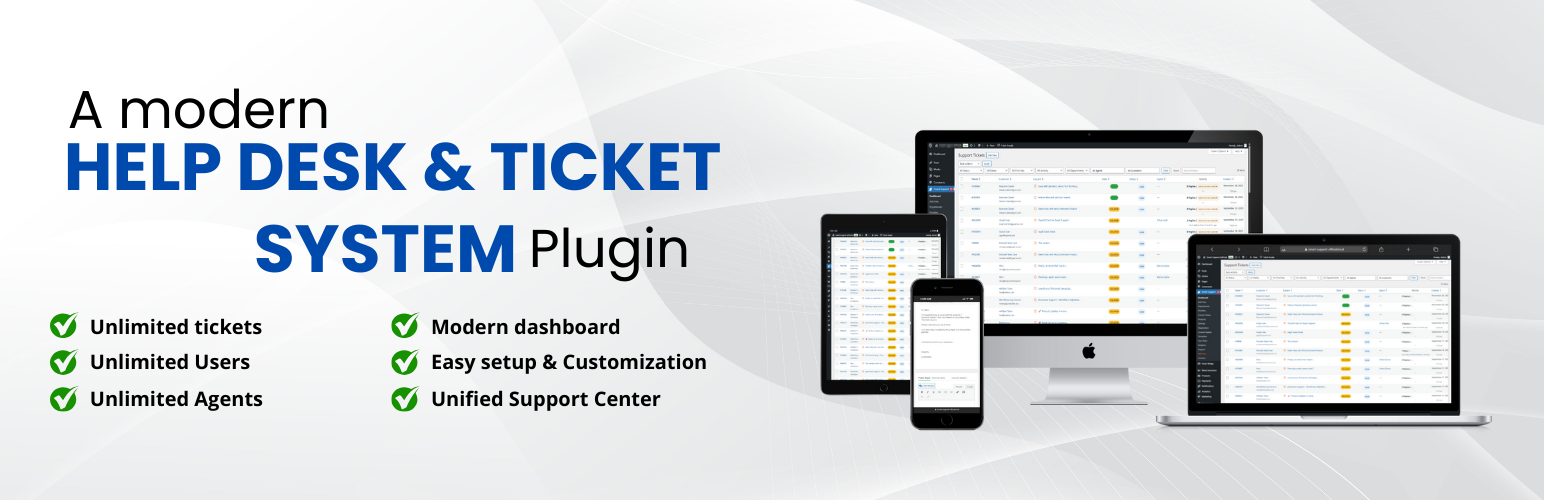
Smart Support 是一款專為 WordPress 設計的現代化全功能客服支援與工單系統。它為客戶提供友善的介面以請求協助並追蹤進度,同時為團隊提供高效的工單管理工具,提升客服效率與專業度。
【主要功能】
• 統一的支援中心頁面,包含登入、註冊、儀表板及創建工單
• 簡單安全的登入與註冊流程,支援自動填寫姓名
• 直觀的工單表單,支援富文本編輯及檔案附件
• 結構化的工單生命週期管理,包含開啟、延遲及關閉
• 角色基礎的存取控制,適用於客戶、代理、經理及管理員
• 實時回覆功能,支援附件及內部備註
外掛標籤
開發者團隊
② 後台搜尋「Smart Support – Self-Hosted customer support helpdesk & Ticket system」→ 直接安裝(推薦)
原文外掛簡介
Smart Support is a modern, full‑featured helpdesk and ticketing system built specifically for WordPress. It gives your customers a clean, friendly portal to request help and track progress, while your team gets the tools they need to triage, collaborate, and resolve tickets efficiently.
Smart Support transforms your WordPress site into a full-featured helpdesk system. Built with agents, supervisors, and customers in mind, it provides everything you need to deliver efficient, reliable, and professional customer support — right from your WordPress dashboard. The enhanced admin interface features optimized column layouts, flexible ticket numbering options, and improved data visualization for better ticket management efficiency.
What your customers get
A unified Support Center page powered by the [smart_support_page] shortcode with tabs for Login, Register, Dashboard, and Create Ticket
Simple, secure login and registration with optional first/last‑name auto‑fill and “remember me”
Password reset link and optional Google reCAPTCHA (v2, v2 Invisible, or v3) protection
An easy ticket form with rich text editor support and file attachments
A personal dashboard to view, search, and filter their tickets by status, department, and state
Clear ticket timelines with messages and attachments
What your team gets
Structured ticket lifecycle: open, delayed, closed (with reopen and close actions)
Auto‑close inactive tickets after a configurable number of days
Auto‑delay mode to mark stale tickets as “Delayed” and notify customers
Departments, products, and priorities to organize and route requests
Role‑based access: customer, agent, manager, administrator (fully capability‑driven)
Agent ticket visibility controls: own tickets, department tickets, or all tickets
Inline reply with attachments and internal notes capability (via standard replies)
Email notifications for new tickets, replies, delays/closures, and more (templated and translatable)
Analytics dashboard powered for volume, status, and performance insights
Highlights
Manage unlimited support tickets
Assign roles: Support Users, Agents, Supervisors
Real-time ticket reply notifications
Customer feedback with a 5-star rating system
Responsive, mobile-friendly interface
Frontend‑first design: the entire portal runs on a single page via [smart_support_page]
Robust attachments: size/type limits, previews, and secure download handling
Powerful filtering: status, department, state, and keyword search on the dashboard
Accessibility‑minded UI and fully responsive layout that looks great on mobile and desktop
Security built‑in: nonces, strict capability checks, comprehensive sanitization and escaping, and reCAPTCHA integration
Translation‑ready and multisite‑compatible
Clean, well‑structured code that follows WordPress coding standards
Shortcode
Add this to any page to create your full Support Center: [smart_support_page]
QA checklist: ticket closing attachments
Use this quick checklist when validating the Ticket Closing settings:
Confirm Delete attachments when ticket is closed is OFF by default.
Close a ticket with the toggle OFF and verify ticket/reply attachments remain.
Enable the toggle, close a ticket, and verify ticket + reply attachment rows are removed.
With the toggle enabled, verify attachment files under uploads /smart-support/ are removed when present.
Close an already closed ticket and verify no additional attachment deletion history entry is created.
Reopen a closed ticket and verify attachments are not restored.
Free Core Features
Modern dashboard settings
Internal notes
Ticket layout with sidebar details
Role badges and avatars in replies
Real-time open ticket count in the menu
Responsive design across desktop, tablet, and mobile
Agent notifications for user and agent replies
Dashboard notification center with ticket links
Waiting icon indicator for unanswered tickets
Configurable notification settings
Frontend support integration with a comprehensive notification system
Three roles: Support User, Support Agent, Support Supervisor
Role management admin panel
Real-time capability assignment/removal
Supervisor-level access with analytics and notifications
Agent department assignment system for ticket filtering
Users can close/reopen their own tickets
“Reply & Close” button for quick actions
Auto-assign tickets to agents on reply
Agent permission to create new tickets (configurable)
5-star rating system for ticket replies
Dashboard rating column with average values
Agent performance analytics with average and total ratings
Agent performance dashboard
Average rating and total ratings per agent
Updated Chart.js integration for reports
Auto-delay tickets after inactivity
Global search by ID, subject, or content
Highlighted results with counts
Compact search bar for admin list
Flexible ticket number formats (Sequential: 2501001, Hash-based: #121)
Optional tickets sidebar with ticket list for quick navigation between tickets
Premium Add-ons
Extend Smart Support with powerful add-ons designed to streamline your workflow and enhance your support system:
Email Bridge: Convert incoming emails to support tickets and reply to tickets via email. Maintain complete conversation history with seamless email integration.
Canned Replies: Enable your team to create and use predefined responses for common issues. One-click insertion of professional replies reduces response times and ensures consistent communication.
Custom Status: Create unlimited custom ticket statuses with colors, icons, and workflow rules. Streamline your support process and keep agents and customers on the same page.
Registration Fields: Add unlimited custom fields to your registration forms. Collect the exact user details you need with validation, templates, and seamless profile integration.
Ticket Templates: Speed up ticket creation with reusable templates. Auto-fill subjects and messages, control editing permissions, and keep support requests consistent.
Front-end Support: Give your support agents a complete, professional frontend dashboard. Agents can manage all tickets without accessing the WordPress admin area, perfect for remote teams and client portals.
WooCommerce Tickets: Seamlessly integrate Smart Support with your WooCommerce store. Provide purchase-based support, link orders to tickets, and manage customer support with advanced e-commerce features and analytics.
Guest Support: Allow guests to submit support tickets without registration using email-only authentication.
Smart Widget: Bring instant, on-page support with a customizable floating widget. Users can search knowledge base, view tickets, and contact support without leaving the page.
Auto Responder: Automatically send responses to support tickets based on intelligent rules. Respond instantly based on departments, products, keywords, ticket status, and business hours.
Documentation: Instantly insert knowledge base articles into ticket replies. Search, preview, and insert documentation from Instant Knowledgebase without leaving the ticket screen.
Private Credentials: Securely exchange sensitive login details inside support tickets without email, chat apps, or risk. Share credentials such as usernames, passwords, URLs, and access notes directly within the ticket system with automatic cleanup when tickets are resolved.
SLA (Service Level Agreement): Enforce response and resolution commitments with advanced SLA management. Track time to first response and time to resolution, configure business hours, monitor compliance in real-time, and prevent SLA breaches with proactive alerts.
Time Tracking: Accurately track time spent on support tickets by agents, departments, and clients. Monitor productivity, improve response efficiency, and manage billable support hours with complete transparency and detailed analytics.
Productivity Suite: Enhance agent productivity with comprehensive workflow tools. Edit tickets with full history tracking, manage replies (edit, delete, split), use trash functionality with restore, print tickets, smart ordering options, tasks list widget, personal notes widget, and CC recipients with granular notification preferences. Streamline your support workflow and improve team collaboration.
Easy Setup
1) Install and activate the plugin
2) Configure departments, priorities, products, and user roles
3) Create a page and add the [smart_support_page] shortcode
4) Enable Google reCAPTCHA (optional) under Advanced settings
5) Start managing support tickets
Notes on Privacy & Security
Smart Support uses Google reCAPTCHA (optional) for spam prevention (Terms of Service & Privacy Policy) and Chart.js in the admin for analytics (Terms of Service & Privacy Policy). The plugin validates permissions server‑side, escapes output, verifies nonces on all forms, and stores files securely using WordPress APIs.