
內容簡介
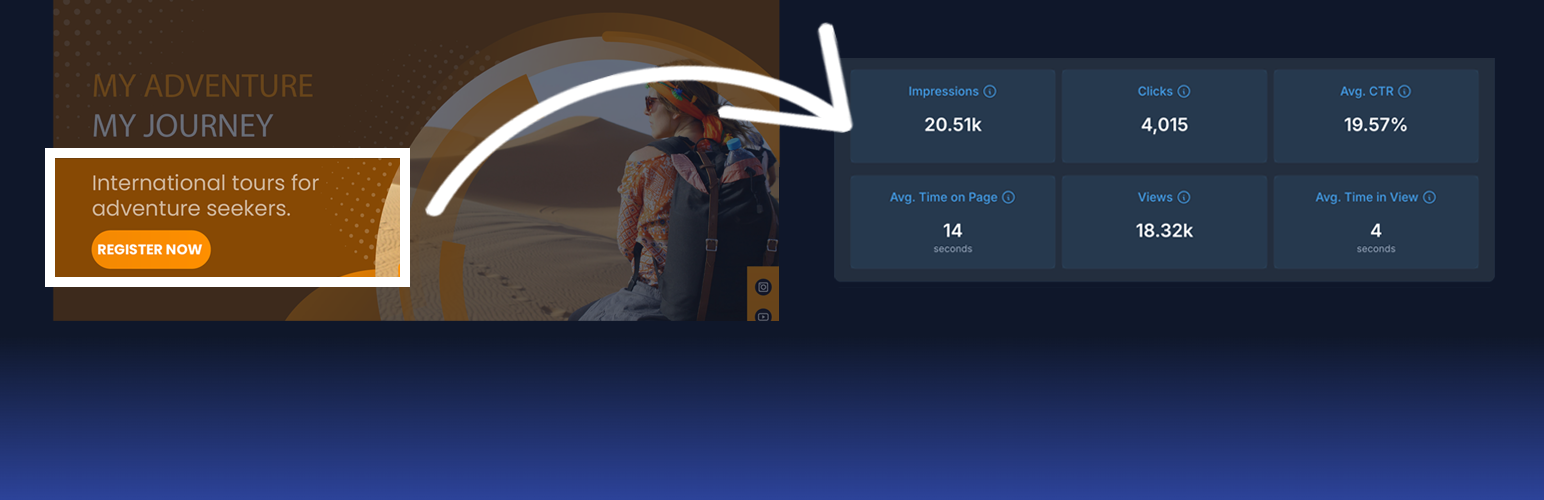
此外掛讓您輕鬆將 Tyles 嵌入網站,Tyles 是可透過 TyleIQ 平台創建、編輯和追蹤的智慧內容區塊。內建分析功能可幫助您了解用戶如何互動。
【主要功能】
• 快速在 WooCommerce 商店中嵌入 Tyles
• 使用 Gutenberg 區塊直接插入到文章、頁面和小工具
• 無需編碼,僅需粘貼 Tyle ID 並發布
• 自動啟用分析功能,報告可在 TyleIQ.com 獲得
• 完全相容於 AI 模型和 SEO 最佳實踐
• Tyle 內容預先渲染到頁面 HTML 中
外掛標籤
開發者團隊
② 後台搜尋「Smart Content Blocks With Analytics」→ 直接安裝(推薦)
原文外掛簡介
This plugin allows you to easily embed Tyles into your website. Tyles are smart content blocks that can be created, edited, and tracked through the TyleIQ platform. All Tyles come with built-in analytics to help you understand how users are interacting with your content.
Main Features
Quickly embed Tyles anywhere in your WooCommerce store.
Use the included Gutenberg Block to insert Tyles directly into posts, pages, and widgets.
No coding required; Paste the ID of each Tyle and hit publish.
Analytics start working automatically and without additional setup. Reports are available on TyleIQ.com.
Tyles are fully compatible with AI models and SEO best practices.
Tyle content is pre-rendered into the page HTML, so search engines and AI models can index it directly — complete with a machine-readable provenance proof (signed by TyleIQ).
See how your Tyles are performing on TyleIQ.com.
Fully responsive and mobile-friendly.
You don’t need a TyleIQ account to use this plugin or embed Tyles on your website. However, Tyles must be ‘Active’ for them to appear on your website. In other words, the Tyle’s creator needs a paid account.
Want to create your own Tyles?
Sign up for free at TyleIQ.com.
Please also refer to our Privacy Policy and Terms of Service.
External services
This plugin connects to the TyleIQ content delivery network to fetch the Tyles you wish to embed. This is so it can be more easily seen by search engines and AI models.
What is sent: the Tyle ID you wish to embed and your website’s URL. TyleIQ will check whether your site is listed as being allowed to embed that Tyle. No personal data, visitor data, or site content is sent.
Why: without this request, Tyle content would only be inserted client-side by the embed script and would be invisible to crawlers.
Terms & privacy: Privacy Policy, Terms of Service.
Developers can disable the server-side pre-rendering with add_filter( 'scba_prefetch_enabled', '__return_false' );.
Note for sites using script-optimization plugins (WP Rocket, LiteSpeed Cache, Autoptimize, Perfmatters, …): tyleiq.js must not be delayed or deferred to ensure analytics work correctly.
Help & Customization
Developer docs, use cases, and customization tips are available at TyleIQ Docs.