全新外掛
安裝啟用
—
尚無評分
3070 天前
最後更新
—
問題解決
WordPress 3.0+ PHP 5.6+ v1.0 上架:2018-06-04
內容簡介
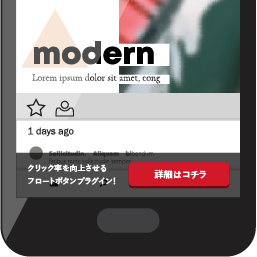
安裝外掛後,您可以在「Banner」區域中創建自己的橫幅。然後,您必須在外掛選項中啟用滑動橫幅。
外掛選項位於「設置」->「滑動橫幅」。自定義選項包括:
啟用滑動橫幅
僅在響應版本上啟用
僅在首頁上顯示滑動橫幅
動畫持續時間。
如果您有任何建議要提供給外掛的作者,請發送至[email protected]
謝謝!
祝您使用愉快!
外掛標籤
開發者團隊
⬇ 下載最新版 (v1.0) 或搜尋安裝
① 下載 ZIP → 後台「外掛 › 安裝外掛 › 上傳外掛」
② 後台搜尋「Sliding Banner – News and Offers」→ 直接安裝(推薦)
② 後台搜尋「Sliding Banner – News and Offers」→ 直接安裝(推薦)
原文外掛簡介
When you Install the plugin you can create your owns banners in the “Banners” section. After that, you have to activate the Sliding Banner in the plugin options.
Plugin Options are in Settings -> Sliding Banner. Custom options are:
Activate Sliding Banner
Activate just on responsive version
Show Sliding Banner just on Homepage
Animation duration.
If you have any recommendation to the plugin send it to [email protected]