內容簡介
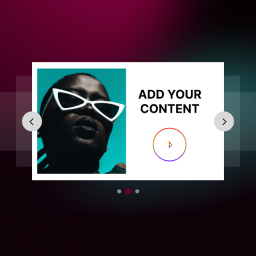
SlideVerse 是一款專為 WordPress 區塊編輯器(Gutenberg)設計的滑動與旋轉木馬外掛。它提供多種滑動區塊,讓使用者能輕鬆插入滑動內容,無需使用短碼或頁面建構器。
【主要功能】
• 提供九種滑動區塊與兩個輔助區塊
• 支援自訂標題、副標題與按鈕的英雄滑動
• 可建立圖片滑動與照片旋轉木馬
• 支援從任何區塊建立的靈活內容滑動
• 無限滑動功能,適用於標誌與文本
• 顯示文章、頁面或自訂文章類型的文章滑動
外掛標籤
開發者團隊
② 後台搜尋「SlideVerse – Slider, Carousel & Image Slider Blocks」→ 直接安裝(推薦)
原文外掛簡介
SlideVerse is a slider and carousel plugin made for the WordPress block editor (Gutenberg). It adds a set of slider blocks to the editor. You insert a block, add your slides, and adjust the settings in the block sidebar. You do not need shortcodes, a page builder, or code.
Use SlideVerse to build a hero slider, an image slider, a post carousel, a logo carousel, a testimonial slider, a video slider, a content slider made from any blocks, or a before/after image comparison.
SlideVerse is designed for site owners, bloggers, agencies, and developers who build pages with the block editor and want sliders that are edited in the same place as the rest of the page.
Visit the SlideVerse website for documentation.
Blocks included
SlideVerse adds nine slider blocks and two helper blocks.
Base Slider & Hero Carousel – Hero and banner slides with a title, subtitle, description, and button over a background image. Includes a colour overlay, content alignment, and a responsive slide height.
Image Slider & Photo Carousel – An image carousel with captions (below the image or as a hover overlay), hover tooltips, and a link for each image.
Flexi Content Slider – Build each slide from any blocks: images, headings, paragraphs, buttons, groups, or columns. Slide height can be Auto, Fixed, or Minimum.
Infinite Slider – A continuous scrolling carousel (marquee) for logos, text, or any blocks. Horizontal or vertical, with adjustable speed and spacing, and grab/swipe dragging.
Post Slider & Blog Carousel – Shows posts, pages, or public custom post types with featured image, title, excerpt, and a read-more link. Filter by category and set the order and count.
Logo Carousel & Partner Showcase – A carousel for client, partner, or sponsor logos.
Testimonial Slider & Review Carousel – Testimonials with star rating, author name, role, and avatar.
Video Slider & Video Carousel – YouTube, Vimeo, and self-hosted videos with thumbnail previews, played inside the card.
Before After Image Comparison – Two images with a draggable divider.
Flexi Content Slide and Infinite Slider Item – Helper blocks that hold the content of one slide. They are added for you inside their parent block.
Slider controls
Most slider blocks share the same settings in the block sidebar:
Slider Settings – Slides per view, space between slides, transition speed, loop, centered slides, grab cursor, keyboard control, and mousewheel control.
Navigation – Show or hide arrows and pagination bullets, and choose the arrow position.
Autoplay Options – Turn autoplay on or off and set the delay.
Effects – Slide or fade transition.
Style – Colours, spacing, borders, and typography for the slider, slides, and arrows, with hover states.
Slides per view, spacing, and speed can be set separately for desktop, tablet, and mobile.
Responsive and accessible behaviour
Sliders adapt to desktop, tablet, and mobile screens, and support touch and swipe.
Autoplay pauses while a visitor hovers over or focuses a slider.
Autoplay stays off for visitors who prefer reduced motion.
Asset loading
Slider scripts and styles load only on pages that contain a SlideVerse block. All files are served from your own site. Nothing is loaded from a CDN.
SlideVerse dashboard
The SlideVerse screen in the WordPress admin shows which slider blocks your site uses and lets you switch individual blocks off. A block that is switched off leaves the block inserter, and existing sliders keep working.
SlideVerse Pro
Everything described above is free. SlideVerse Pro is a separate add-on that adds:
3D and creative transitions: coverflow, cube, flip, cards, and creative presets.
An image lightbox and popup video playback.
Fraction and progress-bar pagination, and a draggable scrollbar.
Vertical before/after comparisons.
A WooCommerce Product Slider block.
A Dynamic Content Slider block for any post type, taxonomy, or custom field.
Ready-made slider templates.
Pro options are shown in the block settings and marked “Pro”. If SlideVerse Pro is removed, your sliders keep working and use the free options instead.
Need more control and advanced slider features? Explore SlideVerse Pro.
External services
SlideVerse connects to external services only in the cases below.
YouTube and Vimeo (Video Slider only)
If you add a YouTube or Vimeo video to the Video Slider block, the video player is embedded from that service on the front end. These services may set cookies and collect data according to their own policies when the player loads or is played. This applies only when you choose to embed YouTube or Vimeo videos.
YouTube Terms: https://www.youtube.com/t/terms — Privacy: https://policies.google.com/privacy
Vimeo Terms: https://vimeo.com/terms — Privacy: https://vimeo.com/privacy
Freemius (SlideVerse Pro licensing and opt-in usage data)
SlideVerse uses the Freemius SDK to manage SlideVerse Pro licenses and, only if you agree, to collect usage data. Nothing is sent until you opt in when SlideVerse asks (you can skip), or activate a SlideVerse Pro license. When you opt in, Freemius receives your site’s URL, title and language, your WordPress and PHP versions, the SlideVerse version and whether it is active, and your WordPress user name and email address; sharing your list of plugins and themes is optional. Activating a Pro license also sends the license key. You can opt out at any time.
Freemius Terms: https://freemius.com/terms/ — Privacy: https://freemius.com/privacy/
Credits
SlideVerse uses the open-source Swiper library (MIT license). The Before After block uses react-compare-slider (MIT license).