內容簡介
<html>
<body>
<h2>外掛總結:</h2>
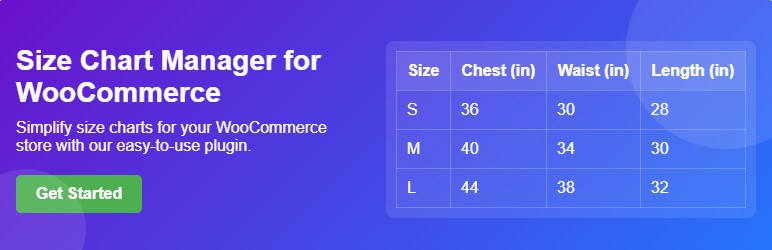
<p>這款外掛能幫助顧客輕鬆找到他們理想的尺寸,讓您能建立並展示詳細的尺寸表,提升購物體驗並確保每次購買都能自信。</p>
<h2>問題與答案:</h2>
<ul>
<li>
<h3>該外掛的主要功能是什麼?</h3>
<p>這款外掛讓您能建立和展示詳細的尺寸表,幫助顧客輕鬆找到他們理想的適合尺寸。</p>
</li>
<li>
<h3>如何安裝這個外掛?</h3>
<p>
<ol>
<li>解壓縮下載的檔案包</li>
<li>將外掛檔案上傳至 /wp-content/plugins/size-chart-manager-for-woocommerce 目錄,或直接通過 WordPress 外掛畫面安裝外掛。</li>
<li>在 WordPress 的「外掛」畫面啟用外掛。</li>
<li>進入「尺寸表」外掛設置。</li>
</ol>
</p>
</li>
</ul>
</body>
</html>
外掛標籤
開發者團隊
② 後台搜尋「Size Chart Manager for WooCommerce」→ 直接安裝(推薦)
原文外掛簡介
Size Chart Manager for WooCommerce – Enhance Your Online Shopping Experience!
Eliminate size-related confusion and boost sales with the Size Chart Manager for WooCommerce plugin. Provide accurate size information to your customers, reducing returns and increasing satisfaction.
Key Features:
Create and Customize Unlimited Size Charts:
Create as many size charts as needed for your products.
Design unique size charts for different product categories.
Ready-to-Use Templates:
Utilize pre-designed templates for clothing, shoes, and more.
Easily customize templates to match your brand.
Assign Size Charts to Products and Categories:
Assign size charts to specific products or categories.
Control where size charts appear on your product pages.
Flexible Size Chart Display Options:
Display size charts in popups, tabs, before “Add to Cart,” or via shortcodes.
Provide convenient access to size information.
Unlimited Rows and Columns:
Create size chart tables with unlimited rows and columns.
Easily add, remove, and edit rows and columns.
Design Customization:
Customize table colors, text colors, border styles, and more.
Match your size charts to your website’s design.
Size Chart Descriptions:
Add detailed descriptions with text and media.
Provide comprehensive size information.
Hide/Show Size Chart Elements:
Control the visibility of table, images, or entire size charts.
Using Shortcodes:
You can display any size chart anywhere on your site using shortcodes. Each size chart generates a unique shortcode. To display a size chart, simply insert the shortcode into any page, post, or widget.
Example:
To display a size chart with ID 129, use the following shortcode:
[sizechama_size_chart id="129"]
Boost your WooCommerce sales and customer satisfaction with the Size Chart Manager for WooCommerce!
Installation
Unpack the download package
Upload the plugin files to the /wp-content/plugins/size-chart-manager-for-woocommerce directory, or install the plugin through the WordPress plugins screen directly.
Activate the plugin through the ‘Plugins’ screen in WordPress.
Go to ‘Size Chart’ plugin
Requirements
Requires WordPress: Version 6.4 or higher
Requires PHP: Version 7.4 or higher