內容簡介
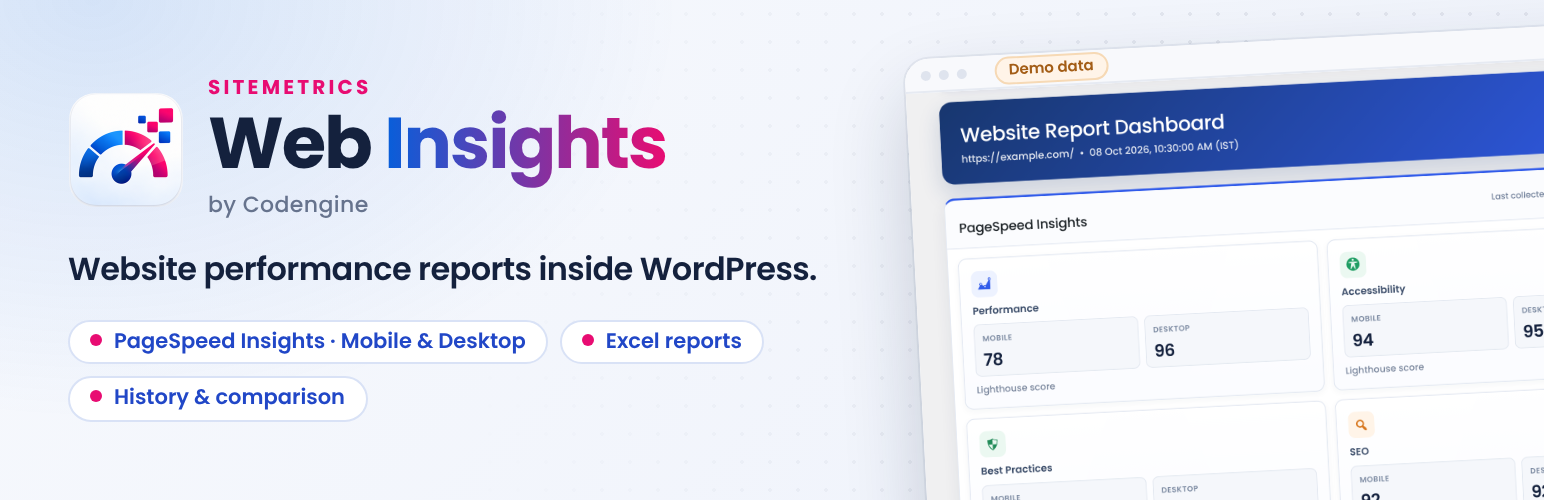
Web Insights by Codengine 提供一個乾淨的 WordPress 控制台,能夠生成和檢視網站性能報告,並以 Google PageSpeed Insights 為基礎,幫助用戶優化網站表現。
【主要功能】
• 支援行動與桌面版的 PageSpeed Insights 報告
• 提供性能、可及性、最佳實踐及 SEO 分數
• 支援 Excel 和 Google Spreadsheet 格式的報告生成
• 報告歷史與比較工具
• 響應式的 WordPress 控制台介面
外掛標籤
開發者團隊
原文外掛簡介
Web Insights by Codengine provides a clean WordPress admin dashboard for generating and reviewing website performance reports powered by Google PageSpeed Insights.
Key features include:
PageSpeed Insights reporting for mobile and desktop.
Performance, Accessibility, Best Practices, and SEO scores.
Report generation in Excel and Google Spreadsheet formats.
Report history and report comparison tools.
Responsive WordPress admin interface.
Google Search Console, Google Analytics 4, and Ahrefs each have a connection/configuration area in the Integrations tab, but their reporting screens are marked “Coming soon” in this version and are not yet available for report generation.
External services
Web Insights by Codengine connects to third-party services only when the corresponding integration is configured or a report/export action using that service is requested. These services are not used to track WordPress site visitors through the plugin.
Google PageSpeed Insights
The plugin uses the Google PageSpeed Insights API to analyze a URL and return website performance, accessibility, best-practices, SEO, and Lighthouse data. The URL being tested, selected strategy (mobile or desktop), requested categories, locale, and configured PageSpeed API key are sent to Google when a PageSpeed report is generated or the API key is validated.
Service: https://pagespeed.web.dev/
Terms: https://policies.google.com/terms
Privacy: https://policies.google.com/privacy
Google Search Console
The plugin uses the Google Search Console API to access reporting data for a Search Console property after the site administrator connects a Google account and grants the requested OAuth permissions. The plugin sends the selected Search Console property, reporting date range, requested dimensions and limits, and the OAuth access token required to authorize the API request. Search Console response data is processed to build the report.
Service: https://search.google.com/search-console/
Terms: https://policies.google.com/terms
Privacy: https://policies.google.com/privacy
Google API terms: https://developers.google.com/terms
Google user data policy: https://developers.google.com/workspace/workspace-api-user-data-developer-policy
Google Analytics Data API
The plugin uses the Google Analytics Data API to retrieve analytics reports for a configured GA4 property after the site administrator connects a Google account and grants the requested OAuth permissions. The plugin sends the configured GA4 property identifier, report dimensions/metrics and date-range parameters, together with the OAuth access token required to authorize the request. The returned analytics data is processed to build the report.
Service: https://analytics.google.com/
Terms: https://policies.google.com/terms
Privacy: https://policies.google.com/privacy
Google API terms: https://developers.google.com/terms
Google user data policy: https://developers.google.com/workspace/workspace-api-user-data-developer-policy
Google Sheets
The plugin uses the Google Sheets API when the administrator chooses Google Sheets as a report destination and has connected a Google account with the required permission. It sends the generated report rows and formatting instructions to create, populate, and format the selected spreadsheet.
Service: https://sheets.google.com/
Terms: https://policies.google.com/terms
Privacy: https://policies.google.com/privacy
Google API terms: https://developers.google.com/workspace/terms
Google user data policy: https://developers.google.com/workspace/workspace-api-user-data-developer-policy
Ahrefs
The plugin can use the Ahrefs API for Ahrefs reporting when an Ahrefs API key is configured and the corresponding report functionality is used. Depending on the report, the plugin sends the configured Ahrefs API key and site/audit request parameters to Ahrefs and processes the returned SEO/site-audit data.
Service: https://ahrefs.com/
Terms: https://ahrefs.com/legal/terms
Privacy: https://ahrefs.com/legal/privacy-policy
Data storage and authorization
Google OAuth authorization is initiated only when an administrator chooses to connect Google services. The OAuth authorization code is exchanged with Google for access credentials, and the resulting credentials are stored in the WordPress site’s options for subsequent authorized API requests. Report data and integration configuration are stored on the WordPress site where the plugin is installed.
Privacy
Web Insights by Codengine does not use the connected services to track WordPress site visitors. External API requests are made only when the relevant integration is configured and the corresponding connection, report, validation, or export action is performed.
The plugin stores its configuration and generated report history using WordPress data storage on the site where the plugin is installed.