內容簡介
若您遇到任何問題或感覺缺少某些功能或無法正常運作,請於您尚未留下負評前先前往支援頁面尋求協助。我非常樂意在收到要求後進行修復、更新和新增外掛程式的功能。請給我一個機會,在您給予一顆星評價之前,謝謝。
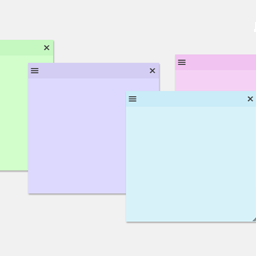
可在編輯器中或登入後在前端加入備註,透過管理列中的整合按鈕在前端加入註記。
功能
在前端或後端(登入後)建立頁面和文章的備註
前端:按頁基礎上鎖定或解鎖備註方塊,可自動選擇顯示註記的頁面或文章
前端:可移動註記方塊
前端:透過 Ajax 儲存註記,點擊儲存時無需刷新頁面
前端:移動至所需位置後,註記方塊的位置會自動儲存(按頁基礎)
前端:可調整註記方塊的大小,調整後尺寸會儲存
前端:當您打字時,註記方塊的高度會自動增加,讓您無需手動調整就能看到完整的註記
前端:每次儲存時會顯示狀態欄,通知您註記、尺寸和位置已經成功儲存
儀表板:儀表板小工具會顯示所有頁面/文章的註記,並提供連結
未來更新
編輯儀表板註記小工具中建立的註記
將給註記指派使用者
為所有登入的使用者提供基本頁面註解(專業版將提供更多控制功能)
外掛標籤
開發者團隊
原文外掛簡介
Save page and post notes in the editor or while logged in, add notes from the front end using the integrated notes button found in the admin bar.
Features
Make page and post notes from both the front or back end (while logged in)
Front end: Lock the note box open or closed on a per page basis so you can select which pages or posts show your notes automatically
Front end: Movable note boxes
Front end: Notes are saved using Ajax which means no refresh when you click save
Front end: The positon of the note box saves automatically once you have finished moving it to your desired location (per page basis).
Front end: The note box is resizable, the dimentions are saved after each resize
Front end: Save status appears after every save action so you know when your notes, size and position are being saved
Dashboard: Dashboard widget that will display all page/post notes with links to each page
Future Updates
Record user who made note (Pro version)
Create multiple notes/annotations on a single page for logged in users by role (Pro version)
Assign users to notes (users receive notification of new notes) (Pro version)
Make comments on notes (Pro version)