內容簡介
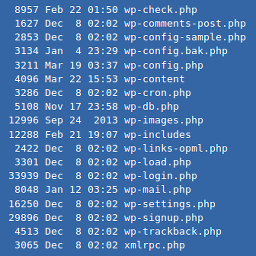
這個外掛可以展示你如何使用命令列。專為科技部落格、教學和重點部分設計,
尤其適用於需要截圖或展示終端機指令時。
這個外掛會創建一個短代碼:[simterm][/simterm],將內部文字顯示為終端機會話模式,包括
打字動畫和用戶輸入和程式輸出的區別。
默認情況下,行首具有$符號,表示命令,用戶輸入則具有大於符號(>)。
您還可以使用##red##、##blue##、##green##或##yellow##來指定行的顏色,
甚至可以使用##delay=[ms]##來指定此行的延遲時間(以毫秒為單位)。
這個外掛使用Kande Bofim的JavaScript庫 “Show Your Terms” 來實現效果,它是一個小型且與庫無關的庫。
外掛標籤
開發者團隊
原文外掛簡介
Show the world how you use the command line with this plugin. Designed for tech blogs, tutorials and sections
where terminal commands matter.
This plugin, make a shortcode: [simterm][/simterm] and shows the text inside as in a terminal session, including
some typing animation and separating user input and program output.
By defaults commands have a $ symbol as the first character of the line and user input has the > (greater than)
symbol.
You can also specify the color of the line using ##red## , ##blue## , ##green## or ##yellow## or even a custom
delay for this line with ##delay=[ms]## with the amount of milliseconds to sleep.
To create the effect it uses “Show Your Terms” by Kande Bofim, a tiny and library agnostic Javascript.