內容簡介
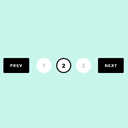
這個外掛程式的頁面列表有一個輸入框,讓你可以直接指定想要顯示的頁面編號。
這個外掛程式有設定可以讓頁面列表反向顯示。
你可以在每個頁面上指定樣式表和一些選項。
這個外掛程式預設有幾個範例樣式表。
透過在每個頁面上傳入選項陣列到函數中,來改變同一個頁面中多個連結列表的外觀(除了樣式之外)。
通常會有兩個連結列表,一個在頁面頂部,另一個在底部。在這種情況下,當第二次呼叫函數時,為了避免重複執行相同的過程,第一次創建的列表會從記憶中重複使用。
這個外掛程式還提供了一個區塊,供 Gutenberg 區塊編輯器使用。
即使你對 HTML 或 PHP 不熟悉,這個外掛程式也能夠使用 Javascript 在你指定要顯示頁面列表的 HTML 元素的 ID 後,在該元素的開頭和結尾插入鏈接列表。
此外,如果你對 HTML 元素的 ID 沒有概念等等,請進入外掛程式的選項設定頁面,在「由 JavaScript 輸出的頁面列表」欄位中試試輸入「搜尋」。當頁面顯示時,外掛程式將使用 Javascript 找到主內容的 HTML 元素,如果有幸找到,就會使用 Javascript 在該 HTML 元素的開頭和結尾插入頁面列表。或許這樣能行。
任意第 1 區段
外掛標籤
開發者團隊
原文外掛簡介
This plugin’s page-list has an input box that allows you to directly specify the page number you wish to display.
This plugin has a setting to display page-list in reverse order
You can specify style-sheet and some options at each page.
This plugin has several sample stylesheets by default.
By passing an array of options to the function as arguments on each page, it is possible to change the appearance of multiple linked listings within the same page, except for the style.
It is common to have two linked lists, one at the top of the page and one at the bottom. In such cases, when the function is called a second time, the list created the first time is reused from memory to avoid having the same process performed twice.
This plugin has a custom block for Gutenberg Block Editor.
Even if you don’t know much html or php, this plugin has the ability to insert linked list at the beginning and end of an html element using Javascript by specifying the ID of the html element where you want to display it.
Furthermore, if you have no idea about the ID of html elements, etc., go into the plugin’s options settings page and try typing “search” in the “Page-lists outputted by javascript” field. When the page is displayed, the plugin uses javascript to find the html elements of the main content, and if it is lucky enough to find it, it will use Javascript to insert a page-lists at the beginning and end of that HTML element. Perhaps it might work.
Arbitrary section 1
Explanation of errors detected by the plugin “Plugin Check (PCP)”
*file: \simplistic-page-navi\simplistic_pagenavi.php
1:881行 ERROR WordPress.Security.EscapeOutput.OutputNotEscaped All output should be run through an escaping function (see the Security sections in the WordPress Developer Handbooks), found ‘$ret’.
>This variable $ret contains the assembled pagination and is pointed out as not being escaped in the final output. The option values set by the user are sanitized when saved and are also sanitized individually when actually used. The tags that are incorporated into the pagination are only pre-defined ones, and I understand that there is no need to escape the final assembly..
2:410行 WARNING WordPress.Security.NonceVerification.Recommended Processing form data without nonce verification.
>This is a function that gets the parameters (query) of the accessed URL. Because it only gets values that exist in public_query_vars set by WordPress, I think that nonce verification is not necessary.
3:860行 ERROR WordPress.NamingConventions.PrefixAllGlobals.NonPrefixedVariableFound Global variables defined by a theme/plugin should start with the theme/plugin prefix. Found: “$simplistic_page_navi_start”.
4:888行 ERROR WordPress.NamingConventions.PrefixAllGlobals.NonPrefixedFunctionFound Functions declared in the global namespace by a theme/plugin should start with the theme/plugin prefix. Found: “direct_splcpn_style”.
>The plugin is encapsulated in a class, but these variables and functions are outside of that class. I could add a prefix as instructed, but I’ve left it as it is because it might already be in use.。
5:The plugin is encapsulated by a class, and for most of the variables in the files included by the methods in that class, an error occurs saying “Because it is a global variable, you must add a prefix.”。
>However, since these variables are used within methods inside a class, they cannot possibly be global. I believe this is a false positive that undermines reliability. It’s annoying, so I’m handling it with “// phpcs:ignoreFile”.。