內容簡介
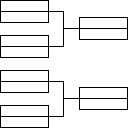
Simple Tournament Brackets 外掛能將您的網站轉變為專業的賽事中心,輕鬆創建和管理單淘汰賽事,適用於各類競賽,從電子競技到辦公室幻想聯盟。
【主要功能】
• 支援4-256名參賽者的靈活賽事規模
• 專業的賽事展示,適合各種裝置
• 直觀的管理介面,輕鬆安排參賽者
• 可自訂設計,符合網站品牌風格
• 簡單整合,隨處顯示賽事
• 即時更新,賽事進展即時反映
外掛標籤
開發者團隊
原文外掛簡介
Transform your website into a tournament hub with professional-looking brackets that engage your audience. Simple Tournament Brackets makes it effortless to create and manage single-elimination tournaments for any competition – from esports events to office fantasy leagues, sporting competitions to gaming tournaments.
Key Features:
– Flexible Tournament Sizes: Support for 4-256 competitors with automatic bye management
– Professional Presentation: Clean, responsive bracket displays that look great on any device
– Easy Management: Intuitive admin interface for seeding competitors and advancing matches
– Customizable Design: Match your site’s branding with customizable colors and styling
– Simple Integration: Display brackets anywhere with easy shortcodes
– Real-time Updates: Brackets update instantly as matches progress
Perfect for sports leagues, gaming communities, corporate events, educational competitions, and any scenario where you need to showcase tournament progression in a professional, engaging format.
You can display the brackets on any page using the [simple-tournament-brackets tournament_id="$id"] shortcode where $id corresponds to the post_id of the created tournament. For example, if the post_id for a tournament you want to display is 2025, then you should use the shortcode [simple-tournament-brackets tournament_id="2025"]. The shortcode to use is also displayed for each tournament on the WordPress backend All Tournaments page.
You can display a list of tournament matches on any page using the [simple-tournament-brackets-match-list tournament_id="$id"] shortcode where $id corresponds to the post_id of the created tournament. For example, if the post_id for the match list you want to display is 66, then you should use the shortcode [simple-tournament-brackets-match-list tournament_id="66"]. The shortcode to use is also displayed for each tournament on the WordPress backend All Tournaments page.
Need support or have a feature request? Please reach out to us here on the WordPress.org forums or visit our website at www.simpletournamentbrackets.com.