內容簡介
碼,設置一些選項,就能在 WordPress 內的任何地方嵌入圖表。插入簡短碼後,加入適當選項即可完成。你可以在 SupportHost 網站 中看到實際案例。
該外掛僅載入一個 Javascript (chart.js) 檔案,並僅在實際使用簡短碼的頁面載入該檔案。它非常輕量級,不會對網站性能產生任何影響。
所有圖表均使用 Chart.js 創建,因此您可以通過懸停查看資訊。
此外,這個名為 Simple Charts 的外掛也可以替代其他類似外掛,例如:
1. Ninja Charts
2. Easy Chart Builder
3. Google Graph
使用方法
啟用外掛後,您只需要在頁面或文章中(或任何支援簡短碼的位置)添加簡短碼:
[simple_chart type=”bar” name=”mychart” labels=”jan, feb, mar, apr” data=”2,9,3,7″ label=”First series” color=”#00ffff” border=”#000fff” data_1=”7,2,8,1″ label_1=”Second series” color_1=”#000fff” border_1=”#0ff00f”]
簡短碼參數如下:
* type:您可以選擇所需的圖表類型。選用性質,默認為 line。有關圖表類型更多的資訊請參閱下文。
* name:選用,必須在頁面中為唯一。
* options:圖表選項的 JSON 資訊,可參閱 Chart.js 資訊。請確保它是在一行內。
* labels:由逗號隔開的標籤清單。
* data:由逗號隔開的數字清單。您可以為第二個序列創建 data_1,為第三個序列創建 data_2 等等。請確保您從 1 開始,否則它將不起作用。
* label:序列的標籤名稱。您可以為第二個序列創建 label_1,為第三個序列創建 label_2 等等。選用,如果留空,您將看到“label_#”。
* color:所需的序列顏色。如果為空,將默認為 Chart.js 的粉紅色。建議為每個序列分配不同的顏色。
* border:邊框顏色。如果未填入,則默認為顏色設置。
以下是您至少可以在簡短碼中添加的內容:
[simple_chart labels=”Jan, Apr, Mar” data=”2,9,3″ ]
簡短碼示例:
[simple_chart type=”bar” labels=”2 s, 3 s, 4 s, 5 s, 6 s, 7 s” data=”9.6, 13, 17.1, 22.2, 27.4, 32.3″ label=”Bounce rate %” color=”#e8e1fc” data_1=”3,4,5,1,2,7″ label_1=”Label 1″ color_1=”#ff00ff” options=”indexAxis: ‘y’,plugins: {title: {display: true,text: ‘Bounce rate per load time’, position:’bottom’}}”]
[simple_chart type=”bar” labels=”2 s, 3 s, 4 s, 5 s, 6 s, 7 s” data=”9.6, 13, 17.1, 22.2, 27.4, 32.3″ label=”Bounce rate %” color=”#e8e1fc” options=”plugins: {title: {display: true,text: ‘Bounce rate per load time’, position:’bottom’}}”]
6 種圖表類型
支援的圖表類型有:
線形圖表
條形圖表
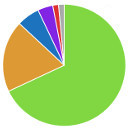
圓環圖
餅形圖
雷達圖表
極區圖表
非常簡單
只需插入簡短碼即可輕鬆地創建互動式圖表。
外掛標籤
開發者團隊
原文外掛簡介
This plugin creates a shortcode you can use to embed charts anywhere inside WordPress. Just add the shortcode, add some options and you are done. You can see it in use on SupportHost website.
It loads only 1 javascript (chart.js) and only loads it on the page where you actually use the shortcode. It’s so lightweight it won’t impact the performances of your website at all.
Charts are created with chart.js, so you can hover them and read the data.
This simple charts plugin can be a good alternative for plugins like:
1. ninja charts
2. easy chart builder
3. Google graph
Usage
After the plugin is active, you can just add the shortcode to your pages or posts (or anywhere you can add a shortcode):
[simple_chart type=”bar” name=”mychart” labels=”jan, feb, mar, apr” data=”2,9,3,7″ label=”First series” color=”#00ffff” border=”#000fff” data_1=”7,2,8,1″ label_1=”Second series” color_1=”#000fff” border_1=”#0ff00f”]
Shorcode parameters:
* type: you can decide the type of chart you want ot create. Optional, defaults to line. More on charts types below.
* name: Optional, must be unique per page.
* options: json of chart options as per chart.js docs. Make sure it’s all in one line.
* labels: a list of comma separed labels.
* data: a list of comma separed numbers. You can create data_1 for the second serie, data_2 for the third and so on. Make sure you start from 1, otherwise it won’t work.
* label: The label name for the serie. You can create label_1 for the second serie, label_2 for the third and so on. Optional, if left blank you will see “label_#”
* color: The color user for the serie. If empty will default to the chart.js pink. It is recommended to give each series its own color.
* border: The border color. If empty defaults to the color option.
This is the minimum you can add in the shortcode to make it work:
[simple_chart labels=”Jan, Apr, Mar” data=”2,9,3″ ]
Examples shortcodes:
[simple_chart type=”bar” labels=”2 s, 3 s, 4 s, 5 s, 6 s, 7 s” data=”9.6, 13, 17.1, 22.2, 27.4, 32.3″ label=”Bounce rate %” color=”#e8e1fc” data_1=”3,4,5,1,2,7″ label_1=”Label 1″ color_1=”#ff00ff” options=”indexAxis: ‘y’,plugins: {title: {display: true,text: ‘Bounce rate per load time’, position:’bottom’}}”]
[simple_chart type=”bar” labels=”2 s, 3 s, 4 s, 5 s, 6 s, 7 s” data=”9.6, 13, 17.1, 22.2, 27.4, 32.3″ label=”Bounce rate %” color=”#e8e1fc” options=”plugins: {title: {display: true,text: ‘Bounce rate per load time’, position:’bottom’}}”]
6 Chart types
Supported charts types are:
Line
Bar Chart
Doughnut
Pie
Radar
polarArea
Extremely simple
Just insert the shortcode, add the data and the chart will be shown.
Embed anywhere
If you can use a shortcode in that content you can add the chart.