內容簡介
總結:
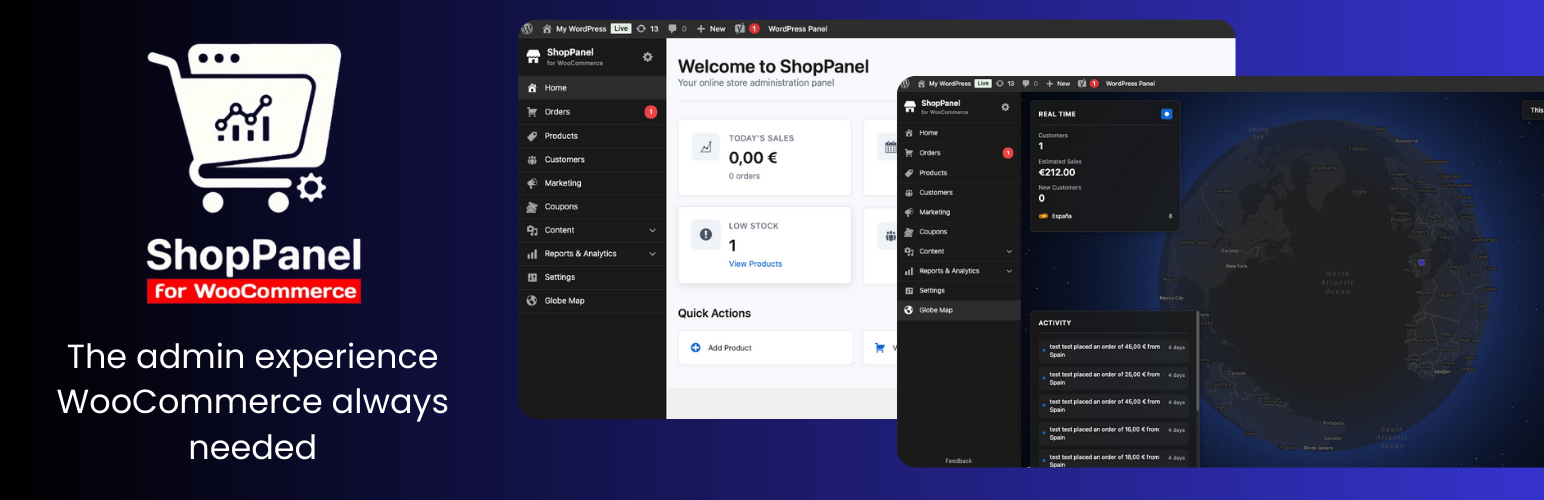
ShopPanel for WooCommerce 將 WordPress 管理面板轉換為一個現代化的體驗,專注於線上商店管理,類似於 Shopify。該外掛完全重新組織了管理選單,僅顯示與電子商務相關的部分,隱藏不必要的 WordPress 選項。
問題與答案:
1. ShopPanel for WooCommerce 將 WordPress 管理面板轉換為什麼樣的體驗?
- ShopPanel for WooCommerce 將 WordPress 管理面板轉換為一個現代化的體驗,專注於線上商店管理,類似於 Shopify。
2. ShopPanel 的功能有哪些?
- 自訂管理面板:現代化的 Shopify 風格界面
- 具備統計數據的儀表板:清晰的銷售、訂單、產品和客戶摘要
- 重新組織選單:僅突出顯示與 WooCommerce 商店管理相關的部分
- Globe Map 分析:在互動世界地圖上即時可視化您的 WooCommerce 銷售數據,靈感來自 Shopify 的 Live View 和 Marc Lou 的 DataFast
- 面板切換:在管理工具欄中一鍵即可快速切換 ShopPanel 和標準的 WordPress 管理面板
- 非侵入性整合:ShopPanel 不會取代或修改原生的 WordPress/WooCommerce 選單,您原來的管理面板保持完整
- 響應式設計:針對行動裝置和平板管理進行了優化
- 靈活的配置:根據您的工作流程選擇自動加載哪個面板
3. ShopPanel 需要什麼樣的系統需求?
- WordPress 6.0 或更高版本
- PHP 7.4 或更高版本
- WooCommerce 8.0 或更高版本
4. 使用 ShopPanel 後如何進行配置?
- 前往 Settings > ShopPanel 來進行配置:
- 啟用/停用 ShopPanel
- 選擇默認顯示哪個面板 (ShopPanel 或 WordPress)
5. ShopPanel 使用了哪些外部服務?
- 這個外掛使用 Mapbox GL JS 來顯示交互式地圖,實時顯示用戶位置和訂單
- 發送的資料和時間:
- Mapbox 存取令牌:當地圖頁面被加載時發送 (如果是使用者進行配置)
- 地理坐標:客戶和訂單的位置數據 (緯度/經度) 在呈現地圖時發送至 Mapbox 服務器
- 只有當地圖功能被訪問並配置了有效的 Mapbox 令牌時,這些數據才會被發送
6. ShopPanel 的支援服務在哪裡?
- 要獲得支援和提問,請訪問 https://kamalyon.com
7. ShopPanel 使用什麼授權?
- GPL 第二版或更新版本
外掛標籤
開發者團隊
原文外掛簡介
ShopPanel for WooCommerce transforms the WordPress administration panel into a modern experience focused on online store management, similar to Shopify. The plugin completely reorganizes the administration menu to show only ecommerce-relevant sections, hiding unnecessary WordPress options.
Features
Custom administration panel: Modern Shopify-style interface
Dashboard with statistics: Clear summary of sales, orders, products and customers
Reorganized menu: Highlights only the sections relevant to WooCommerce store management
Globe Map analytics: Visualize your WooCommerce sales in real time on an interactive world map, inspired by Shopify’s Live View and Marc Lou’s DataFast
Panel switching: Instantly switch between ShopPanel and the standard WordPress admin panel with a single click in the admin bar
Non-intrusive integration: ShopPanel does not replace or modify the native WordPress/WooCommerce menus — your original admin remains intact
Responsive design: Optimized for mobile and tablet management
Flexible configuration: Choose which panel loads by default according to your workflow
Requirements
WordPress 6.0 or higher
PHP 7.4 or higher
WooCommerce 8.0 or higher
Usage
Once activated, ShopPanel will automatically redirect to the custom panel when accessing wp-admin. You can switch between the ShopPanel and standard WordPress panel from the top administration bar.
Configuration
Go to Settings > ShopPanel to:
– Activate/deactivate ShopPanel
– Select which panel to display by default (ShopPanel or WordPress)
External services
This plugin uses Mapbox GL JS to display an interactive globe map showing customer locations and orders in real-time.
What data is sent and when:
– Mapbox access token: Sent when the globe map page is loaded (if configured by the user)
– Geographic coordinates: Customer and order location data (latitude/longitude) is sent to Mapbox servers when rendering the map
– This data is sent only when the globe map feature is accessed and a valid Mapbox token is configured
Service provider:
This service is provided by Mapbox. For more information:
– Terms of service: https://www.mapbox.com/legal/tos/
– Privacy policy: https://www.mapbox.com/legal/privacy/
Note: Users must configure their own Mapbox access token in the plugin settings. The plugin does not send any data to Mapbox if no token is configured.
Support
For support and questions, visit https://kamalyon.com
License
GPL v2 or later