內容簡介
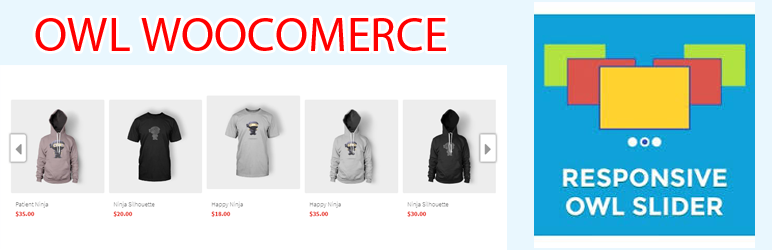
ShopCode Owl Carousel WooCommerce Widget 是 WordPress WooCommerce 的一個外掛,讓您可以在首頁上使用小工具來顯示選定分類篩選器的產品。
它以響應式的輪播滑塊顯示產品,您可以在首頁上顯示 WooCommerce 產品類別。
演示:woo.shopcode.org
如何使用
1.安裝並啟用外掛
2.將產品放入 WooCommerce 的選定分類中(勾選)
3.進入畫面小工具(設定)
4.拖放(Owl Carousel WooCommerce Widget)
5.選擇:顯示產品 WooCommerce 類別的數量選項
6.選擇圖片大小以調整大小(圖像會自動在快取中創建,並在刪除小工具時自動刪除)
7.可選的響應式 5 -> 1 產品類型
特色
如何使用:
WooCommerce owl carousel
顯示帶有選定分類篩選器的產品
響應式輪播滑塊
選擇要顯示的產品
自動調整大小的圖像
在 WordPress WooCommerce 上輕鬆顯示產品
在 WordPress WooCommerce 上展示特色產品
在頁面上顯示 WooCommerce 產品
按類別顯示 WooCommerce 產品
外掛標籤
開發者團隊
② 後台搜尋「ShopCode Owl Carousel WooCommerce Widget」→ 直接安裝(推薦)
原文外掛簡介
ShopCode Owl Carousel WooCommerce Widget is a WooCommerce plugin that allows you to display product on homepage in wordpress woocommerce with selected category filters in Widget.
It displays products in a responsive carousel slider you can Show product WooCommerce categories on homepage
Demo: woo.shopcode.org
HOW USING
1.Install and active Plugin
2.Post products are in the category of WooCommerce (check)
3.Go To Widget (Setting)
4.Drag and Drop (Owl Carousel WooCommerce Widget)
5.Select: category options on the number of products
6.Select the image size to resize (images are automatically created in the cache and automatically removed when you remove the widget)
7.Optional type responsive 5-> 1 product
FEATURES
How To:
Woocommerce owl carousel
Display product with selected category filters
Responsive carousel slider
Choose what products to be displayed
Resize image automatically custom pixels
show woocommerce product on homepage easy
show featured products on homepage in wordpress woocommerce
Show woocommerce products on page
Woocommerce display products by category