內容簡介
<h2>外掛總結:</h2>
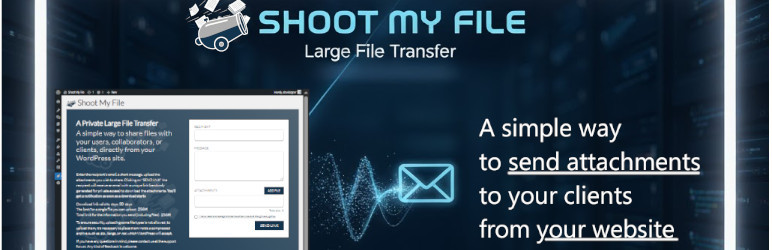
<p>這款外掛讓您能夠上傳文件並將下載連結發送給任何人。具有直觀強大設計,適用於網絡代理、自由職業者和需要可靠文件交換系統的企業。</p>
<h2>問題與答案:</h2>
<ul>
<li>
<h3>這個外掛的特點有哪些?</h3>
<p>獨特、有時間限制的下載連結。</p>
<p>直觀的界面直接在WordPress內部。</p>
<p>自動將文件壓縮成.zip格式。</p>
<p>存取和下載的日誌,並向發件人發送通知。</p>
<p>所有活動分享的集中管理。</p>
</li>
<li>
<h3>這個外掛的工作原理是什麼?</h3>
<p>上傳文件後,輸入收件人的電子郵件地址和個性化消息。</p>
<p>收件人將收到一封包含安全隨機生成連結的電子郵件通知。</p>
<p>點擊該連結會將他們重定向到公開頁面,驗證連結的有效性並允許下載文件。</p>
<p>在方便起見,所有發送的文件在下載之前都會自動壓縮為一個zip文件。</p>
<p>一旦下載開始,您將立即收到通知。</p>
</li>
<li>
<h3>如何設置私隱同意配置?</h3>
<p>在外掛的公開下載頁面上集成了知情同意複選框。</p>
<p>為了使同意系統正常運作,您需要設置隱私政策頁面和必要時還要設置使用條款頁面。</p>
<p>正確配置後,將在下載頁面上顯示一個強制接受複選框,並提供指向您法律文件的直接鏈接。</p>
</li>
<li>
<h3>如何避免郵件被歸類為垃圾郵件?</h3>
<p>確保電子郵件發送地址根據WordPress的默認配置顯示正確。</p>
<p>我們強烈建議您設置SMTP服務以確保正確的電子郵件傳遞,並避免其進入垃圾郵件文件夾。</p>
</li>
</ul>
外掛標籤
開發者團隊
📦 歷史版本下載
原文外掛簡介
Upload your files and send the download link to whoever you want.
Designed to be intuitive and powerful, this plugin allows you to upload files and send a unique download link to your recipients with just a few clicks. It is ideal for web agencies, freelancers, and businesses that need a reliable system for exchanging documents.
Some features
Unique, time-limited download links.
Intuitive interface directly within WordPress.
Automatic compression of files into a .zip format.
Logs of access and downloads, with notifications to the sender.
Centralized management of all active shares.
How It Works
Once your files are uploaded, you can enter the recipient’s email and a personalized message. The recipient will receive an email notification with a secure, randomly generated link. Clicking the link directs them to a public page that verifies the link’s validity and allows them to download the files. For convenience, all sent files are automatically compressed into a single zip file before download. You’ll get a notification as soon as a download starts.
After this period, the download link will no longer be valid, but the files will remain saved on the server until the sender or an administrator deletes them manually, using the “delete” button in the list or in the details.
User Guide
After installation, you will find a new menu item in the WordPress backend. Click on Shoot My File to access the sending form.
Use the form to select and upload the files you want to share.
Type in the email address of the recipient to whom you want to send the link.
Include a short accompanying message that will be included in the email notification.
Click the send button and the plugin will generate a unique link and send the email to the recipient.
After sending, you can check the status of your files and monitor download requests from the details page.
When a recipient starts the download, you will receive a notification via email.
There is a second menu item that allows you to view a list of all active shares. From here, you can check the expiration date, the number of downloads, and view the details of each individual share, including download logs.
Privacy Consent Configuration
To help you ensure your site is compliant with privacy regulations, we have integrated an informed consent checkbox on the plugin’s public download page.
For this consent system to work correctly, you need to set your Privacy Policy page (by default, it’s the WordPress one) and, if you consider it necessary, also your Terms and Conditions page (by default, it’s set to none).
Once configured, an obligatory acceptance checkbox will be displayed on the download page with direct links to your legal documents. Remember that the Privacy Policy page must also be integrated with the data processing information specified by the plugin. The checkbox will only be visible if you set at least one of the two pages. If both are set to “none,” the checkbox will not be visible, and the plugin will function without requiring user acceptance.
Email configuration
The sender email address that appears to the recipient depends on the default WordPress configuration.
To ensure correct email delivery and prevent them from ending up in the spam folder, we strongly recommend you configure an SMTP (Simple Mail Transfer Protocol) service.
Using a dedicated SMTP plugin is the best way to make sure emails from our plugin and WordPress are delivered reliably.