內容簡介
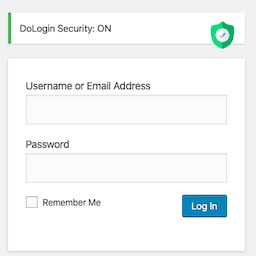
**總結:** Shield WP Admin 是一款輕量且功能強大的外掛,旨在增強您的 WordPress 管理區域的安全性。具有易於使用的介面和基本保護工具,可幫助防範常見的威脅和漏洞。
**問與答:**
1. Shield WP Admin 的主要功能有哪些?
- 自定義管理員登錄網址
- 限制登錄嘗試次數
- Google reCAPTCHA 整合
- 禁用 XML-RPC
- 禁用文件編輯器
- 隱藏 WordPress 版本
- 強制 HTTPS 重導
- 禁用 Pingbacks 和 Trackbacks
- IP 黑名單
- 管理員登錄表單標誌更改
2. Shield WP Admin 的作用是什麼?
- 無論您是開發人員還是網站擁有者,Shield WP Admin 都提供了一個智能靈活的解決方案,以增強您的 WordPress 後端,而不會使您的網站過度臃腫或淹沒您的儀表板。
3. Shield WP Admin 使用哪些外部服務?
- 使用 Google reCAPTCHA 來保護管理員登錄,防範自動暴力攻擊。
- Google reCAPTCHA 服務域名:https://www.google.com/recaptcha
- 主要目的:用於驗證用戶是真人,防止垃圾郵件或外掛攻擊管理員登錄。
- 發送的數據:當用戶與 reCAPTCHA 保護的表單進行交互時,其互動數據(包括 IP 地址、用戶代理和可能的 cookie)將被發送至 Google 的 reCAPTCHA 服務進行驗證。
- 數據發送時機:當表單加載時(由於 JS 腳本)和再次提交表單時,數據將傳輸至 Google。
- 服務提供商:Google
- 服務條款:https://policies.google.com/terms
- 隱私政策:https://policies.google.com/privacy
外掛標籤
開發者團隊
原文外掛簡介
Shield WP Admin is a lightweight yet powerful plugin designed to enhance the security of your WordPress admin area. With an easy-to-use interface and essential protection tools, it helps safeguard your site against common threats and vulnerabilities.
Key Features:
Custom Admin Login URL
Hide or customize the default /wp-login.php URL to prevent unauthorized login attempts.
Limit Login Attempts
Protect against brute-force attacks by limiting failed login retries.
Google reCAPTCHA Integration
Add reCAPTCHA to the login screen to block bots and automated scripts.
Disable XML-RPC
Prevent exploitation via XML-RPC by disabling its access entirely.
Disable File Editor
Block access to the theme and plugin file editor in the WordPress dashboard.
Hide WordPress Version
Conceal your WordPress version from source code to reduce exposure to targeted attacks.
Force HTTPS Redirection
Redirect all HTTP requests to HTTPS to ensure secure access.
Disable Pingbacks & Trackbacks
Protect your site from spam and DDoS attacks by disabling pingbacks and trackbacks.
IP Blacklisting
Block specific IP addresses directly from the admin panel to protect the site.
Admin Login Form Logo Change
You can change the logo of admin login form.
Why Shield WP Admin?
Whether you’re a developer or a site owner, Shield WP Admin provides a smart, flexible solution to strengthen your WordPress backend—without bloating your site or overwhelming your dashboard.
External Services
This plugin uses Google reCAPTCHA to protect the admin login from automated brute-force attacks.
Service Used: Google reCAPTCHA
Service Domain: https://www.google.com/recaptcha
Purpose: Used to verify that the user is human, preventing spam or Brute-force attacks on admin login protected by the plugin.
What Data is Sent: When a user interacts with a reCAPTCHA-protected form, their interaction (including IP address, user agent, and possibly cookies) is sent to Google’s reCAPTCHA service for validation and verification.
When Data is Sent: This data is transmitted to Google when the form is loaded (due to the JS script) and again when the form is submitted.
Service Provider: Google
Terms of Service: https://policies.google.com/terms
Privacy Policy: https://policies.google.com/privacy