內容簡介
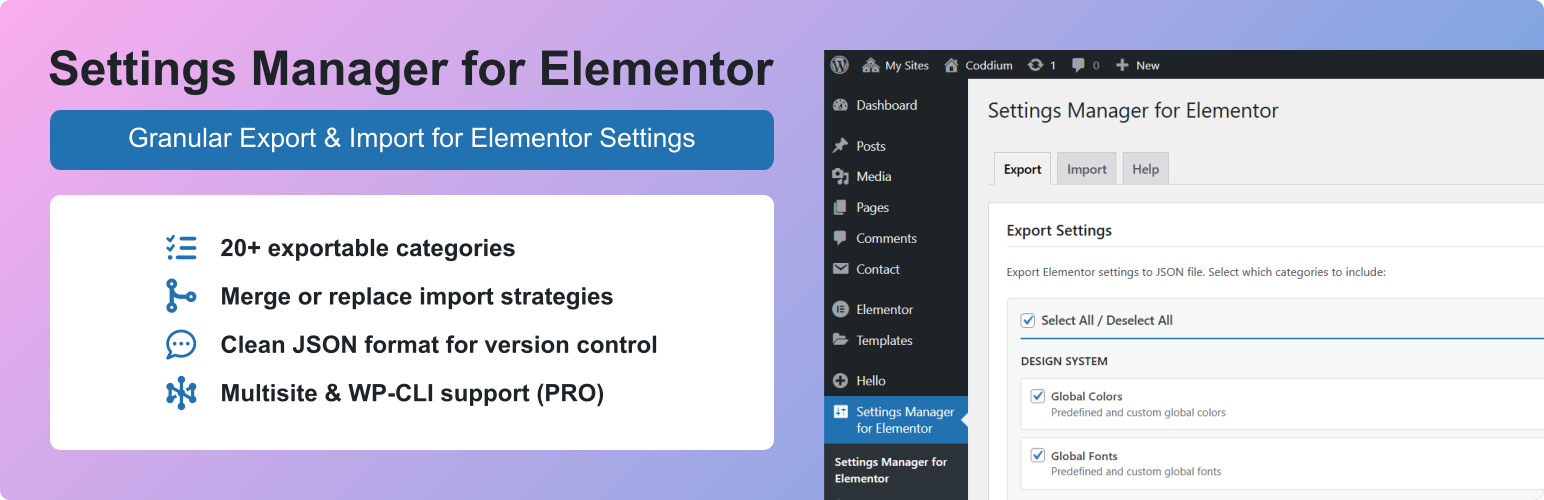
總結: Settings Manager for Elementor 提供比原生工具更靈活的元素控制,能夠精細控制 Elementor 設定的匯出和匯入。
1. 為什麼精細控制很重要?
- 精細控制讓你可以只匯出或匯入需要的部分,例如,你可以建立多個斷點設定的變體,在同一網站或其他網站上重複使用而不會覆蓋其他設定。
2. 這個外掛的特色有哪些?
- Site Settings:匯出/匯入網站設定(從 Elementor 編輯器的網站設定)
- Backend Settings:匯出/匯入後端設定(Elementor > 編輯器 > 從 WP 管理員後台的設定)
- Hello Theme Settings:匯出 Hello Elementor 主題的前端和後端設定
- Selective Export/Import:僅匯出/匯入您需要的分類
- 20+ 分類:在最小錯誤和最大靈活性的情況下對匯出/匯入控制精細
- Merge or Replace:選擇如何匯入全局顏色和全局字體(保留或移除現有的自定義項目)
- Media Separation:匯出不帶標誌的網站名稱,不帶圖像的背景樣式
- Clean JSON format:友好版本控制
- Multisite Network Import:一次匯入多個網站(PRO)
- WP-CLI Automation:DevOps 工作流程的命令行匯出/匯入(PRO)
- Automatic Backup:每次匯入前創建備份以便輕鬆恢復
3. 提供的可用分類有哪些?
- Design System
- Global Colors:預定義和自定義全域顏色
- Global Fonts:預定義和自定義全域字體
- Theme Style
- Typography:正文、標題、鏈接、段落間距
- Buttons:默認按鈕樣式和懸停狀態
- Images:圖像的邊框、陰影、過濾器
- Form Fields:標籤、字段和焦點狀態樣式
- Hello Theme Header/Footer Settings(當 Hello Elementor 啟用時)
- Settings
- Site Identity(Text):網站名稱和描述
- Site Identity(Media):標誌和網站圖示(與文本分開)
- Background(Style):顏色、漸變效果
外掛標籤
開發者團隊
② 後台搜尋「Settings Manager for Elementor」→ 直接安裝(推薦)
原文外掛簡介
Settings Manager for Elementor provides granular control over Elementor settings export and import with more flexibility than native tools.
Why is granular important? It allows you to export or import only what you need, e.g., you may create several variants of breakpoints settings, which you can later reuse on the same site or some other site without overwriting other settings.
Features
Site Settings – Export/import site settings (Site Settings from Elementor editor)
Backend Settings – Export/import backend settings (Elementor > Editor > Settings from WP admin dashboard)
Hello Theme Settings – Export frontend and backend Hello Elementor theme settings
Selective Export/Import – Export/import only the categories you need
20+ Categories – Granular control over export/import for minimum errors and maximum flexibility
Merge or Replace – Choose how Global Colors and Global Fonts are imported (keep or remove existing custom items)
Media Separation – Export site name without logo, background style without image
Clean JSON format – Version control friendly
Multisite Network Import – Import to multiple sites at once (PRO)
WP-CLI Automation – Command-line export/import for DevOps workflows (PRO)
Automatic Backup – Creates a backup before every import for easy recovery
Available Categories
Design System
* Global Colors – Predefined and custom global colors
* Global Fonts – Predefined and custom global fonts
Theme Style
* Typography – Body, headings, links, paragraph spacing
* Buttons – Default button styling and hover states
* Images – Border, shadow, filters for images
* Form Fields – Label, field, and focus state styling
* Hello Theme Header/Footer Settings (when Hello Elementor is active)
Settings
* Site Identity (Text) – Site name and description
* Site Identity (Media) – Logo and favicon (separate from text)
* Background (Style) – Color, gradient, and settings
* Background (Image) – Background image (separate from style)
* Layout – Container width, padding, widget spacing
* Breakpoints – Responsive breakpoint values
* Lightbox – Colors and behavior
* Page Transitions – Page transition animations (requires Elementor Pro) (PRO)
* Preloader Settings – Animation and style (requires Elementor Pro) (PRO)
* Preloader Media – Icon and image (requires Elementor Pro) (PRO)
* Custom CSS – Global custom CSS code (requires Elementor Pro) (PRO)
Backend Settings
* General – Post types, colors, fonts, tracking
* Integrations – API keys (Google Maps, reCAPTCHA, etc.)
* Advanced – Editor settings, file uploads, Google Fonts
* Performance – CSS print method, lazy loading
* Features – Elementor experiments and stable features
* Hello Theme Settings (when Hello Elementor is active)
Extra PRO Features
Multisite Network Import:
* Import settings to multiple network sites simultaneously
* Real-time progress tracking with site-by-site status
* Cancel import anytime
* Sites without Elementor are automatically skipped
WP-CLI Commands:
wp semfe export
Export settings to JSON file.
wp semfe import
Import settings from file or URL. Use –sites for multisite network import.
wp semfe list-categories [--format=table|json]
List available categories.
Use Cases
Development to Production – Export from staging, import to live site with selected categories
Client Projects – Create reusable brand guideline templates
Multisite Networks – Sync design system across network sites (PRO)
Backup & Recovery – Create versioned backups of your settings
Team Collaboration – Share settings files between team members
⚠️ Important:
This plugin manages Elementor settings only.
It does not export content, templates, themes, plugins, or custom files.
Requirements
WordPress 6.0+
Elementor 3.23.0+
PHP 7.4+