內容簡介
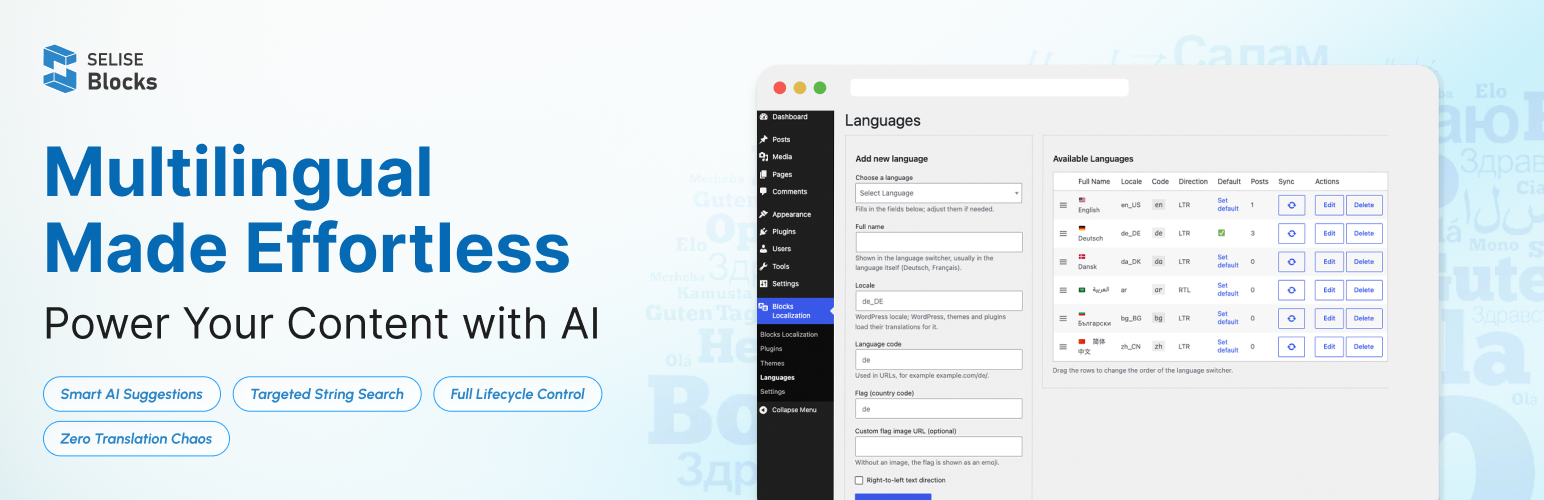
SELISE Blocks Localization Language Translator 是一款多語言 AI 翻譯外掛,旨在幫助 WordPress 網站輕鬆管理翻譯。用戶可以在控制台中直接查找、編輯和發布語言,簡化翻譯流程,提升效率。
【主要功能】
• 輕鬆新增和移除語言,保持系統整潔
• 按主題或外掛搜尋翻譯字串,節省時間
• 自動建議翻譯,減少手動輸入錯誤
• 新增和編輯翻譯字串,提升翻譯品質
• 獨立於特定佈景主題,與語言切換外掛無縫整合
外掛標籤
開發者團隊
② 後台搜尋「SELISE Blocks Localization Language Translator」→ 直接安裝(推薦)
原文外掛簡介
Find, edit, translate, and publish languages for your WordPress site or application, directly in your WordPress dashboard.
SELISE Blocks Localization Language Translator is a multilingual AI translator designed to help WordPress sites manage translations at scale. The plugin enables you to translate content (pages, posts), plugins and themes in different languages, update or delete translations, and apply AI-powered suggestions across pages, posts, themes and plugins, without relying on manual translation workflows.
Built for flexibility, it works independently of specific themes and integrates seamlessly with existing WordPress language switcher plugins.
Main Features
SELISE Blocks Localization Language Translator lets you translate your WordPress site quickly, without complex setup. It’s built for content editors, developers, agencies, and site owners who want reliable translations they can edit.
Manage languages: Add or remove languages and set a default for visitors who haven’t chosen one. Each page gets its own language URL (/de/, /fr/).
Language switcher: Visitors can change the site language in one click.
Auto Translate: Translate content and strings automatically, then review and save. This speeds up your work and reduces errors, even in unfamiliar languages.
Theme and plugin translation: Find strings by theme or plugin instead of digging through large language files. Translations are saved as standard translation files.
Edit strings: Add strings for custom text, fix existing translations, or delete unused ones to keep your language files clean.
Page translation: Translate WordPress pages into multiple languages, manage translated page content, and provide a consistent multilingual experience.
How to use
1. Set up your multilingual site
Step 1: Add languages
Go to Blocks Localization > Languages.
Pick a language and click Add New Language.
Repeat for each language. The first language you add becomes the default language.
You can reorder languages and change the default on the same screen.
Step 2: Switch Multilingual on
Go to Blocks Localization > Settings > Language Settings.
Switch Multilingual on.
Choose a URL format:
Directory: example.com/de/
Subdomain: de.example.com
Query parameter: ?lang=de
If your site already has content, click Assign the default language so existing content gets a language.
Step 3: Add a language switcher
Add the switcher so visitors can change language. Use any one of:
Language Switcher block
Language Switcher widget
Language Switcher menu item
Language Switcher shortcode
You can show flags, language names, short codes, or a dropdown.
Optional settings
Browser-language detection: Send visitors to the language their browser uses.
Language cookie: Remember the visitor’s chosen language.
Menus per language: Set one menu for each language. Works with classic themes and block themes.
What follows the visitor’s language
Site title, tagline, widgets, search, feeds and the REST API all follow the visitor’s language. The plugin also adds hreflang tags, canonical redirects, and language-aware XML sitemaps for Yoast SEO and Rank Math.
Multisite
Network activation is supported. Each site keeps its own languages.
2. Translate your content
You can translate posts, pages, custom post types, categories and tags. Each page is linked to its translations.
Create or open a translation
In the Pages or Posts list, click the + button next to the language.
In the editor, use the Languages box and click + for the language you want.
Translate with Auto Translate (posts and pages)
Open the page or post in the block editor.
Click Auto Translate.
Check the translated title, content and excerpt. Blocks, links, shortcodes and formatting are kept.
Click Save when you are happy.
Nothing is saved until you click Save. To go back to the original, press Undo (Ctrl+Z / Cmd+Z).
Translate page builder pages
Auto Translate works with Elementor, WPBakery, Divi 4, Divi 5, Avada, Enfold and similar shortcode-based builders.
Open the Pages or Posts list.
Hover over the row and click Auto Translate. In Elementor you can also click the globe icon in the top bar.
Important:
The saved version of the page is translated and saved at once. Save your changes first.
Only visible text is translated. IDs, CSS classes, links, custom code and HTML widgets stay as they are.
The previous version stays available under Revisions.
Keep brand names untranslated
Go to Settings > Auto Translate.
Add names to the Do-not-translate glossary, one per line.
These words are kept exactly as written.
Translation limit
Auto Translate request accepts up to 500,000 characters per request. Long jobs show progress and you can cancel them.
3. Translate themes and plugins
Open the theme or plugin you want to translate.
Find its text domain and list its strings.
Edit a string by hand, translate one string, or translate all of them.
Save. The result is stored as standard translation files in wp-content/languages.
A sync from SELISE Blocks only fills in missing translations by default. Turn on Force update only if you want it to overwrite your hand edits.
4. Moving from Polylang
Keep using Polylang
If Polylang stays active, it keeps managing your languages. You can still use Auto Translate on top of it.
Switch fully to this plugin
Run Import from Polylang.
Review the preview.
Start the import. It runs in batches.
Deactivate Polylang when done. Your URLs keep working.
Undo the import
Click Roll back. This removes everything the import created. Polylang’s own data is only read, never changed.
Privacy
The multilingual features keep all data on your site.
Only translation features send text to SELISE Blocks, and only when an administrator or editor starts them.
The plugin has no tracking and no ads, and loads no scripts or fonts from other sites.
External services
This plugin connects to the SELISE Blocks API to translate content using AI.
When a translation is requested, the plugin sends the original text and the target language to the API. The API then returns the translated text, which is used to update the content on the website.
For larger translation jobs, such as translating all content at once, the process may take some time to complete. Once the translation is finished, the API sends a notification (webhook) to the website. The website then automatically updates the translation files with the newly translated content.
This service is provided by “SELISE Blocks”. SELISE Blocks is an enterprise solution by SELISE Group: terms of use, privacy policy.