
內容簡介
**摘要:**
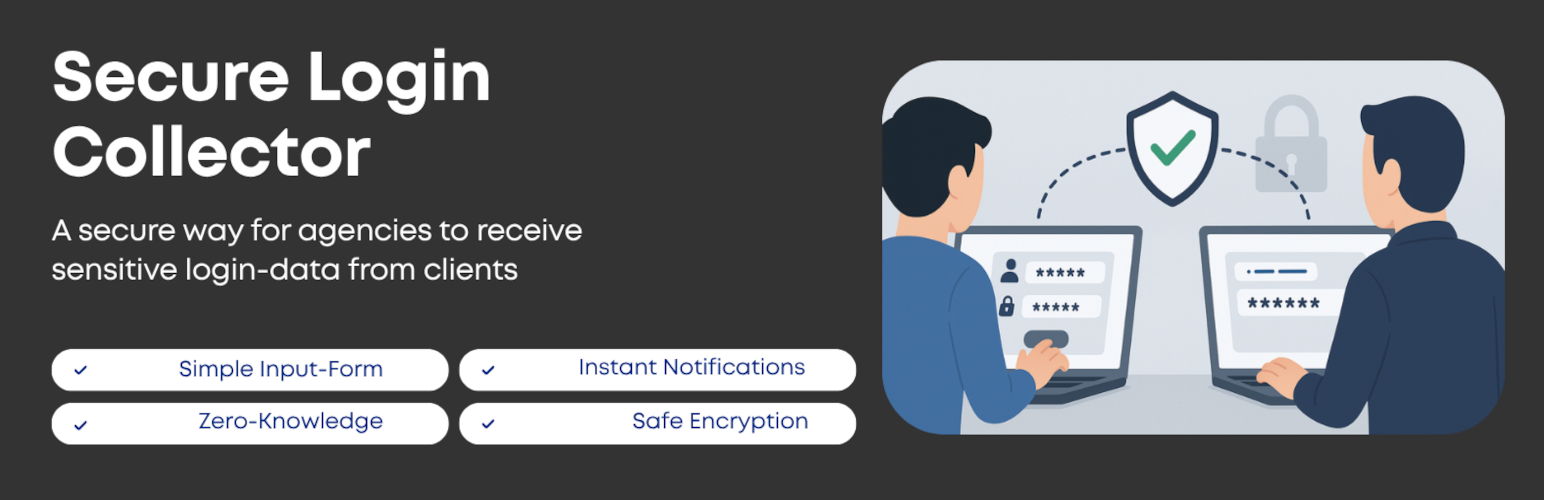
**Secure Login Collector** 提供給機構和自由職業者一個安全的客戶憑證傳遞點。客戶填寫一個品牌表單,所有內容在離開他們的瀏覽器之前都會被加密,你的團隊只能在 WordPress 內解鎖它。不再使用密碼電子表格、聊天消息,或可能引起責任問題的電子郵件。
1. **客戶登入憑證遞交流程**
- 客戶打開您的凭证收纳页,填写必填字段(姓名、電郵、服務、使用者名稱、密碼,注釋(可選))。
- 數據在發送之前會在他們的設備上鎖定 [基於瀏覽器 Web Crypto + RSA-2048 密鑰交換 + AES-256-GCM有效载荷]。
- 加密套件與審計元數據一起降落在您的 WP 數據庫表中 [零知識加密]。
- 您的團隊收到通知,登入 WordPress,然後在管理面板內解密項目。
2. **免費版功能(包括)**
- 客戶端封装 - 憑證在離開瀏覽器之前會被加密,因此郵件或傳輸泄露不會暴露它們。
- 零知識加密 - 服務器從未看到未解开的私鑰;只有當管理員在WordPress內部本地解鎖它們後,密碼才可讀。
- WP管理員解密 - 只有具有適當能力和正確密碼的已登入管理員才能在儀表板內解鎖提交,使一切統一。
- 提交收件箱和搜索 - 查看、排序和篩選所有請求,包括姓名、服務、記錄時間和註釋,需要時複製憑證。
- 即時通知 - 每次提交都觸發一封郵件,使項目持續進行而不必每小時檢查儀表板。
- 客戶體驗友好 - 響應式表單、密碼可見切換、選項說明文字以及字段級驗證使客戶感到自信,同時保持安全性。
3. **專業版附加功能(通過Secure Login Collector Pro)**
- 密碼確認 - 在每次解鎖/導出事件之前需要Touch ID、Windows Hello、YubiKey或密碼管理器密碼確認。
- 垃圾郵件和機器人防禦 - 無形蜜罐字段、nonce驗證、限制速率和IP感知鉤阻止自動轉儲,而不會惹惱客戶。
- 保留和清理控制 - 選擇數據保持多久和讓插件自動遮蓋過期有效載荷。
- 批量解密和導出 - 一次解密多個條目並直接導出到Bitwarden、1Password、LastPass、Dashlane、CSV或JSON以供團隊密碼保險庫使用。
4. **Freemius和隱私**
- 此插件捆綁了Freemius SDK 用於許可、安全付款和(可選)遙測。在明確同意之前,不會共享任何信息。一旦您同意,只有環境信息(站點URL、WP/PHP版本、插件版本)加上聯繫郵件/位置信息會傳送到Freemius,以便升級和收據可用。客戶提交、加密有效載荷和解密的憑證從不離開您的託管環境。
**問題與答案:**
1. Secure Login Collector 提供給誰使用?
- 答:提供給機構和自由職業者一個安全的客戶憑證傳遞點。
2. 免費版 Secure Login Collector 的功能包括哪些?
- 答:客戶端封装、零知識加密、WP管理員解密、提交收件箱和搜索、即時通知、客戶體驗友好。
3. 專業版 Secure Login Collector Pro 的額外功能有哪些?
- 答:密碼確認、垃圾郵件和機器人防禦、保留和清理控制、批量解密和導出。
4. Secure Login Collector 的插件捆綁了哪個 SDK?
- 答:插件捆綁了 Freemius SDK 用於許可、安全付款和遙測。
外掛標籤
開發者團隊
原文外掛簡介
Secure Login Collector gives agencies and freelancers a safe hand-off point for client credentials. Clients fill in a branded form, everything is encrypted before it leaves their browser, and your team only unlocks it inside WordPress. No more password spreadsheets, chat messages, or liability-inducing emails.
How a login data submission flows
Client opens your credential intake page and fills in the required fields (name, email, service, username, password, notes (optiona)).
The data is locked on their device before it is sent anywhere [browser-based Web Crypto + RSA-2048 key exchange + AES-256-GCM payloads].
The encrypted package lands in your WP database table together with metadata for auditing [Zero-knowledge encryption].
Your team gets notified, signs in to WordPress, and decrypts items inside the admin dashboard.
Free version features (included)
Client-side sealing – credentials are encrypted before they leave the browser, so email or transport leaks cannot expose them.
Zero-knowledge encryption – the server never sees the unwrapped private key; secrets are only readable once an admin unlocks them locally inside WordPress.
WP admin decryption – only logged-in admins with the proper capability and the correct password can unlock submissions inside the dashboard, keeping everything in one place.
Submission inbox & search – view, sort, and filter all requests with name, service, timestamps, and notes, then copy credentials when you need them.
Instant notifications – each submission triggers an email so projects keep moving without checking the dashboard every hour.
Accessible client experience – responsive form, password visibility toggle, optional help text, and field-level validation keep clients confident while still being secure.
Pro version extras (via Secure Login Collector Pro)
Passkey-first approvals – require Touch ID, Windows Hello, YubiKey, or password-manager passkeys before every decrypt/export event.
Spam and bot defense – invisible honeypot fields, nonce verification, rate limiting, and IP-aware hooks block automated dumps without annoying clients.
Retention & cleanup controls – choose how long data stays accessible and let the plugin redact expired payloads automatically.
Bulk decrypt & export – decrypt multiple entries at once and export directly to Bitwarden, 1Password, LastPass, Dashlane, CSV, or JSON for team password vaults.
Freemius & privacy
This plugin bundles the Freemius SDK for licensing, secure payments, and (optional) telemetry. Nothing is shared until you explicitly opt in. When you do, only environment details (site URL, WP/PHP version, plugin version) plus contact email/locale are sent to Freemius so upgrades and receipts work. Client submissions, encrypted payloads, and decrypted credentials never leave your hosting environment.
Disclaimer
Security is a shared responsibility. We ship the tools, but you control how and where they are used. Install SSL, keep WordPress updated, limit admin access, and review submissions promptly. We are not liable for any damage, data loss, or regulatory issues that arise from using this plugin—use it at your own risk.
External Services
This plugin bundles the Freemius SDK to handle optional telemetry, licensing, and upgrade flows. Opt-in is required before any data is shared.
What is sent (only after opt-in):
* Site URL, WordPress version, PHP version, and plugin version – for compatibility checks.
* Admin email and locale – so Freemius can send license receipts and support messages if you later purchase Pro.
No client submissions, passwords, or encrypted payloads ever leave your server. All credential data stays inside your WordPress database.
Freemius Terms: https://freemius.com/terms/
Freemius Privacy: https://freemius.com/privacy/














