內容簡介
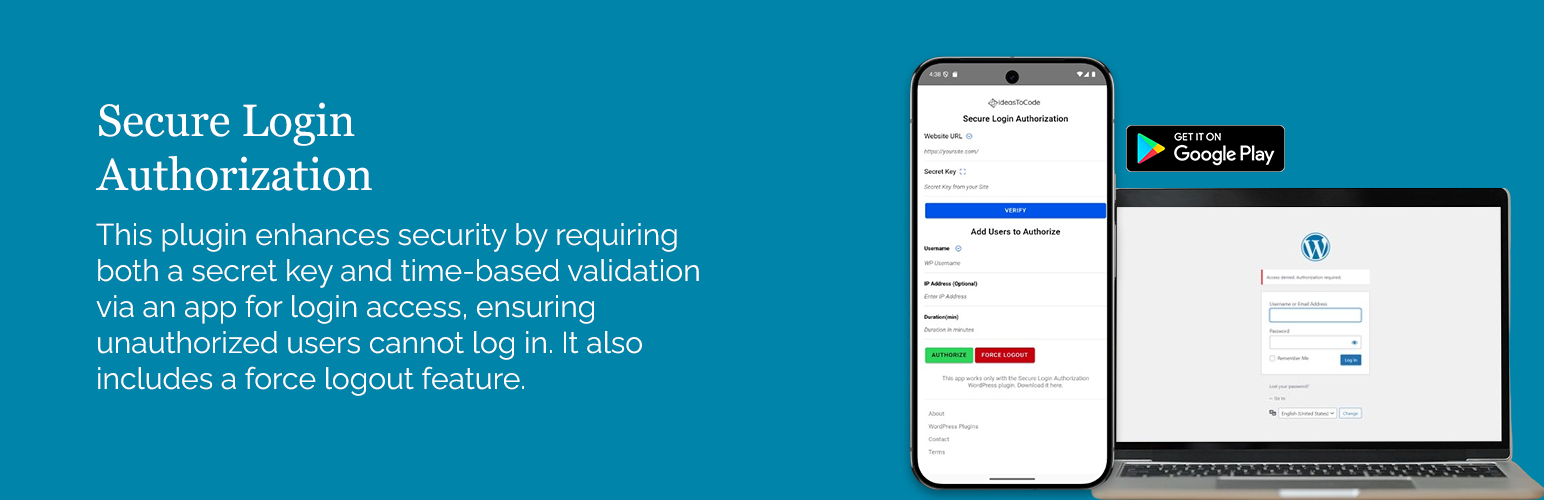
總結:Secure Login Authorization 外掛為您的 WordPress 登入頁面提供額外的安全保護層。通過與手機上的外部應用程序整合,該外掛確保只有在從 WordPress 儀表板生成的獨特秘密金鑰授權後用戶才能訪問登入頁面。這個外掛確保未經授權的用戶無法登入,增加了一個額外的安全層,需要秘密金鑰和基於時間的驗證才能成功訪問。
1. 如何使用這個外掛?
- 在您的網站上安裝外掛後,在外掛的設置頁面上可以找到一個獨特的秘密金鑰。
- 這個金鑰對於將您的網站與 Secure Login Authorization 應用程序配對至關重要,可以從應用商店下載。
- 在設置完成應用程序後,任何試圖訪問您的 WordPress 登入頁面(wp-admin)的人都需要通過應用程序授權,即使他們知道正確的用戶名和密碼。
- 該應用程序使您完全控制登入訪問權限,讓您可以指定用戶可以登入的時間長短。此外,它還包括可以隨時強制登出用戶的功能。
2. 如何下載應用程序?
- 要使用這個外掛,您必須首先從 Google Play Store 下載 Android 應用程序。
- 該應用程序允許您安全地管理登入授權,為特定用戶或設備授權,並定義基於時間的許可權,以加強對您網站安全性的控制。
3. 外部服務
- 這個外掛為秘密金鑰生成 QR 碼,可以在手機上方便使用。
- QR 碼是使用 Endroid/QR-Code 函式庫生成的。通過使用此功能,您同意使用此服務。
License Information: [點擊這裡](連結)
外掛標籤
開發者團隊
原文外掛簡介
The Secure Login Authorization plugin provides an added layer of protection to your WordPress login page. By integrating with an external application on your mobile, the plugin ensures that users can only access the login page after being authorized with a unique secret key generated from the WordPress dashboard. This plugin ensures that unauthorized users cannot log in, adding an extra layer of security by requiring both the secret key and time-based validation for successful access.
How to use the Plugin?
Once the plugin is installed on your website, you can find a unique secret key on the plugin’s Settings page. This key is essential for pairing your website with the Secure Login Authorization app, which can be downloaded from the app store.
After the app is set up, anyone attempting to access your WordPress login page (wp-admin) will require authorization through the app, even if they know the correct username and password. The app gives you full control over login access, allowing you to specify how long user(s) can log in. Additionally, it includes the ability to forcefully log out user(s) from the website at any time.
By combining the plugin and the app, you add an extra layer of security to your WordPress website. Only authorized users can access the login page, and their access is limited to specific time periods, regardless of whether they know the username and password. This makes Secure Login Authorization an effective solution for protecting your site against unauthorized access.
Download the APP
To use this plugin you must first download the Android app from the Google Play Store. The app allows you to securely manage login authorizations, grant access to specific users or devices, and define time-based permissions for enhanced control over your site’s security.
Download Android App: Click here
If you want to learn more about the plugin – please check our website – ideastocode.com.
External Services
This plugin generates QR codes for secret keys, enabling easy use on mobile phones. The QR codes are generated using the Endroid/QR-Code library. By using this feature, you consent to the use of this service.
License Information: Click here