內容簡介
這個 WordPress 外掛可以改變你的網站搜尋結果的優先順序,讓你的使用者可以自動教導你的網站,讓它知道每次搜尋的最相關結果。
功能
固定結果
你可以將每次搜尋的結果中某一個結果固定在結果清單的頂部,不論該結果是否受歡迎或使用者訂製排序,都可以將該結果設為最先顯示。
搜尋關鍵詞標示
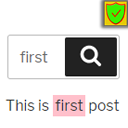
選擇一個標示顏色,並在搜尋結果頁面上標示使用者搜尋的關鍵詞。如果標示的關鍵詞未出現在摘要中,它會嘗試用第一個搜尋詞建立更好的摘要。
自訂結果排序
除了按照受歡迎程度排序前五個結果外,你還可以選擇按以下方式排序:
創建日期
修改日期
標題
進階搜尋表格和結果過濾
在搜尋結果頁面上顯示進階搜尋表格,讓使用者可以依文章類型、文章類別和標籤過濾結果。
相關搜尋
如果當前搜尋沒有結果,你可以顯示其他使用者已嘗試過的相似搜尋的連結。
外掛標籤
開發者團隊
原文外掛簡介
Change the way your WordPress website prioritizes search results, letting your users automatically train your website, teaching it which results are the most relevant for each search.
Features
Result Pinning
For each search you can set one result to be pinned to the top of the results list, so that regardless of result popularity or custom ordering, that result will be the first one displayed.
Search Words Highlighting
Choose a highlight colour and highlight the words users have searched for on the search results page. If a highlighted word does not appear in the excerpt it will attempt to create a better excerpt with the first searched word.
Custom Result Ordering
As well as ordering the first five results by popularity, you can choose to have results ordered by either:
Date created
Date modified
Title
Advanced Search Form and Result Filtering
Display an advanced search form on the search results page to let users filter results by post type, post categories and tags.
Related Searches
If the current search has zero results you can display links to searches that look similar, which other users have tried.