內容簡介
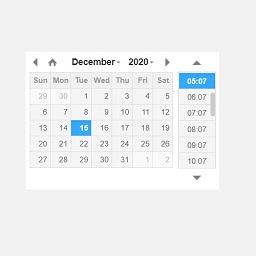
這個外掛提供一種方法,在區塊編輯器中設定內容於指定時間自動顯示或隱藏。該區塊基於您網站的時區,讓您完全掌控時間。使用場景包括:
在特定時間顯示特殊訊息(例如僅於12月25日顯示“聖誕快樂”)
開始促銷,提供臨時優惠券或優惠碼
舉辦抽獎,設定截止時間後不接受參加
在所有場合下,一旦時間到達內容將自動更新,您不必在特定日期和時間上線更新您的網站!
使用說明
啟用外掛後,在區塊編輯器中插入“定期檢查的區塊”,然後安排您選擇的任何區塊即可。
外掛標籤
開發者團隊
原文外掛簡介
This plugin provides a way to make content either magically appear or disappear at a given time in the Block Editor. The block is based on your site’s timezone, giving you complete control over the timing. Possible usage for this includes:
Displaying special messages for a certain period of time (eg. “Merry Christmas!” only on the 25th December)
Starting a sale and offering temporary vouchers or coupons
Holding a giveaway that prevents entries after a certain time has passed
In all cases, your content would be revised automatically once the time has passed – no more having to be online exactly at a certain date and time to update your site!
Instructions
After activating the plugin, you can insert the “Schedule Revisions” block in the Block Editor, and then schedule any blocks of your choosing.