內容簡介
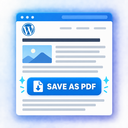
「Save as PDF Plugin by PDFCrowd」外掛讓您能在 WordPress 網站上輕鬆添加完整功能的 PDF 下載按鈕,訪客只需一鍵即可將頁面或文章儲存為 PDF,無需自訂程式碼或伺服器端 PDF 軟體。
【主要功能】
• 簡易安裝:從 WordPress 控制台安裝並啟用外掛
• 一鍵 PDF 下載:讓訪客輕鬆儲存頁面或文章
• 現代頁面渲染:支援最新的 HTML、CSS、圖片和 JavaScript
• 按鈕靈活放置:自動顯示或手動放置按鈕
• 可自訂按鈕外觀:配置按鈕文字、圖示、佈局和樣式
• 輸出清理:移除不需要的頁面部分
外掛標籤
開發者團隊
② 後台搜尋「Save as PDF Plugin by PDFCrowd」→ 直接安裝(推薦)
原文外掛簡介
The “Save as PDF” plugin lets you add a full-featured PDF download button to your WordPress site in minutes, without custom code or server-side PDF software. Visitors can save a page or post as PDF with one click.
You can install and test the plugin right away in fully functional demo mode. No registration is needed. When you are ready, activate a paid PDFCrowd license for production use.
Useful links:
WordPress plugin guide: setup, first test, and common workflows.
WordPress FAQ: common issues, examples, licensing, and troubleshooting.
Option reference: exact plugin settings.
Contact PDFCrowd support: help with setup or output issues.
Features
Easy setup: Install from WordPress admin, activate the plugin, and test the button in demo mode.
One-click PDF download: Let visitors save pages or posts as PDF.
Modern page rendering: Supports current HTML, CSS, images, and JavaScript.
Flexible button placement: Show the button automatically or place it manually where needed.
Customizable button appearance: Configure button text, icon, layout, and style.
Flexible output settings: Adjust PDF layout, page size, margins, headers, footers, and other output options from WordPress admin.
Selected-content conversion: Convert the full page or a selected part of the page.
Output cleanup: Remove headers, sidebars, cookie banners, popups, ads, or other unwanted page parts from the generated PDF.
No PDF software to install on your server: PDF generation runs through PDFCrowd.