內容簡介
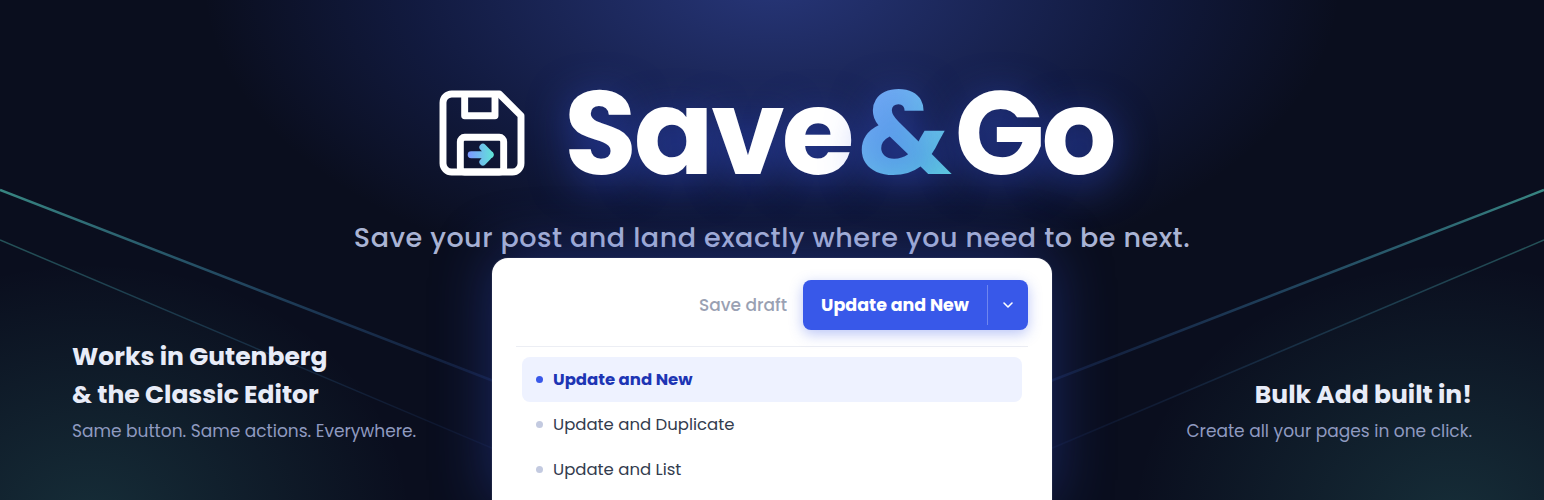
Save & Go 外掛為 WordPress 編輯器新增了一個現代化的儲存按鈕,能夠一鍵儲存當前文章並立即轉向下一步操作,支援 Gutenberg 和經典編輯器,提升編輯效率。
【主要功能】
• 一鍵儲存並新增文章
• 儲存並複製文章為草稿
• 儲存並返回文章列表
• 儲存並返回上頁
• 批量新增文章或頁面
• 支援區塊編輯器(Gutenberg)
外掛標籤
開發者團隊
原文外掛簡介
Save & Go (Save and Go) adds a sleek, modern save button to the post editor that, in a single click, saves the current post and immediately takes you where you want to go next. It works in both the block editor (Gutenberg) and the classic editor — same settings, same behavior, everywhere.
The following actions are available:
Save and New: saves the current post and goes to the New Post screen.
Save and Duplicate: saves the post, duplicates it (as a draft) and opens the duplicate’s edit screen.
Save and List (a.k.a. Save and Close): saves the post and goes back to the posts list — keeping your filters and pagination.
Save and Return: saves the post and returns you to the page you were on just before, no matter which page.
Save and Next: saves the post and opens the next post’s edit screen.
Save and Previous: saves the post and opens the previous post’s edit screen.
Save and View (same or new window): saves the post and shows the post’s page on your site.
Save & Go saves you a lot of time when you have multiple posts, pages or custom posts to create or modify. It works with posts, pages and custom post types, on single sites and multisite.
Through the plugin’s modern settings page (its own “Save & Go” menu in the admin sidebar), you can choose which actions to show, which one is the default, and how the button appears in each editor: next to the WordPress button, as the primary button, or completely replacing the WordPress Publish/Update button. Each editor (block and classic) has its own setting.
Bulk Add
Already know all the pages or posts your site needs? The Bulk Add page (Save & Go > Bulk Add in the admin menu) lets you create many posts, pages or custom post type entries at once: one row per post, with its title, an optional slug (auto-formatted as you type — spaces become dashes) and a status (Published, Draft, Pending review or Private). Type them in, click once, and fill in the content later.
For pages (and any hierarchical post type), you can even build the page tree before saving: drag rows to reorder them and drag right — just like the WordPress Menus screen — to nest a row under the one above it, as deep as you need. A “Parent” dropdown also lets you place the whole batch under one of your existing pages. Each row is created with the right parent, so your page hierarchy comes out exactly the way you laid it out.
A “Bulk Add” button also appears right next to “Add New” on every post list screen, and a “Bulk Add” entry is added to each post type’s own admin menu (right after “Add New”) — including all your custom post types, automatically. Both open Bulk Add with that post type already selected.
Prefer a leaner sidebar? A “Menu location” setting lets you keep Save & Go as its own admin menu or tuck it under Settings — the list screen buttons keep Bulk Add one click away either way.
Block editor (Gutenberg) support
Unlike older plugins of this kind, Save & Go is built for the block editor: the button sits right in the editor’s header next to the Publish button, waits for the save to finish, and then takes you to your next action. No page tricks, no disabling Gutenberg.
For developers
Extra actions can be registered from your own plugin or theme through the save_and_go_load_actions filter — add an instance of a class extending Save_And_Go_Action to the array and it will show up in the settings and in the button. The post types offered by Bulk Add can be adjusted through the save_and_go_bulk_add_post_types filter (for example, to add back a non-public content type).
Credits
Save & Go is based on the “Improved Save Button” plugin by Label Blanc (GPLv3), rewritten and extended by Alisha Thomas with block editor support, a modernized interface and hardened code.