內容簡介
### 外掛簡介
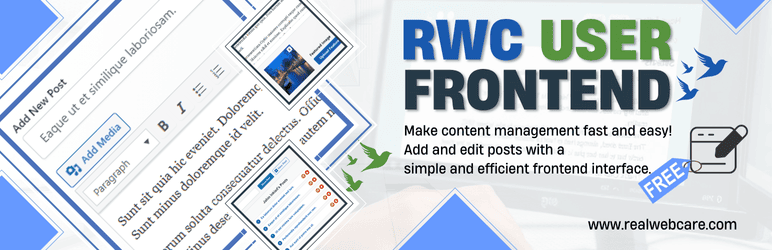
RWC User Frontend 是由 Real Web Care(RWC)創建的 WordPress 外掛,允許使用者從 WordPress 網站的前端管理他們的文章、更新個人檔案以及登入。透過易於使用的自訂登入表單,使用者可以快速存取他們的內容。他們可以新增文章、編輯現有內容,以及在需要時刪除文章。這個外掛還提供一種簡單的方式查看使用者撰寫的文章清單,並透過個人化狀態自訂其個人檔案。這是一個全方位解決方案,讓使用者直接從前端完全控制內容管理,而無需訪問 WordPress 管理面板。
### 關鍵功能
- 前端使用者登入表單,方便存取。
- 直接從前端查看、新增、編輯和刪除文章。
- 以可自訂方式顯示和管理文章清單。
- 簡易的媒體上傳,支援預覽。
- 管理並更新使用者個人訊息。
- 顯示自訂狀態訊息及自上次更新狀態以來的消逝時間。
- 具有響應式和使用者友好的設計。
- 與 WordPress 無縫整合,功能流暢。
### 為什麼使用這個外掛?
- 簡化文章管理,一切從前端處理。
- 無需訪問 WordPress 儀表板即可管理文章和個人檔案。
- 透過易於使用的界面優化使用者登入和個人檔案更新。
- 節省時間並改善工作流程,打造無縫的前端體驗。
- 設計適合偏好前端解決方案管理內容的使用者使用。
### 支援
如有任何疑問、反饋或協助,請訪問我們的外掛支援頁面。我們樂意協助您充分利用該外掛。
### 授權
本外掛為開源,根據 GPLv2 或更新版本授權。
### 問題與答案
1. RWC User Frontend 是由哪家公司創建的?
- Real Web Care(RWC)創建的。
2. 這個外掛的主要功能是什麼?
- 允許使用者從 WordPress 網站的前端管理他們的文章、更新個人檔案以及登入。
3. 這個外掛提供了哪些功能?
- 前端使用者登入表單、直接從前端操作文章、自訂管理文章清單、簡易的媒體上傳、更新使用者個人訊息等。
4. 如何使用這個外掛的 shortcode?
- 使用 [rwc-user-frontend] 可以顯示使用者資料、自訂狀態、文章清單等;使用 [rwc-user-status] 可以在網站的任何位置顯示使用者的自訂狀態。
5. 這個外掛適合哪些網站使用?
- 適合部落格、會員網站以及任何需要前端使用者介面的平台使用。
外掛標籤
開發者團隊
② 後台搜尋「RWC User Frontend – Submit Post, User Profile & Login at Frontend」→ 直接安裝(推薦)
原文外掛簡介
RWC User Frontend is a WordPress plugin created by Real Web Care (RWC) that allows users to manage their posts, update their profile, and log in, all from the front-end of your WordPress site. With an easy-to-use custom login form, users can quickly access their content. They can create new posts, edit existing ones, and remove posts when needed.
The plugin also provides a simple way to view a list of posts they’ve written and customize their profile with a personalized status. This all-in-one solution offers full control over content management directly from the front-end, without the need to access the WordPress admin panel.
Watch Free Version Video Walkthrough
Key Features
Frontend user login form for easy access
View, add, edit, and delete posts directly from the front-end
Display and manage posts in a customizable list
Easy media uploads with preview support.
Manage and update user profile information
Displays a custom status message and the time elapsed since the status was last updated.
Responsive and user-friendly design.
Seamless integration with WordPress for smooth functionality
Shortcode
This plugin offers two powerful [/] shortcodes for seamless frontend user interaction:
[rwc-user-frontend]: This is the core [/] shortcode of the plugin. It displays the user profile, custom status, post lists, and enables users to manage their profile, update their status, and handle posts, including creating, editing, and deleting posts directly from the frontend.
[rwc-user-status]: This [/] shortcode allows users to display their custom status on the frontend. While the main [/] shortcode helps users update their custom status, this [/] shortcode lets you show the user’s custom status anywhere on your website.
For a detailed guide on how to use these [/] shortcodes effectively, please refer to the plugin’s help page.
Why Use This Plugin?
Simplify post management by handling everything from the front-end
No need to access the WordPress dashboard for managing posts and profiles
Streamline user login and profile updates with an easy-to-use interface
Save time and improve workflow with a seamless front-end experience
Designed for users who prefer a front-end solution for managing content
This plugin is ideal for blogs, membership sites, and any platform that requires a frontend user interface.
Support
For any queries, feedback, or assistance, please visit our Plugin Support Page. We’re here to help you make the most of the plugin.
Credits
– Developed By: Realwebcare
– Facebook Page
Icons & Animations:
– SVG icons from SVG Repo
– Success animation icon from Icons8
License
This plugin is open-source and licensed under the GPLv2 or later.