內容簡介
Royal Links 是一款功能強大的免費聯盟連結管理與網址縮短外掛,提供完整的連結隱藏、點擊追蹤及管理解決方案。無需支付任何費用,即可使用所有功能,幫助用戶有效管理聯盟連結及行銷網址。
【主要功能】
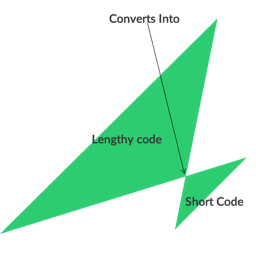
• 自訂短網址 — 使用自有網域創建乾淨連結
• 點擊追蹤 — 詳細的點擊分析數據
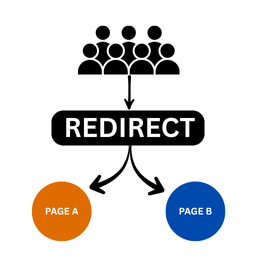
• 進階重定向 — 根據地區、設備或時間進行重定向
• 密碼保護連結 — 限制敏感連結的訪問
• 自動關鍵字連結 — 定義關鍵字自動鏈接內容
外掛標籤
開發者團隊
原文外掛簡介
The most powerful free affiliate link management and URL shortener plugin for WordPress.
Royal Links is a complete link cloaking, click tracking, and link management solution that gives you every tool you need to shorten, cloak, track, and optimize your affiliate links and marketing URLs — without paying a cent. No “lite” version, no feature gates, no upsells. Everything competitors charge $200/yr for is included free.
Whether you manage affiliate links, run marketing campaigns, track click performance, or just want clean branded short URLs on your own domain, Royal Links has you covered.
Link Management
Branded Short URLs — Create clean links using your own domain
Multiple Redirect Types — 301, 302, and 307 redirects
Link Categories & Tags — Organize everything with taxonomies
Nofollow / Sponsored / UGC Attributes — Stay compliant with search engine guidelines
Password-Protected Links — Gate access to sensitive destinations
Link Scheduling — Set start and end dates for any link
Affiliate Disclosure Notices — Automatically display FTC-compliant disclosures
Click Tracking & Analytics
Detailed Click Analytics — Browser, device, OS, referrer, and country data
Dashboard Widget — At-a-glance stats with period-over-period comparison
QR Scan Tracking — See how many clicks come from your QR codes
UTM Parameter Builder — Build campaign-tagged URLs without leaving WordPress
Advanced Redirects
Geo-Targeting — Redirect visitors to different URLs based on their country
Device-Based Redirects — Send desktop, mobile, and tablet users to different destinations
Time-Based Redirects — Automatically swap destinations on a schedule
A/B Split Testing — Test multiple destinations and track which converts best
Content & Display
QR Code Generator — Generate downloadable QR codes for any link
Product Display Boxes — Eye-catching product cards with images and CTAs
Automatic Keyword Linking — Define keywords and Royal Links auto-links them across your content
Gutenberg Block & Classic Editor — Insert links from either editor
Site Health
Broken Link Checker — Automatic monitoring flags dead destinations
Link Health Dashboard — See all link issues at a glance
Migration Wizard
Switching from another plugin? Royal Links imports your links, categories, and click data in one click:
Pretty Links — Full import including groups and clicks
ThirstyAffiliates — Full import including categories and click data
BetterLinks — Full import including analytics
Why Royal Links?
Most link management plugins offer basic features for free and lock the good stuff behind a paid upgrade. Royal Links takes a different approach — every feature is included from day one. Geo-targeting, A/B testing, QR codes, auto-linking, product displays, device redirects, and link scheduling are all built in with no restrictions.
Powered by Royal Plugins
Royal Links is built by the team behind Royal MCP and SiteVault — free WordPress plugins trusted by thousands of sites. We believe powerful tools should be accessible to everyone.
External Services
This plugin connects to the following external service under specific conditions:
ip-api.com
Royal Links uses the ip-api.com geolocation API to determine a visitor’s country for the geo-targeting feature. This service is only contacted when a site administrator has configured country-based redirect rules on a specific link. If no geo-targeting rules are configured, no data is sent to this service.
When geo-targeting is active on a link and a visitor clicks that link, the visitor’s IP address is sent to ip-api.com to determine their country. The country result is then used to decide which destination URL the visitor should be redirected to.
Service URL: http://ip-api.com
Terms of Service / Privacy Policy: https://ip-api.com/docs/legal
Data sent: Visitor IP address (only when geo-targeting rules exist on the clicked link)
Data received: Country code for the visitor’s IP address
Data retention: Royal Links does not store the IP-to-country lookup. The country is used only for the redirect decision. IP addresses are only stored in the click log if the “Store IP Addresses” setting is enabled (disabled by default).
When it is used: Only when a visitor clicks a link that has geo-targeting redirect rules configured by the site admin
When it is NOT used: If no links have geo-targeting rules, this service is never contacted