
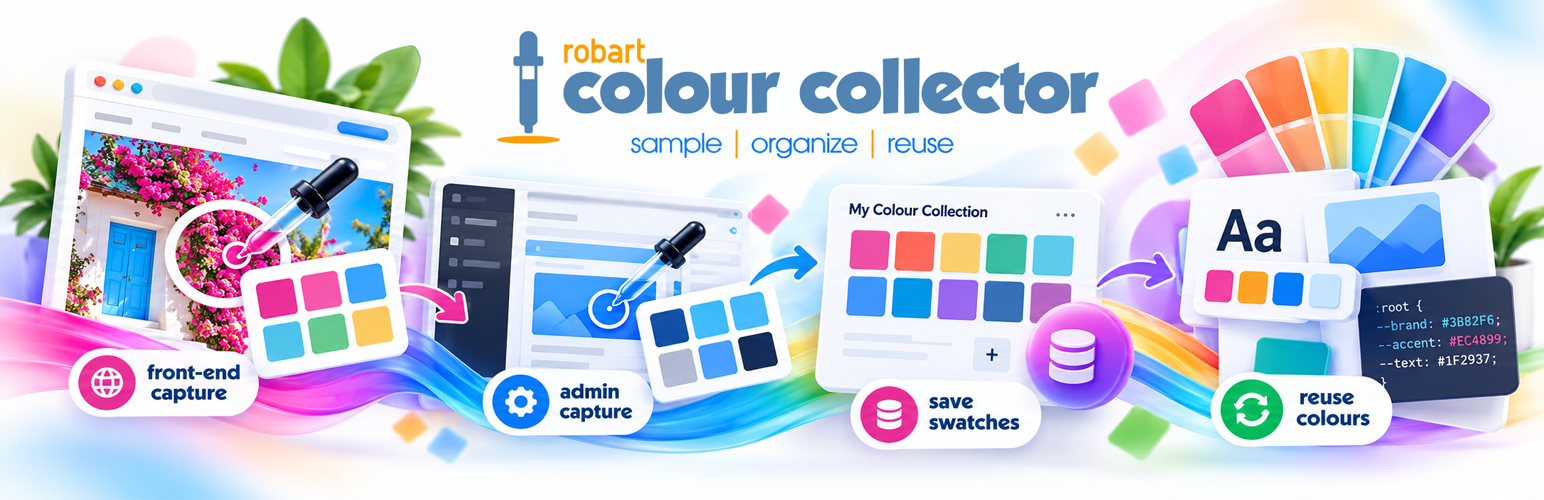
內容簡介
RobArt Colour Collector 是一款 WordPress 外掛,讓使用者能夠輕鬆收集和管理顏色,建立個人化的顏色庫。無論是在後台編輯或前端瀏覽網站時,都能快速選取顏色,並以 HEX 代碼保存,提升設計效率。
【主要功能】
• 浮動顏色選擇器:隨時收集編輯畫面或前端的顏色
• 自訂顏色樣本:按客戶、專案或品牌分組顏色
• 自動顏色命名:捕捉的顏色自動獲得描述性名稱
• 一鍵複製 HEX:輕鬆複製顏色代碼以便使用
• 無限樣本群組:可創建多個顏色群組以管理顏色
外掛標籤
開發者團隊
原文外掛簡介
See a colour you love? Save it. Use it again.
RobArt Colour Collector gives you a personal colour library inside WordPress. Pick colours while working in the admin area or browsing your site’s front end, organise them into named swatches, and copy the HEX code with a click.
No more hunting through old designs, screenshots or notes for that perfect shade. Whether you’re building pages, matching brand colours or refining a site’s design, your favourites stay close at hand in a floating collector dock.
Sample. Organise. Reuse.
Capture colours as you work
Floating colour picker: Collect colours from WordPress editing screens and, when enabled, your site’s front end while logged in.
Screen eyedropper: Chrome and Edge support picking pixels from the screen using the browser’s EyeDropper API. Other browsers, including Safari, use the system colour picker instead.
Keep picking: The eyedropper re-arms after each selection for quick colour gathering. Press Esc or click the tool again to stop.
Add by HEX: Enter an exact colour value or choose one with the system picker, with a live preview.
Automatic colour names: Captured colours receive descriptive names from a built-in library; edit names whenever you like.
Build a colour library that’s yours
Custom swatches: Group colours by client, project, brand, mood or purpose.
Unlimited swatch groups: Start with a pinned Main swatch and create additional groups as needed. Each group holds up to 60 colours by default.
Swatch notes and management: Rename, annotate, merge or remove swatches, and move colours between them.
Floating dock and full library page: Work from the compact on-screen tray or manage colours in the dedicated Swatches admin screen.
Personal collections: Saved colours belong to your WordPress user account and remain on your own site.
Reuse a colour in one click
Click a saved colour to copy its HEX value. Paste it into a block-editor colour field, a theme or plugin setting, or a CSS rule. You can also edit, print and manage your saved entries from the Swatches screen.
Ideal for
Website designers keeping brand and project palettes at their fingertips.
Site owners collecting colours from their existing pages and imagery.
Content editors who regularly need consistent colours across pages.
Developers copying HEX values into CSS and design settings.
Illustrators and other creatives gathering colour inspiration.
What do you get for free?
The complete everyday workflow is free: floating dock, eyedropper or system colour picker, manual HEX entry, automatic names, unlimited swatch groups, notes, swatch management and click-to-copy HEX values.
RobArt Colour Collector Pro adds optional tools for larger or more specialised libraries:
Image colour scanning: Extract dominant colours from eligible images on your site, or use the dedicated Scan an Image screen to drop, choose or paste an image. Analysis runs in your browser; the image isn’t uploaded by the scanning tool.
Instant search: Filter saved colours by name or HEX value.
Manual ordering: Alt-drag to arrange colours and swatches.
Additional export tools: Pro includes extra swatch export functionality; consult the current Pro documentation for supported formats.
Free functionality does not require Pro or a licence key. The Pro add-on is a separate purchase, offered as a one-time licence with updates throughout version 1.x.
Privacy first
Your swatches and colour values are stored in your WordPress site’s database for your user account. The free plugin makes no external service requests. Pro licence validation, if you separately install and activate the Pro add-on, is explained under External Services below.
External Services
The free plugin makes no external requests and stores saved colour data on your own site’s database.
The separately installed paid RobArt Colour Collector Pro add-on uses the author’s licence server at robart-illustration.eu, which verifies licensing through Lemon Squeezy.
Information sent: licence key and site URL; no collected colours are sent.
When: licence activation, deactivation and periodic validation of an active Pro licence.
Purpose: confirm the licence is valid for the site and enable licensed Pro updates.
Terms and privacy: https://robart-illustration.eu/ and https://www.lemonsqueezy.com/privacy and https://www.lemonsqueezy.com/terms .
Support
For questions, bug reports and feature requests, use this plugin’s WordPress.org support forum. Documentation and guides: https://robart-illustration.eu/plugins-wordpress-development/ .
Uninstall
Deactivating the plugin preserves saved colours and settings. Deleting the plugin removes its dedicated colour and swatch tables, settings, associated transients and user references as described in the included documentation.
