內容簡介
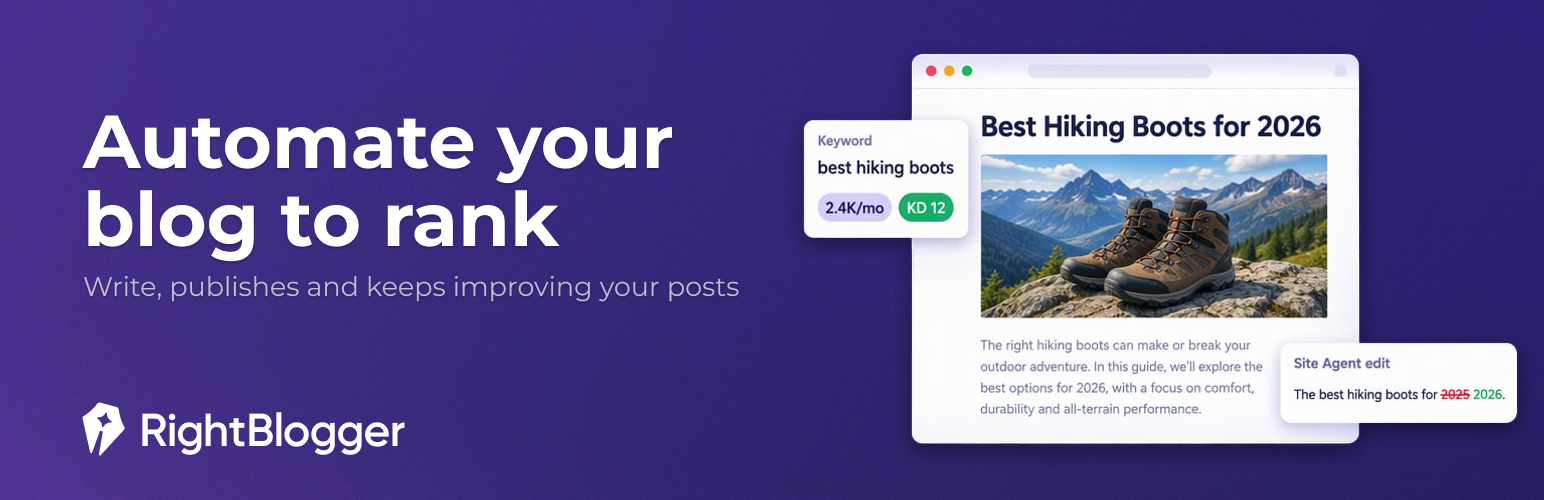
RightBlogger 是一款專為部落客設計的 AI SEO 平台,能夠將您的 WordPress 網站與 RightBlogger 帳戶連接,協助自動發佈新文章並持續優化現有內容,提升網站的搜尋引擎排名。
【主要功能】
• 自動發佈文章:根據關鍵字研究計劃文章,自動撰寫與發佈
• SEO 支援:自動生成 meta 標題、描述及關鍵字
• 內容審核:定期檢查已發佈文章,修正內部連結與 meta 描述
• 自訂 HTML 嵌入:支援第三方小工具與腳本的嵌入
• 連接安全:使用網站專屬金鑰,無需分享 WordPress 登入資訊
外掛標籤
開發者團隊
② 後台搜尋「RightBlogger – AI SEO Agent & Autoblogging」→ 直接安裝(推薦)
原文外掛簡介
RightBlogger is an AI SEO platform for bloggers. This plugin connects your WordPress site to your RightBlogger account so it can publish new posts and keep the ones you already have improving.
Write and publish
Autoblogging – Plan posts from keyword research in the Content Planner, and RightBlogger writes and publishes them on your schedule
Ready-to-publish posts – Featured and inline images land in your Media Library, and categories, tags and the post author are set for you
SEO plugin support – Writes the meta title, description and focus keyphrase to Yoast, Rank Math, AIOSEO, SEOPress, The SEO Framework and Squirrly SEO
IndexNow – On paid plans, tells search engines about a post as soon as it goes live
Keep your site improving with Site Agent
Site Agent audits your published posts on a regular schedule and fixes what it finds:
Adds internal links between related posts
Rewrites meta descriptions on pages with a low click-through rate in Google
Removes or replaces broken outbound links
Refreshes outdated years in post titles
Pick Ask Approval, Smart or Fully Automatic mode to decide how much it applies on its own, or give it plain-language tasks. Every change can be undone for 30 days.
Also included
Custom HTML embeds – Publish posts with third-party widgets, scripts and iframes (Elfsight, Calendly, forms, etc.) when the post’s author is allowed to post unfiltered HTML in WordPress
Tool Studio block – Embed your interactive RightBlogger tools with the “RightBlogger Tool” block
No password sharing – The plugin connects with a site-specific key, so you never share your WordPress login
How it works
Install and activate the plugin
Go to Settings → RightBlogger and click “Connect to RightBlogger”
Sign in or create a free account, then pick the project for this site
Publish from RightBlogger, or turn on autoblogging and Site Agent
Requirements
WordPress 5.8 or higher and PHP 7.4 or higher
A RightBlogger account. The free plan lets you try the writing tools and publish to WordPress; autoblogging, Site Agent and IndexNow are on paid plans (see pricing).
External Services
This plugin connects your WordPress site to the RightBlogger platform (rightblogger.com), which is required for its core purpose: publishing content you create in RightBlogger to your WordPress site.
What it does and what data is involved:
Connection: when you connect your site, the plugin registers your site URL with your RightBlogger account and stores a secret connection key on your site. RightBlogger’s servers use this key to authenticate requests to your site’s REST API (creating and updating posts, uploading images, reading site info needed for publishing).
Post status updates: when a post RightBlogger published changes status (published, scheduled, trashed), the plugin sends RightBlogger the post ID, URL, title and new status so your RightBlogger dashboard stays in sync.
Account details: while connected, the plugin checks the connection and loads your account’s branding and Tool Studio tool list from rightblogger.com.
Tool Studio embeds (optional): these render only when you insert one of your own tools with the block editor; nothing loads on sites that have not done so. When a page with the block is viewed, the tool loads from rightblogger.com so visitors can use it. The visitor’s browser requests the embed from rightblogger.com, which receives standard request data (IP address, user agent) as with any embedded third-party content.
IndexNow: the post status update includes your site’s IndexNow key, and on paid plans RightBlogger uses it to notify IndexNow search engines of the post’s URL. The plugin serves the key file at /{key}.txt so those search engines can verify it.
No data is sent to RightBlogger until you explicitly connect your site. Disconnecting or uninstalling removes the stored keys.
This service is provided by RightBlogger: Terms of Service, Privacy Policy.