內容簡介
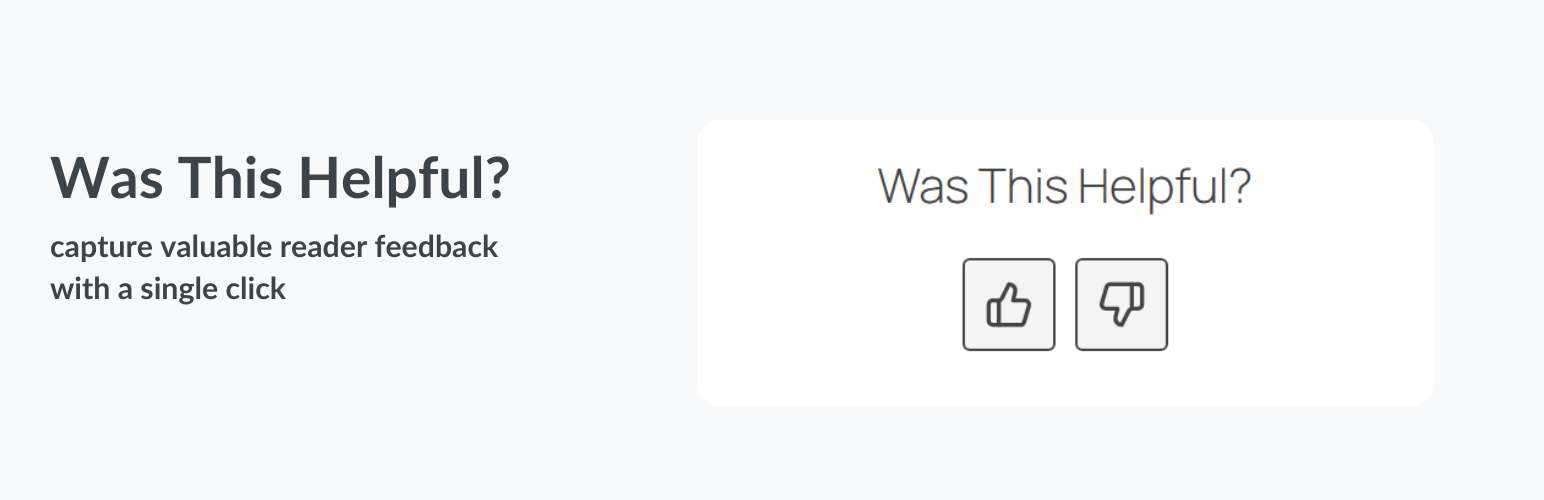
總結:這個外掛在您的文章/頁面底部新增了一個簡單的「這篇文章/頁面對您有幫助嗎?」的反饋框,讓使用者可以回饋他們對文章或頁面是否有幫助。擁有以下特點:
- 在文章和頁面上顯示「這篇文章/頁面對您有幫助嗎?」框。
- 選擇反饋框應出現在哪些文章類型(文章和頁面)。
- 可在特定文章或頁面上停用反饋框的選項。
- 按照正面反饋的百分比對文章和頁面進行排序。
PRO 版本特點:
- 在自訂文章類型上顯示「這篇文章/頁面對您有幫助嗎?」框。
- 進階自定義的額外設置。
設置:
- 顯示在文章類型:選擇反饋框應出現在哪些文章類型(文章和頁面)。
- 在特定文章上停用:選項可以在個別文章或頁面上停用反饋框。
PRO 版本設置:
- 顯示在自訂文章類型:選擇反饋框應出現在哪些自訂文章類型。
授權:此程式是自由軟體;您可以根據自由軟體基金會發行的 GNU 通用公共授權條款(版本 2 或以後任何版本)再分發或修改。
#### 問題與答案
- 這個外掛的主要功能是什麼?
這個外掛主要功能是在文章/頁面底部新增一個「這篇文章/頁面對您有幫助嗎?」的反饋框,讓使用者提供反饋是否他們認為文章或頁面有幫助。
- 這個外掛的 PRO 版本有哪些額外的功能?
PRO 版本的外掛可以在自訂文章類型上顯示「這篇文章/頁面對您有幫助嗎?」框,並提供更多進階自定義的設置。
- 如何設置這個外掛顯示在哪些文章類型?
您可以在設置中選擇「顯示在文章類型」,然後選擇您希望反饋框應出現的文章類型(如文章和頁面)。
- 是否可以在特定文章或頁面上停用反饋框?
是的,您可以使用「在特定文章上停用」的選項,來停用個別文章或頁面上的反饋框。
外掛標籤
開發者團隊
② 後台搜尋「Was This Helpful? – Article Feedback」→ 直接安裝(推薦)
原文外掛簡介
Was This Helpful? is a simple, effective WordPress feedback plugin that adds a “Was this helpful?” box at the bottom of your content to capture article feedback from your visitors.
Let your readers give quick feedback with a thumbs up or thumbs down — no comments or forms needed.
Designed for speed and simplicity, it helps you identify your most engaging posts and optimize underperforming ones.
Unlike traditional comment forms, this feedback tool provides a frictionless way for users to respond with a single click — helping you understand content performance and engagement at a glance.
Ideal for blogs, documentation, knowledge bases, and business websites.
The Problem It Solves
Many website owners and bloggers face the same challenges:
Low comment engagement: Readers rarely leave comments, making it hard to know what content works.
Unclear content performance: Analytics show visits, but not whether the article helped readers.
Missed opportunities to improve content: Without feedback, you don’t know which posts need updates or rewrites.
Was This Helpful is an article feedback plugin that solves these problems by providing quick feedback directly on your articles.
A simple thumbs up/down helps you see:
Which posts your audience finds useful.
Which pages need updates or improvements.
How user satisfaction changes over time.
Key Benefits
Collect instant feedback: learn what readers think without requiring them to leave a comment.
Improve content strategy: identify helpful vs. unhelpful posts to guide updates and new content.
Track content performance after updates: use the reset feedback feature to see how your posts perform after you make changes or optimizations, without losing historical data.
Boost engagement: give users a one-click way to interact with your articles.
Enhance SEO indirectly: updating low-rated content can improve dwell time and reduce bounce rates.
Common Use Cases
Blog posts: measure reader satisfaction and identify which articles resonate.
Knowledge bases / documentation: quickly see if tutorials and how-to guides are effective.
Product or service pages: understand if descriptions and details answer customer questions.
Course or learning websites: track which lessons are clear or need more explanation.
Business websites: gather visitor insights without long forms or surveys.
Core Features
Adds a “Was this helpful?” thumbs up/down box after posts and pages.
Supports pages, posts, or both.
Optionally disable the box on specific posts or pages.
See percentage of positive feedback directly in the admin post list.
Clean, minimal UI that adapts to your theme.
Lightweight with optional CSS/JS loading.
Includes shortcode to manually place the box.
Reset feedback statistics per post or page without deleting historical feedback.
Settings
Show On Post Types: Choose which post types (posts, pages) the feedback box should appear on.
Disable On Specific Posts: Option to disable the feedback box on individual posts or pages.
PRO Version Settings:
Show On Custom Post Types: Choose which custom post types the feedback box should appear on.
License
This program is free software; you can redistribute it and/or modify it under the terms of the GNU General Public License as published by the Free Software Foundation; either version 2 of the License, or (at your option) any later version.