內容簡介
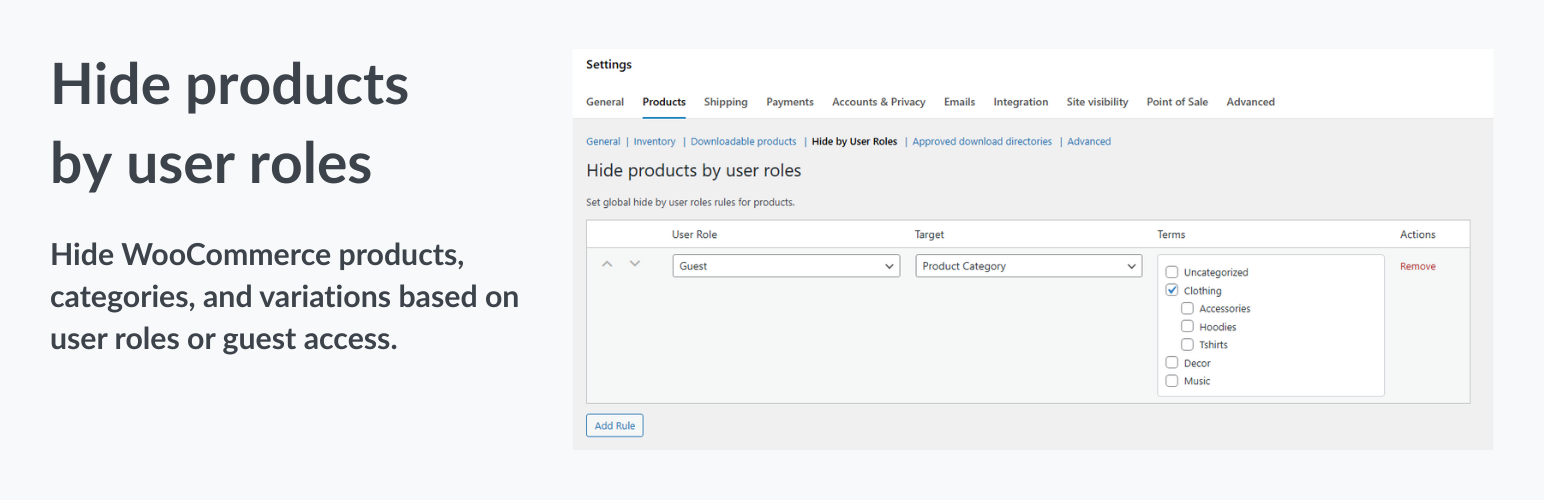
總結:Hide Products by User Role for WooCommerce 讓您可以在不需編碼的情況下控制不同使用者角色的產品可見性。您可以隱藏特定產品、產品類別或所有產品,並且適用於全球規則。這個外掛對於批發/零售定價分離、B2B 商店隱藏零售商品、私人或會員商店以及僅限登入使用者的商店等場景非常適合。
問題與答案:
1. Hide Products by User Role for WooCommerce 如何幫助您控制產品的可見性?
- 這個外掛讓您可以隱藏特定產品、產品類別或所有產品,並且適用於不同使用者角色。
2. 如何設定全球規則來控制產品的可見性?
- 您可以在 WooCommerce > 設定 > 產品 > 使用者角色隱藏 中應用全球規則。
3. Hide Products by User Role for WooCommerce 是否支援變數產品?
- 是的,這個外掛支援變數產品,並可以根據不同變異管理可見性。
4. Hide Products by User Role for WooCommerce 是否可以進一步客製化?
- 是的,您可以使用自訂目標(透過篩選器擴展)來進行進一步客製化。
外掛標籤
開發者團隊
② 後台搜尋「RIACO Hide Products by User Role」→ 直接安裝(推薦)
原文外掛簡介
Hide Products by User Role for WooCommerce lets you control product visibility for different user roles — including guests — without coding.
You can:
– Hide specific products, product categories, or all products from selected user roles.
– Apply global rules in WooCommerce > Settings > Products > Hide by User Roles.
– Hide products even in search, archives, and single product pages.
– Support for variable products — manage visibility per variation.
– Use custom targets (extendable via filters).
Perfect for:
– Wholesale / Retail pricing separation
– B2B stores hiding retail items
– Private or membership stores
– Logged-in users only stores
Features
Hide products for guests or specific user roles
Global visibility rules via WooCommerce settings
Role-based taxonomy and product filtering
Compatible with WooCommerce product queries
Hide single product pages if restricted
Hide variation products
Extendable via WordPress filters