外掛標籤
開發者團隊
② 後台搜尋「ReviewsFlow: Photo & UGC Reviews」→ 直接安裝(推薦)
原文外掛簡介
ReviewsFlow: Photo & UGC Reviews lets visitors leave star ratings, written reviews, photos and short videos on any page, post or WooCommerce product. The reviews live in your own WordPress database and your own Media Library. There is no account to create, no monthly fee and no external service for the core features.
What you get
Reviews with photos, short videos and YouTube or Vimeo links
List, grid and carousel layouts, page numbers or a “load more” button
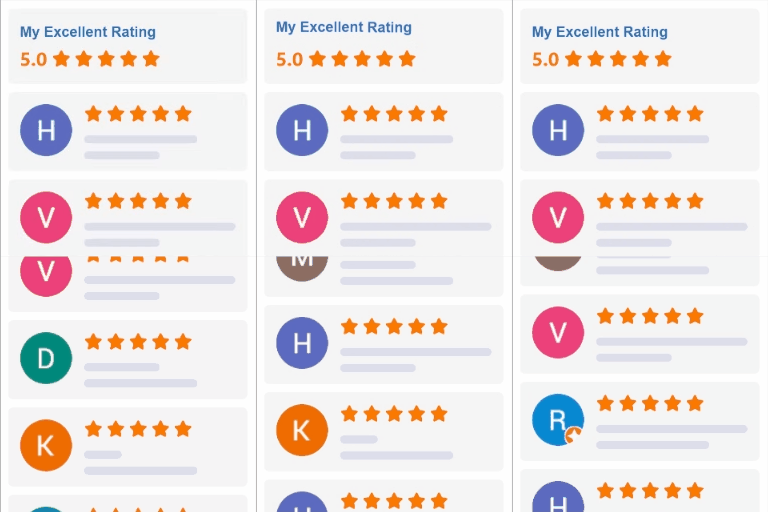
A rating summary with bars, filters by stars and photos, and sorting
Works on every page type: use the [eswr] shortcode, the ReviewsFlow: Photo & UGC Reviews block, or let the plugin add the reviews after your content automatically
A reviews wall for the whole site with [eswr_all], and a small star badge with [eswr_stars]
WooCommerce: a “Verified buyer” badge, product ratings that stay in sync, and no duplicate structured data
A compact storefront by default, with a Designer page and live preview to change everything: spacing (comfortable, compact, tight), text size, rating summary style (bars or one slim line), card shadow, button style, colours, fonts, corner radius, columns, autoplay, widths, how many lines show before “Read more”, and every label
Optional rating details: let reviewers rate up to five things you choose (Quality, Fit, Value) and show the averages next to the overall score
A customisable dashboard: show or hide Overview cards for your own user and pick the accent colour of this plugin’s screens
Questions and answers on products and pages: shoppers ask, you answer from a simple Questions screen, the shopper can get the answer by email, and the same spam protection as reviews applies
Moderation: approve, reject, reply, edit, add a review by hand, bulk actions and a spam folder
Publishing rules: publish everything, nothing, verified buyers only, or good ratings only. A blocked words list, a link limit and the WordPress disallowed comment words send junk to the spam folder
Helpful votes, sorting by most helpful, and keyword chips (“quality”, “delivery”) that filter the reviews
Placement rules by page address (/services/*, /about) and an exclude list, for any page, post or custom post type
An Overview with reviews per month, average rating, reply rate, verified and photo share, and your best reviewed pages
A Google Shopping reviews feed for WooCommerce products (download or private link)
Review request emails after an order, sent from your own site, with a one click opt-out
Reminder email: one follow-up 4, 7, 10 or 14 days after the first request, skipped for reviewers, opt-outs and cancelled orders
Ask past customers: email WooCommerce customers from 7 to 365 days back, 25 a day, after you confirm
Request stats: requests sent, reminders sent, reviews received and your conversion rate
Owner alerts: an email for each new review (maximum 10 an hour) or one daily summary
Email design: your logo, accent colour, headline and button text, with one-click star links, a live preview and a test send
Thank-you coupon (WooCommerce): a unique single-use coupon for each reviewer, percent or fixed amount
Store rating: your average rating and review count anywhere with [eswr_store_rating] or the Store rating block, as a pill, bar or card. It stays hidden until your first review is published and adds no duplicate structured data
Show reviews only where you want them: everywhere, only selected WooCommerce product categories, or only chosen products and pages. Reviews are kept when a page is left out
Overview trend lines on the four stat cards
Optional “Rate this plugin” and “Donate” links on the Plugins screen and a dismissible card on the Overview, shown only to administrators
CSV and JSON import, CSV export. Imports from Judge.me, Yotpo, Loox, WooCommerce review exports and any CSV or JSON file with a rating and a text. You can also copy your existing WooCommerce reviews.
Search engine friendly: star ratings in Google results (Product or Service structured data)
Built for privacy: GDPR personal data export and erase, no cookies, no tracking, visitor IP addresses are never stored in readable form
Accessible, keyboard friendly and light on your page speed
Ready for translation: every text is translatable, and community translations are delivered by WordPress.org. Any label can also be changed in the Designer.
Free, with no locked features. If ReviewsFlow: Photo & UGC Reviews saves you time, an optional donation helps us keep improving it. There is a small card on the plugin’s settings pages. You can dismiss it with one click and it never comes back.
Shortcodes
[eswr] reviews for the current page. Options: layout="grid", per_page="6", pagination_style="more", post_id="123", item="Delivery" for a reviews group that is not a page, and every Designer option such as accent="#b4532a".
[eswr_all] the newest reviews from the whole site.
[eswr_stars] a small star badge for the current page.
[eswr_store_rating] your store-wide rating. Options: look="pill", "bar" or "card", star="#hex", align="left|center|right".
[eswr_qa] questions and answers for the current page. It also appears under the reviews on product pages (switch it off in Settings > Collecting), or add qa="true" to [eswr] to show both together.
External services
The plugin works without any external service. Two optional features contact a third party, and only when you or a visitor use them:
YouTube and Vimeo videos. If a reviewer adds a YouTube or Vimeo link, the video is loaded from youtube-nocookie.com or player.vimeo.com only after a visitor clicks the video to play it. Nothing is loaded from these services while the page is displayed. YouTube: https://www.youtube.com/t/terms and https://policies.google.com/privacy. Vimeo: https://vimeo.com/terms and https://vimeo.com/privacy.
Downloading photos while importing a CSV. If you tick “Download the photos listed in the file” during an import, your site fetches the photo URLs that are in your own CSV file. It is off by default and only runs when an administrator starts an import.
No data about your visitors or your site is ever sent to Ecom Swift LLC.
Support
Questions or ideas: [email protected]