內容簡介
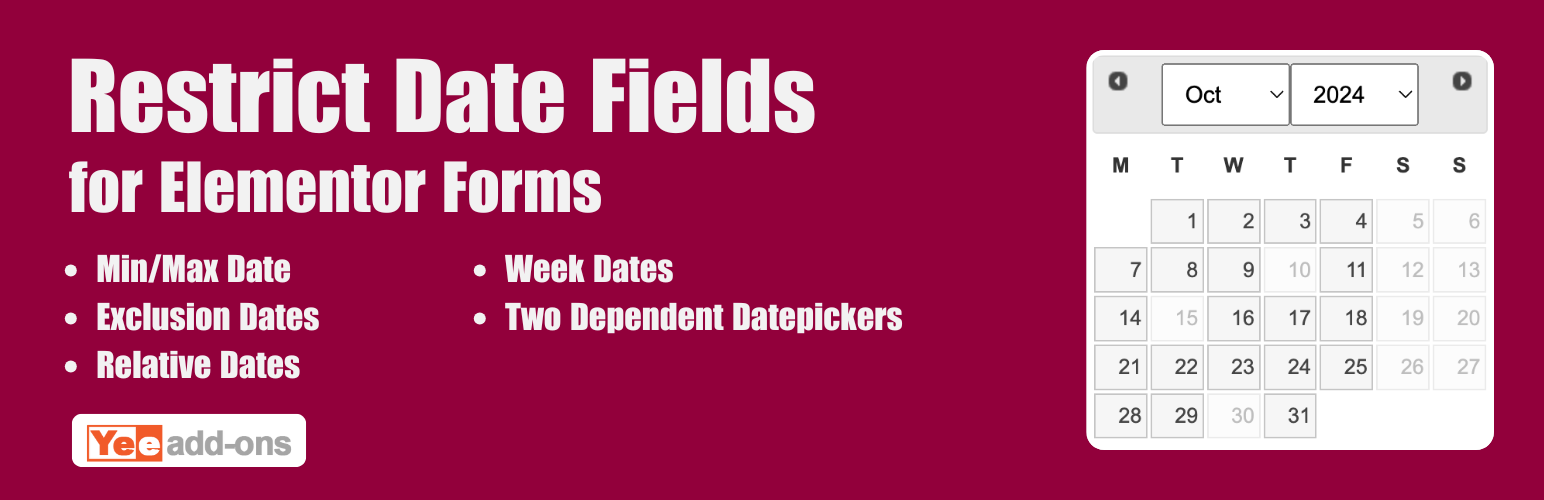
Advanced Datepicker - Restrict Date for Elementor Forms 是一款強大的外掛,專為網站的排程與預訂需求設計。它提供對 Elementor 表單日期選擇器的精確控制,能夠限制用戶可選擇的日期,避免排程衝突及無效輸入。
【主要功能】
• 動態最小日期設定
• 動態最大日期限制
• 排除特定星期幾
• 伺服器端驗證
• 內嵌日曆顯示
• 自訂日期格式
外掛標籤
開發者團隊
② 後台搜尋「Advanced Datepicker – Restrict Date for Elementor Forms」→ 直接安裝(推薦)
原文外掛簡介
DEMO: https://demo.add-ons.org/demo-restrict-date-fields/
Pro version: https://add-ons.org/plugin/elementor-form-restrict-dates-fields/
Document: https://add-ons.org/document-elementor-form-restrict-dates-fields/
Advanced Datepicker – Restrict Date for Elementor Forms is the ultimate scheduling and booking enhancement for your website. It provides unparalleled control over the native Elementor Forms date picker, allowing you to restrict the exact dates your users can select, preventing scheduling conflicts and invalid entries.
Whether you are building a hotel booking system, an appointment scheduling form for a doctor’s clinic, or managing event registrations, this add-on gives you the power to set dynamic minimum and maximum date boundaries, block out weekends, and effortlessly exclude specific dates or holidays.
Take full control of your calendars with seamless integration, robust server-side validation, and beautiful inline datepicker support.
Features
Dynamic Minimum Dates: Prevent past bookings. Set the earliest allowed date dynamically (e.g., “Current Date + 2 days”) or lock it to a fixed specific calendar date.
Dynamic Maximum Dates: Limit how far in the future users can book. Set a maximum boundary dynamically (e.g., “Current Date + 30 days”) or use a fixed cut-off date.
Exclude Specific Days of the Week: Perfect for businesses! Blackout specific weekdays (like strictly disabling Saturdays and Sundays) so users can only pick your working days.
Server-Side Validation: Bulletproof security ensuring forged data cannot be submitted, protecting your database from invalid dates.
Inline Calendar Display: Embed a fully unfolded, permanently visible inline calendar directly into your web form instead of relying on popup modals.
Custom Date Formats: Complete flexibility to tailor your date format specifically to your region (e.g., dd-mm-yy, mm/dd/yyyy, etc.).
Disable Keyboard Input (Readonly): Force users to exclusively use the visual calendar picker, eliminating typing typos and format errors.
Why You Need Date Restrictions
Without date restrictions, users can accidentally select past dates, fully-booked days, or corporate holidays, causing administrative headaches and lost conversions. By implementing proactive restrictions right inside your Elementor Forms, you dramatically improve user experience (UX) by guiding them seamlessly toward valid scheduling options.
PRO VERSION
Dependent Datepickers: Link two date fields seamlessly! Force the “Checkout Date” to always respect and strictly follow the chosen “Check-in Date”.
Specific Date Exceptions: Blackout exact individual dates on the calendar (e.g., specific national holidays, staff vacation days, or sold-out dates).