內容簡介
總結:
Elementor Forms - Restrict Dates 是一個 WordPress 外掛,可以讓您在 Elementor 表單中設定特定的日期限制,包括設定最小日期、最大日期、日期範圍等功能,提供更靈活的日期限制選項,以增強使用者體驗。
問題與答案:
1. 什麼是 Elementor Forms - Restrict Dates?
- Elementor Forms - Restrict Dates 是一個 WordPress 外掛,允許您在 Elementor 表單中設定特定的日期限制。
2. 可以設定 Elementor Forms - Restrict Dates 的日期限制功能有哪些?
- 可以設定最小日期、最大日期、指定日期範圍等功能,還可以自訂選項以控制使用者可選擇的日期。
3. Elementor Forms - Restrict Dates 如何提供日期限制的靈活性?
- 提供最小與最大日期限制,讓您建立特定範圍的可選日期;這對於需要根據特定需求限制日期選項的場景非常有益。
4. 我們可以如何改善使用者體驗?
- 透過在 WPForms 中實施日期限制,可以增強使用者體驗,讓使用者只看到並選擇有效和相關的日期,減少混亂和潛在錯誤。
外掛標籤
開發者團隊
② 後台搜尋「Advanced Datepicker – Restrict Date for Elementor Forms」→ 直接安裝(推薦)
原文外掛簡介
DEMO: https://demo.add-ons.org/demo-restrict-date-fields/
Pro version: https://add-ons.org/plugin/elementor-form-restrict-dates-fields/
Document: https://add-ons.org/document-elementor-form-restrict-dates-fields/
Elementor Forms – Restrict Dates allows you to set specific date restrictions on date fields within your Elementor Forms.
You can set minimum and maximum dates, specify date ranges, and customize additional options to control the available choices for users.
Features
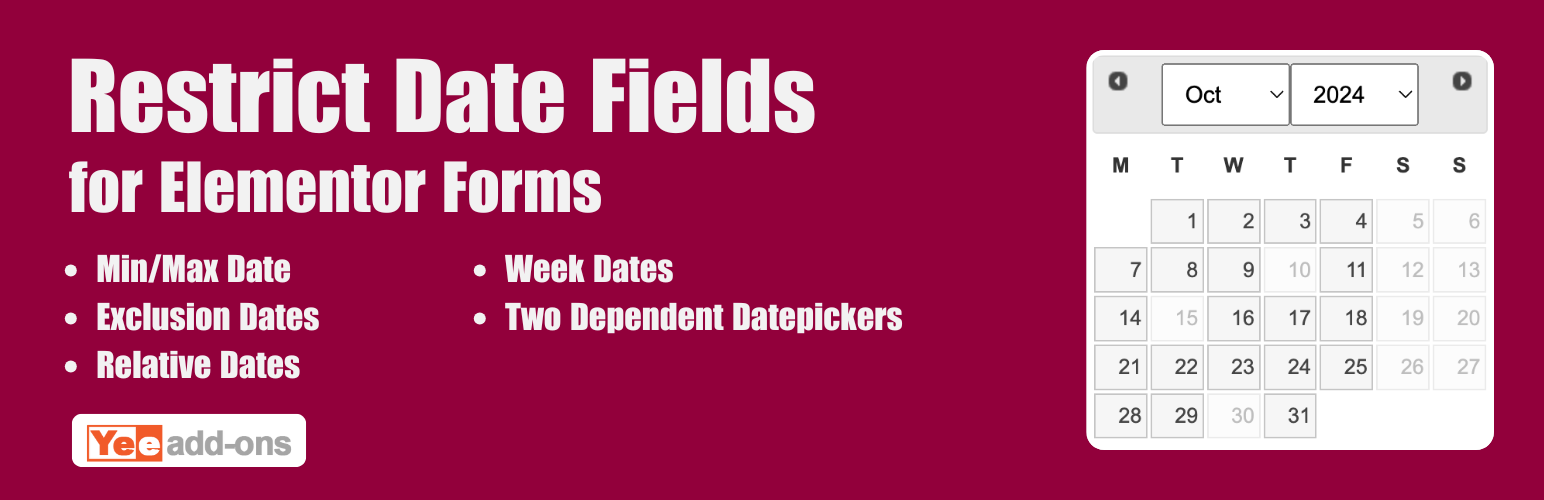
Min days: Allow admin to set minimum restrict date range
Max days: Allow admin to set maximum restrict date range
Weeks: Allow admin to set weekend/weekdays for the selected date range
Exceptions: Allow admin to add exception dates for the selected date range
2 Dependent datepickers: You want two date fields where the second date (End Date) is dependent on the first date (Start Date) with min and max date.
Flexibility in Date Restrictions
Provides flexibility in defining date restrictions. You can set both the minimum and maximum dates, allowing you to create a specific range of selectable dates. This is beneficial for scenarios where you want to limit the date options based on specific requirements, such as event start and end dates or booking availability.
Minimum Date
Set the earliest date that users can select. For example, you can restrict the selection to dates starting from today or today +1 days or any specific date.
Maximum Date
Set the earliest date that users can select. For example, you can restrict the selection to dates starting from today or today +1 days or any specific date.
Exclusion Days
You can exclude specific days of the week from being selectable. For example, if your business is closed on Sundays, you can exclude that day from the available choices.
Relative Dates
You can utilize relative dates to set dynamic restrictions. For instance, you can specify a minimum date as “+2 weeks” from the current date, ensuring that users can only select dates at least two weeks in the future.
Improved User Experience
By implementing date restrictions in your WPForms, you enhance the user experience. Users will only see and be able to select valid and relevant dates, reducing confusion and potential errors.
PRO VERSION
2 dependent datepickers with min and max date
Exceptions