內容簡介
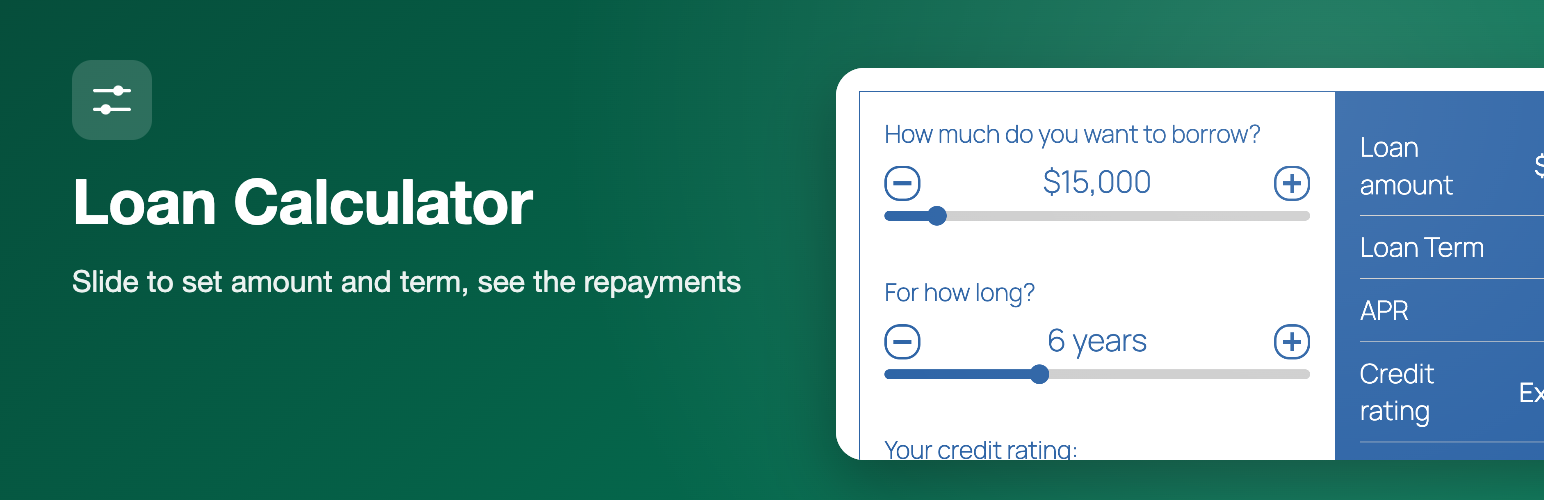
使用滑桿設定貸款金額和期限,並使用按鈕設定您的信用評分。為了顯示您需要償還多少,我們為您顯示輸出結果。加入一個應用程式按鈕,以連接到您的應用程式表格,就可以開始使用了。沒有什麼複雜的,非常簡單易懂。
外掛標籤
開發者團隊
原文外掛簡介
Loan Calculator adds a loan calculator with sliders to your WordPress site, so visitors can work out their loan repayments without leaving the page. Visitors drag the sliders to choose the loan amount and the term, pick their credit rating, and instantly see the repayment amount, the interest and the total they would pay. An optional “Apply Now” button sends them on to your application page. You can add this loan calculator with the Loan Calculator block in the block editor or with a shortcode.
Loan calculator features
Sliders for loan amount and loan term, with optional markers
Credit rating selector: five ratings (Poor to Excellent) with an interest rate for each, which you can edit
Or a flat rate with a second rate for larger loans, if you switch the credit rating selector off
Results: repayment amount, rate, interest to pay, total to pay, loan amount, term, credit rating and processing fee, each of which you can show or hide and reorder
Repayment period in days, weeks, months or years
Optional processing (admin) fee, fixed or a percentage, with a minimum and maximum, and an optional term fee
Effective or nominal APR conversion
Currency symbol and position, thousands separator, decimals and rounding options
“Apply Now” button that redirects to your own URL, and can pass the amount, term, rating and APR in the query string
Editable captions and colors
Gutenberg block and [lrc] shortcode
Accepts a zero percent rate
How to add the loan calculator
In the block editor click the “+” button, search for “Loan Calculator” and add the block. Or paste the shortcode into a page or post:
[lrc]
Then open Settings > Repayment Calculator in the WordPress admin to set the slider ranges, interest rates, credit ratings, fees, currency, captions and colors.
Use cases
Lenders, loan brokers, credit unions, car finance and personal loan sites, and finance blogs that want an indicative loan calculator.
Please note
Results are indicative only and are not a loan offer.