內容簡介
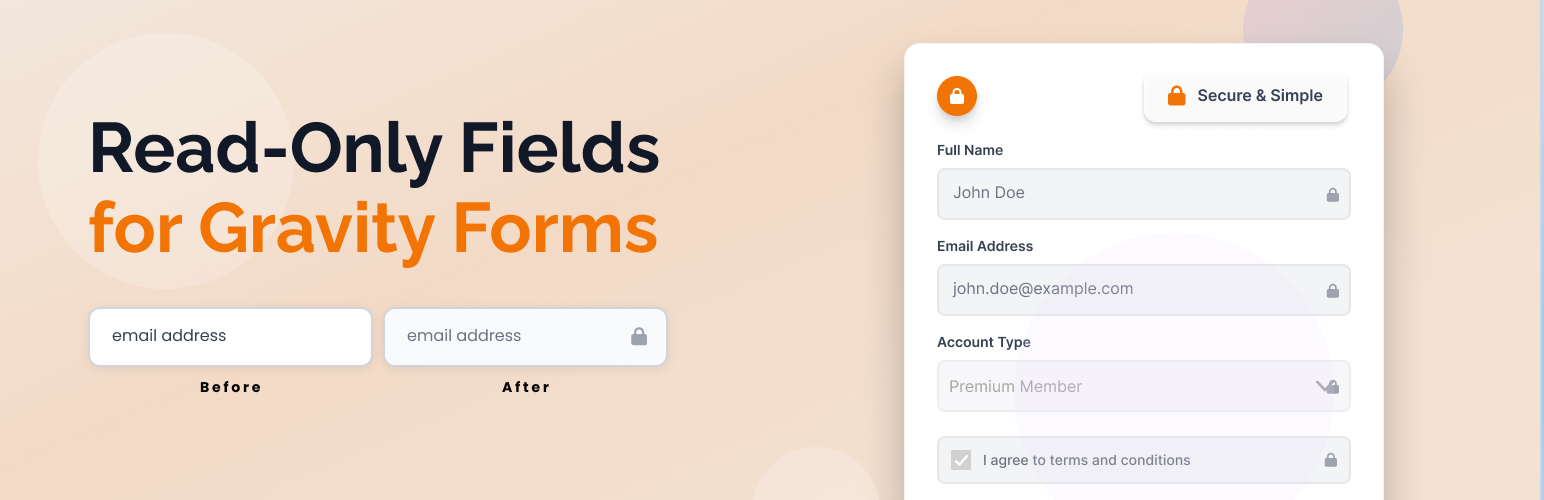
此外掛可輕鬆為任何 Gravity Forms 欄位新增「唯讀」選項,讓使用者在前端無法編輯特定欄位,提升表單的使用體驗與安全性。
【主要功能】
• 為所有支援的 Gravity Forms 欄位新增「唯讀」選項
• 提供提示工具以避免使用必填或合併標籤作為預設值
• 支援多種欄位類型(文字、文本區、選擇框等)設為唯讀
• 排除不支援的欄位類型(隱藏、HTML、驗證碼等)
• 提供優雅的唯讀欄位樣式以改善使用者體驗
• 完全可翻譯並支援本地化
外掛標籤
開發者團隊
② 後台搜尋「Read Only Fields for Gravity Forms」→ 直接安裝(推薦)
原文外掛簡介
Easily add a universal “Read Only” option to any Gravity Forms field. This plugin adds a checkbox to every supported field in the Gravity Forms editor, allowing you to make any field read-only on the frontend. Includes a tooltip warning to avoid using required or merge-tag default values with read-only fields.
Fully compatible with Gravity Forms v2.x.x and v3.x.x.
Features
Adds a “Read Only” checkbox to all supported Gravity Forms fields in the form editor
Shows a tooltip warning about not using “Required” or merge tags as default value
Makes any supported field type (text, textarea, select, checkbox, radio, etc.) read-only/disabled on the frontend if enabled
Excludes unsupported field types (hidden, html, captcha, page, section, form, fileupload) from the Read Only option
Optimized for all supported field types and easy to maintain
Adds subtle styling to read-only fields for better user experience
Fully translatable and ready for localization
Usage
Only supported field types will show the “Read Only” option.
Read-only fields are visually styled and cannot be edited by users on the frontend.